
Ask the desk agent
Start on the website, open a fresh Sourcing Agent chat, and read each stored answer before you press Approve.
What it is
This is one lesson, from the public website to the last reply in the chat. The Sourcing Agent is the green chat on the staff desk. It answers from the records already stored on that site, in English or Chinese. It does not invent a price, a date, a CBM, a weight, or a status. A blank cell stays blank.
It is for people who sign in as a manager or an agent. Clients do not use this chat. The client portal stays read-only: no factory prices, no factory names, and no writes.
The pictures below are one fresh chat. The first message is Hello. Nothing in that chat was posted, saved, or awarded.
Why it matters
A new person can follow the same sentences and see the same kind of answer: the request that needs work, the quotes that have no packing volume, the chase that waits for Approve, the task list, a new client, the morning batch, and the day report. Approve is the only step that posts or saves. Reading the reply does not.
Steps
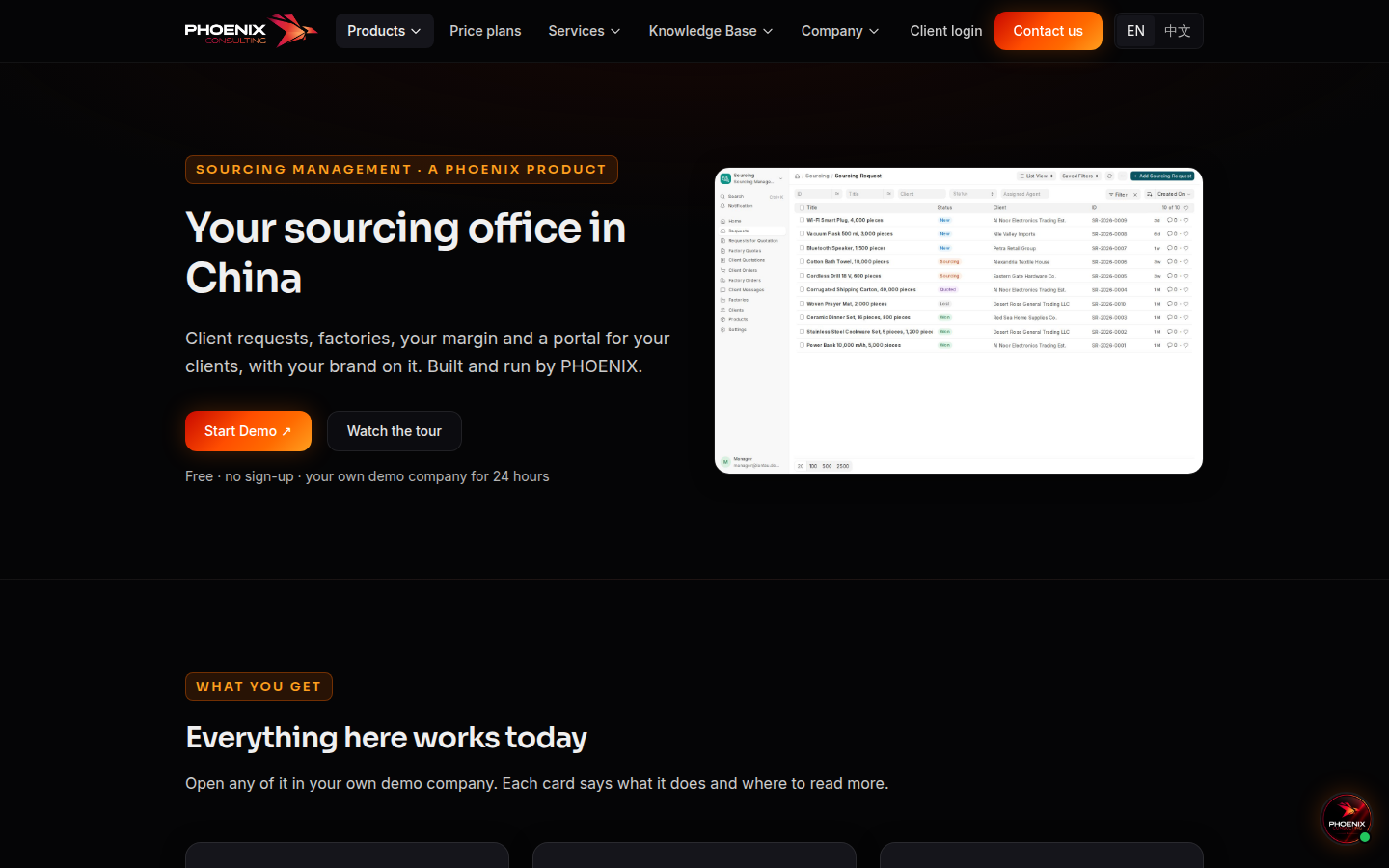
- Open Sourcing Management. Press Start Demo. The page says the demo is free, needs no sign-up, and is your own demo company for 24 hours. Choose Manager on the login page.
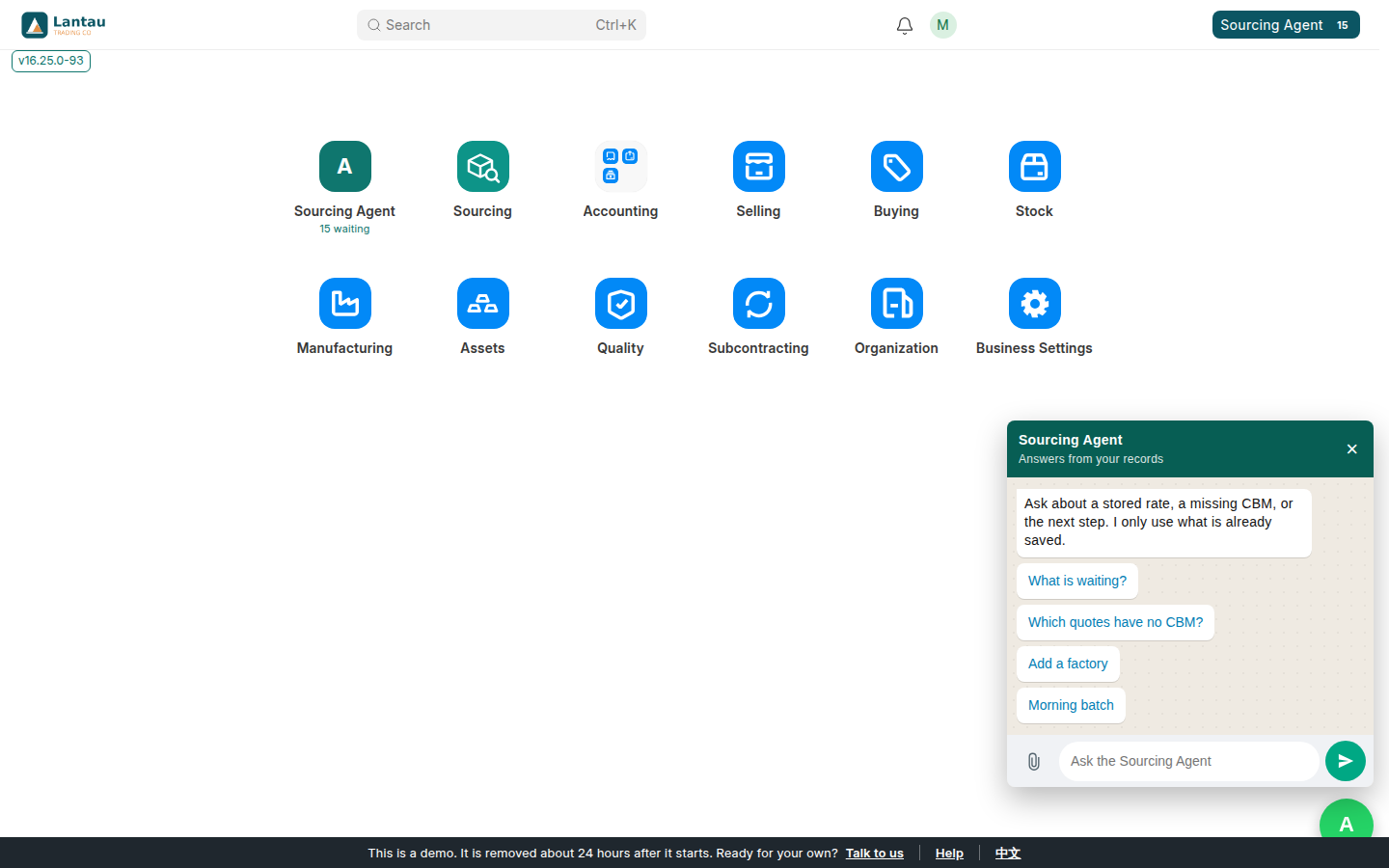
- On the desk, press the green Sourcing Agent button. The window title is Sourcing Agent. The line under it is Answers from your records. A new chat starts with four starters and no older messages.
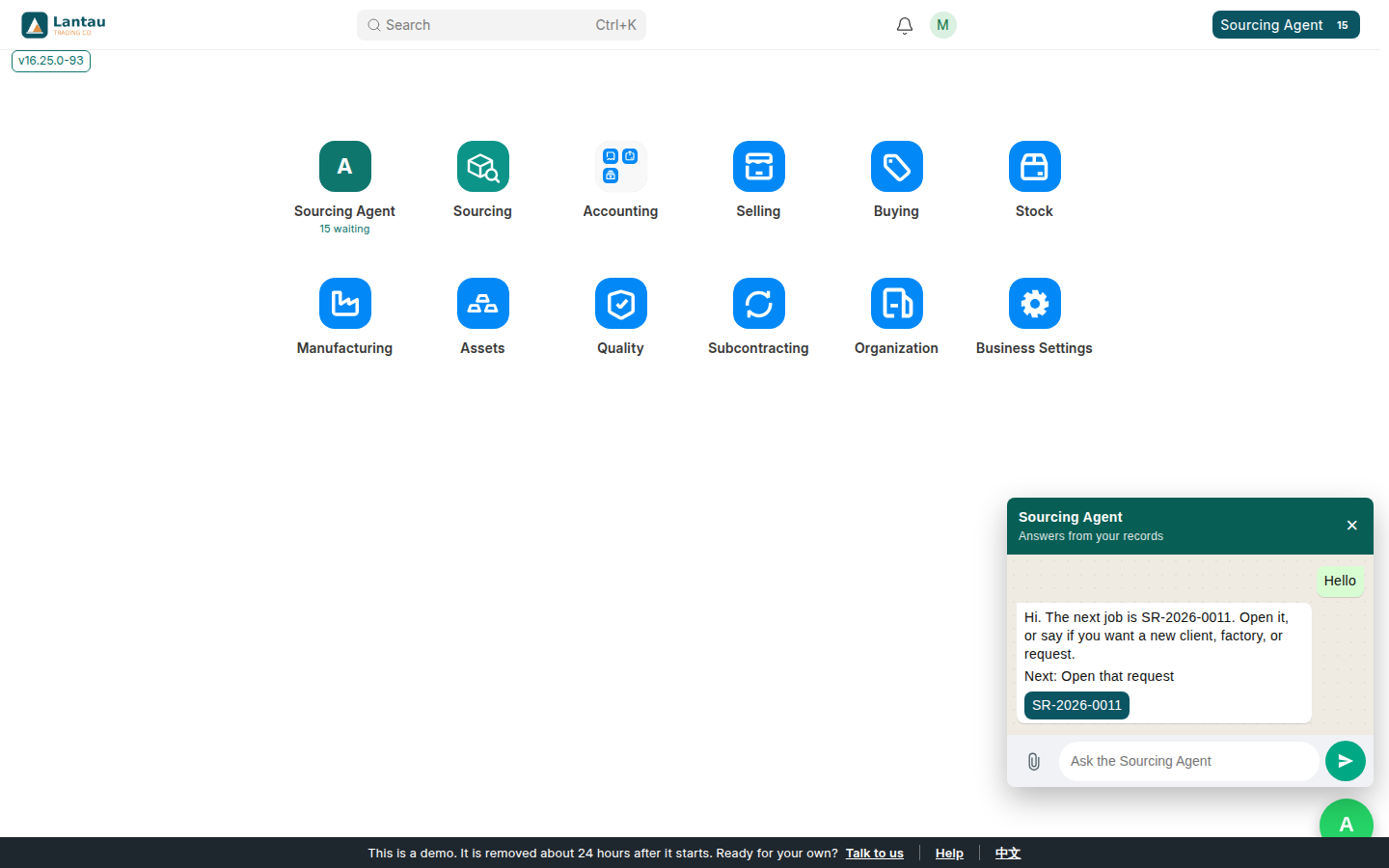
- Say Hello. On this demo the reply is: Hi. The next job is SR-2026-0011. Open it, or say if you want a new client, factory, or request.
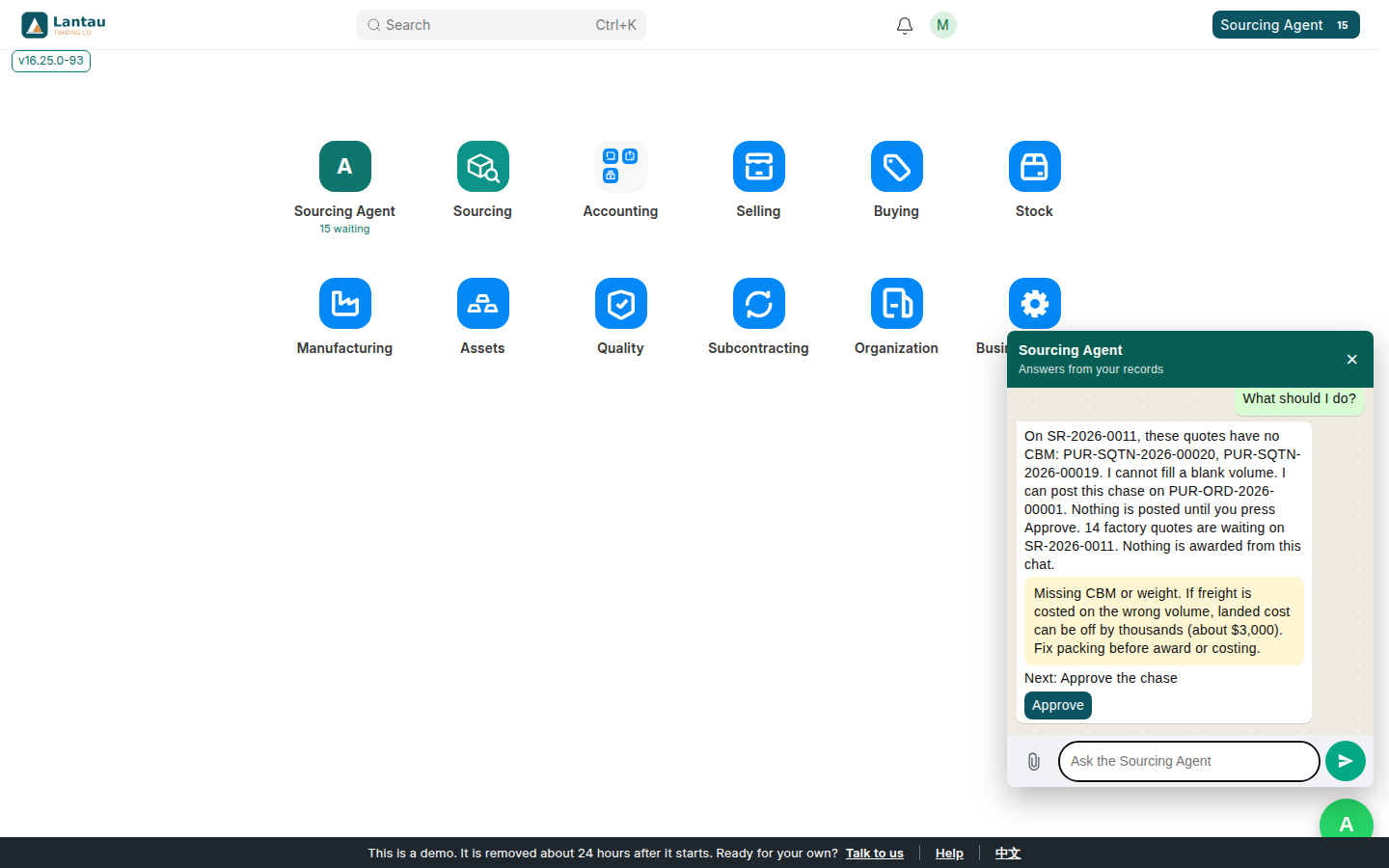
- Say What should I do? The reply names the stored picture, and only that. On SR-2026-0011, these quotes have no CBM: PUR-SQTN-2026-00020 and PUR-SQTN-2026-00019. The chat will not fill a blank volume. It can post a chase on PUR-ORD-2026-00001, and nothing is posted until you press Approve. 14 factory quotes are waiting on SR-2026-0011. Nothing is awarded from this chat. The warning on that reply is the stored packing warning. Leave Approve unpressed if you only wanted to read.
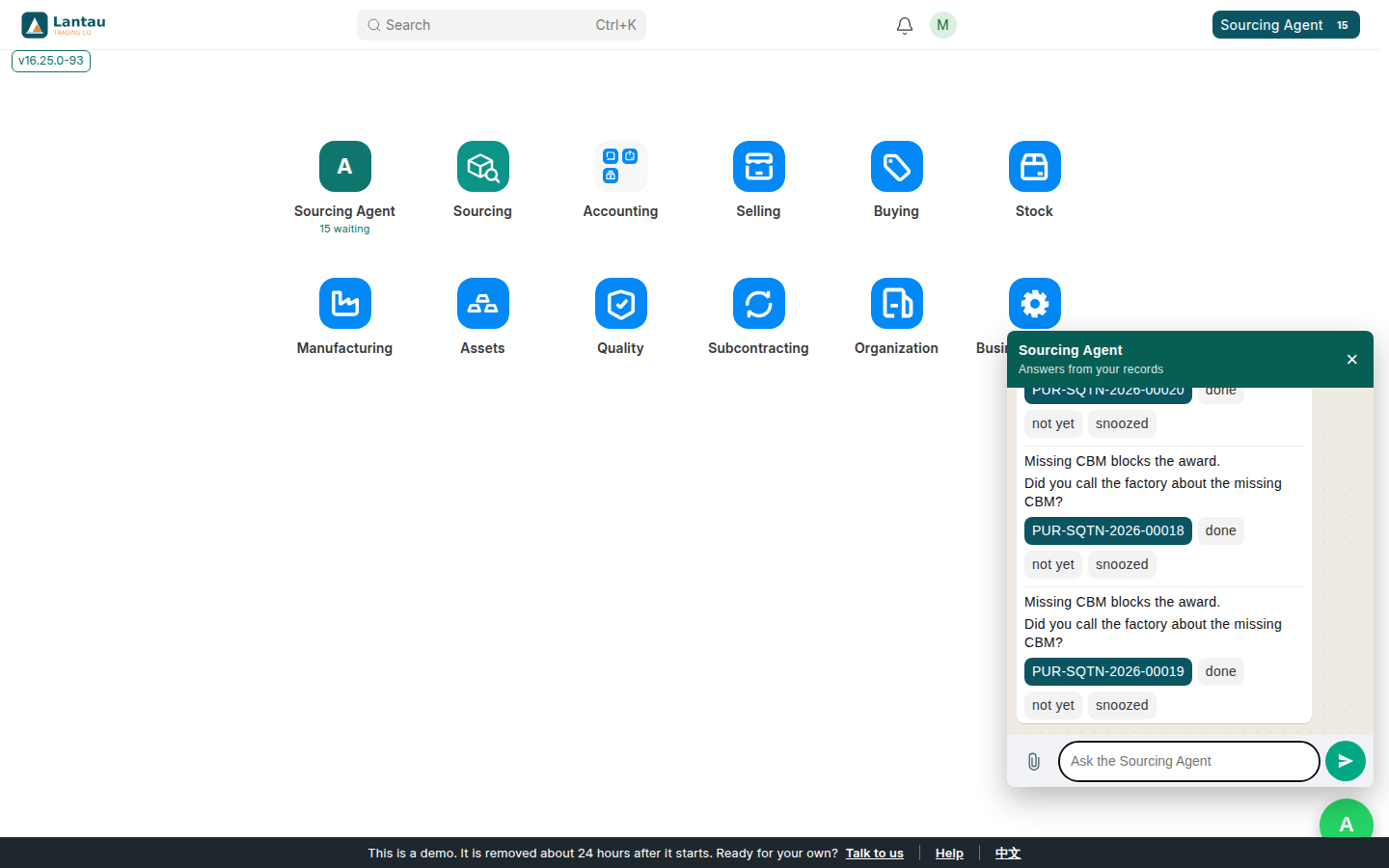
- Say Show the task list. The reply is the task list from the records only. A blocker comes first. This demo shows three rows, PUR-SQTN-2026-00020, PUR-SQTN-2026-00018, and PUR-SQTN-2026-00019, then says 26 more are the same kind of job. Each row asks whether you called the factory about the missing CBM. done, not yet, and snoozed are written on that document.
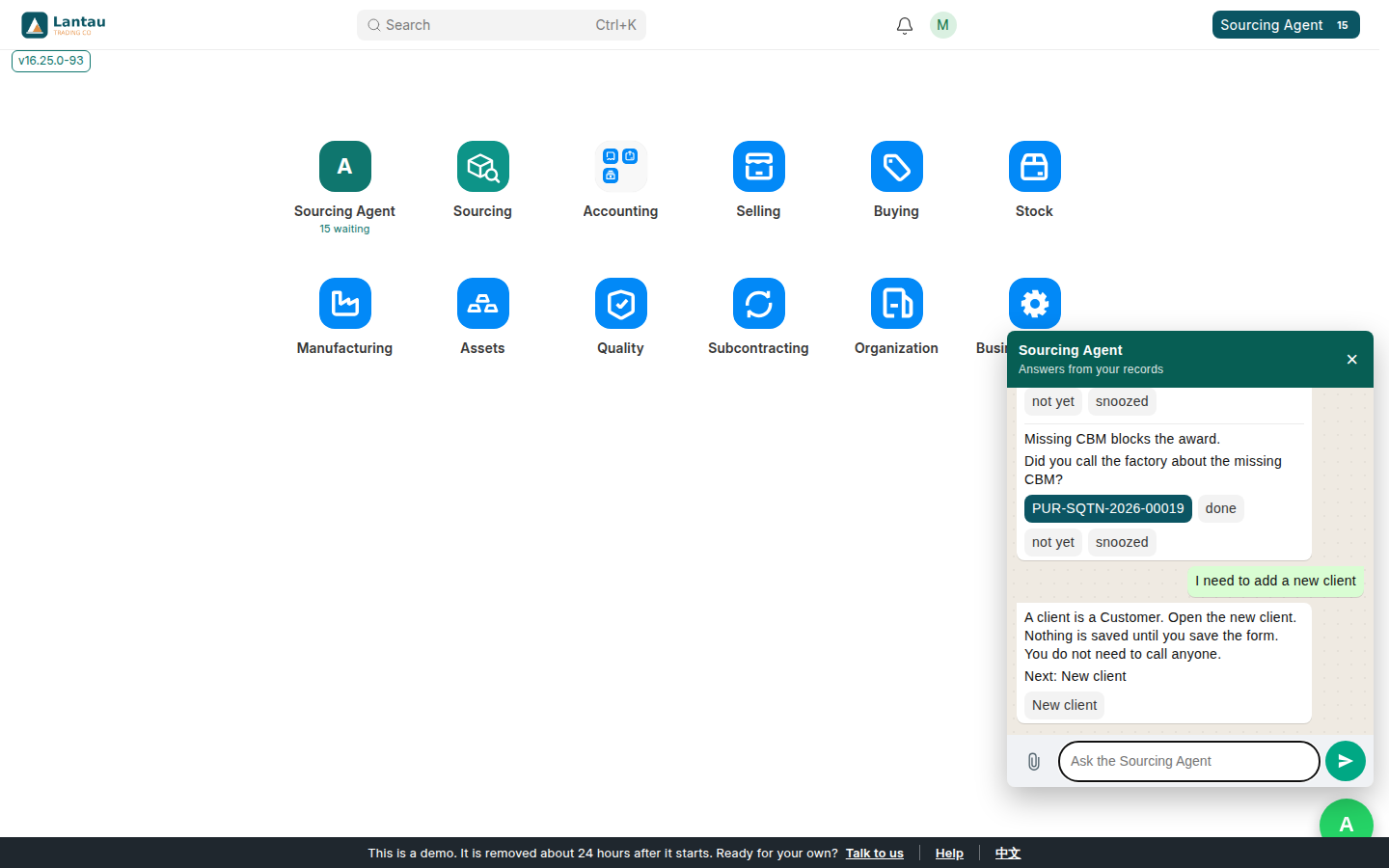
- Say I need to add a new client. The reply says a client is a Customer, and gives New client. Nothing is saved until you save the form.
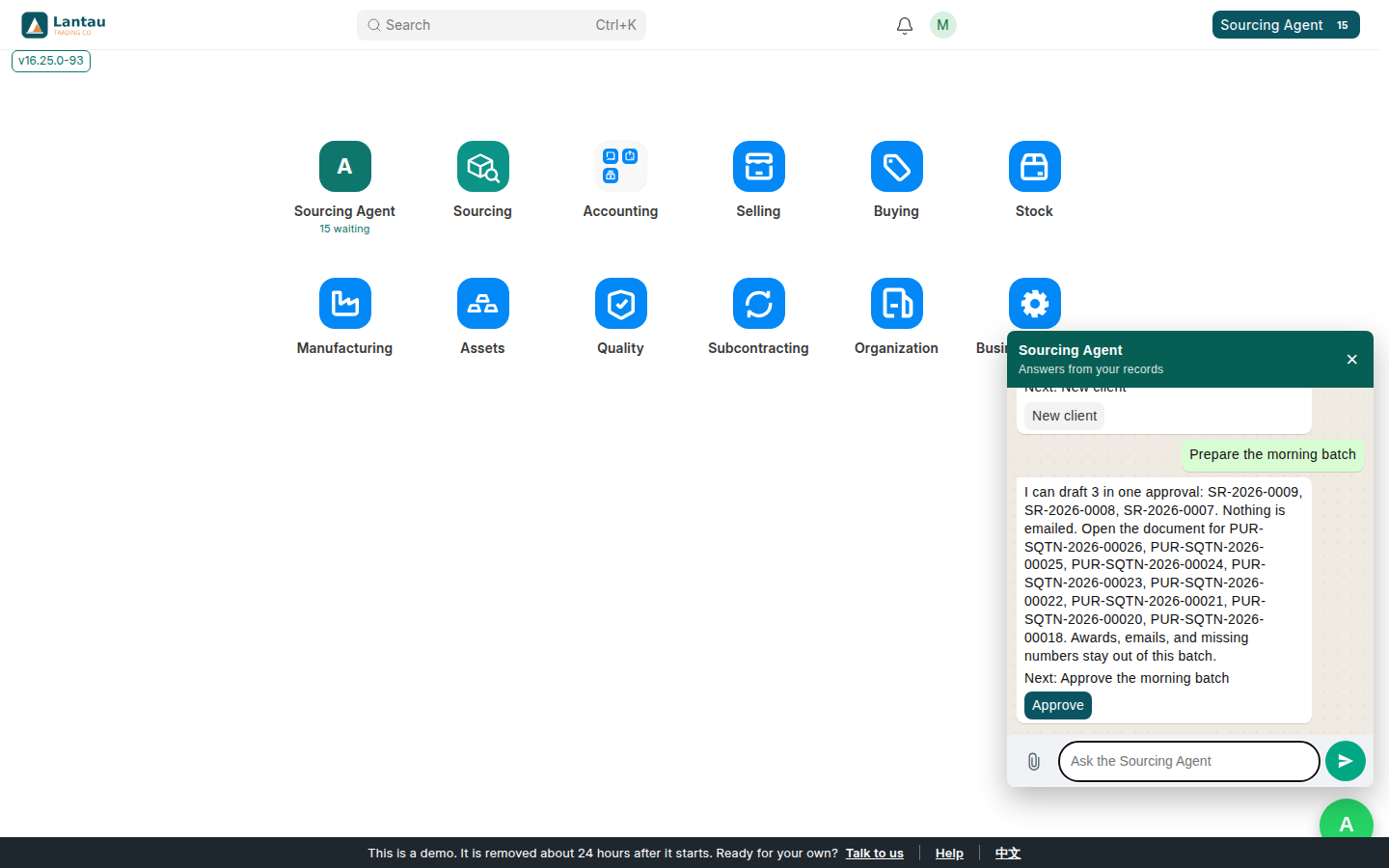
- Say Prepare the morning batch. On this demo the reply can draft 3 in one approval: SR-2026-0009, SR-2026-0008, and SR-2026-0007. Nothing is emailed. Quotes that are missing a number stay out of that batch, and the reply names them. Awards and emails stay out. Press Approve only when you want those drafts prepared.
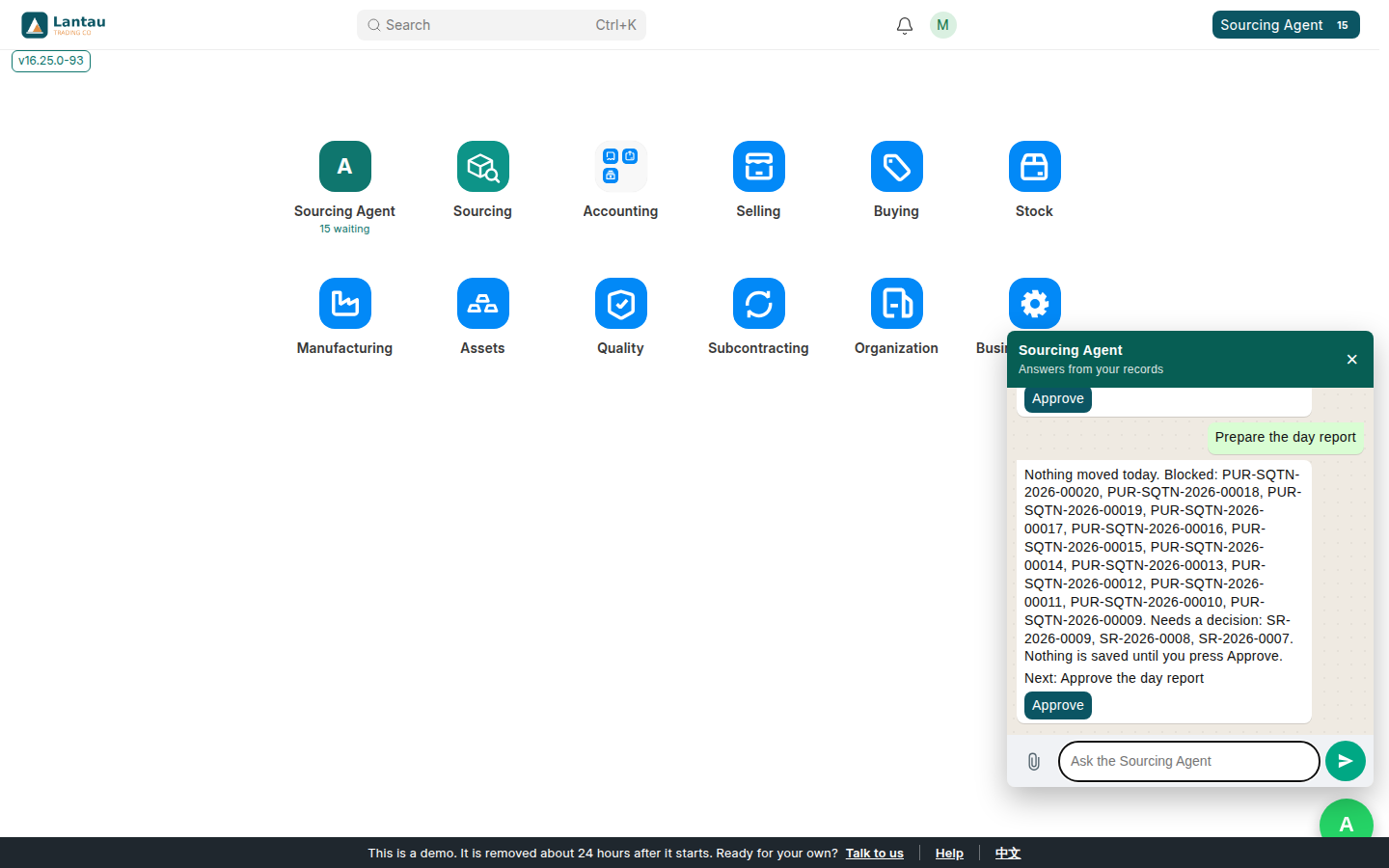
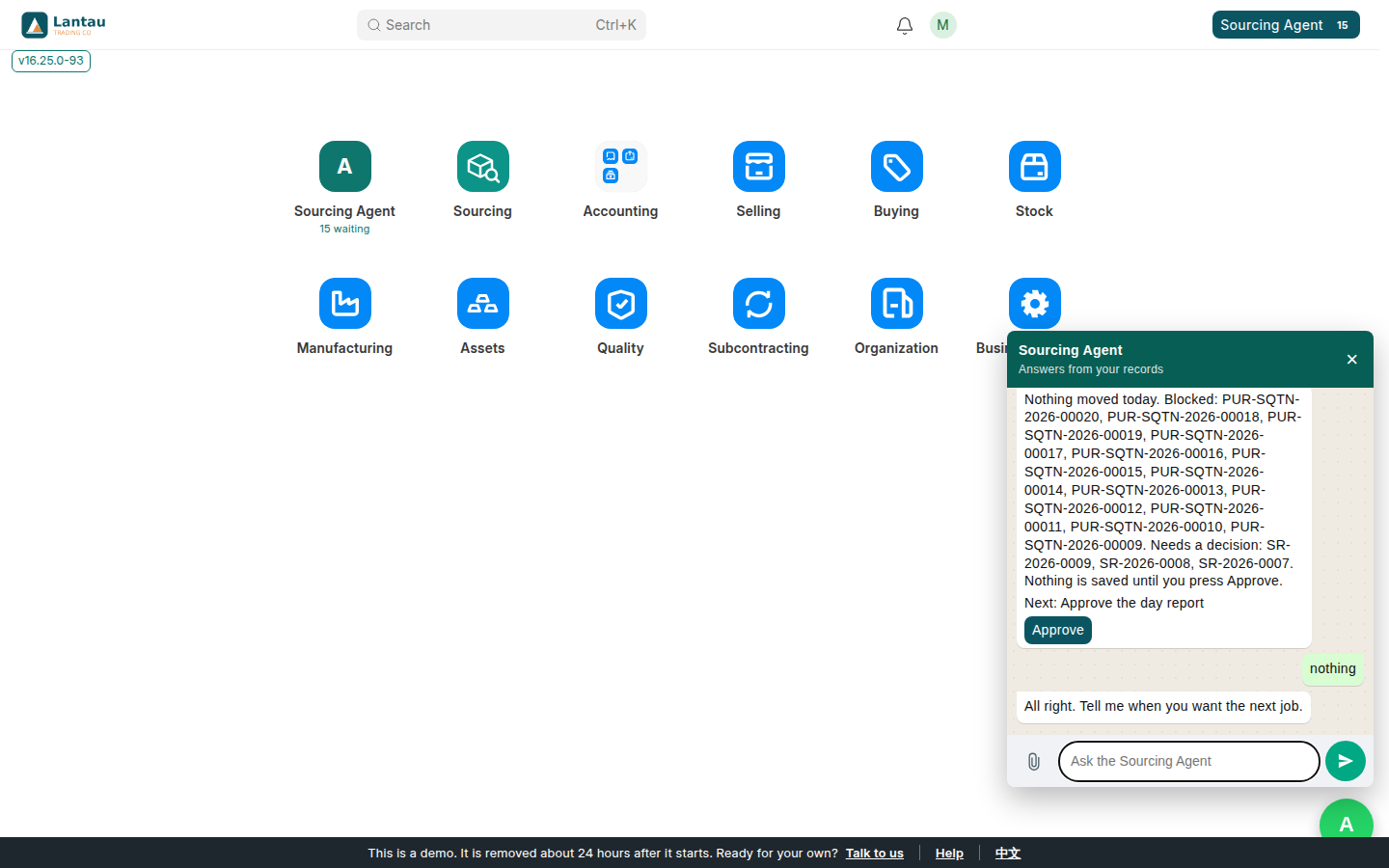
- Say Prepare the day report. On this demo the reply says nothing moved today. It lists the quotes that are blocked, and it says SR-2026-0009, SR-2026-0008, and SR-2026-0007 need a decision. Nothing is saved until you press Approve.
- Say nothing when you want it to stop. The reply is: All right. Tell me when you want the next job.
AI commands
You do not need special commands. These are the sentences from this lesson:
| You can say | What the chat did |
|---|---|
| Hello | Named the next job, SR-2026-0011 |
| What should I do? | Named the quotes with no CBM, the chase, and the waiting count. Approve was still waiting |
| Show the task list | Three blocker rows, then a count of the rest |
| I need to add a new client | A New client button. The form is not saved yet |
| Prepare the morning batch | Three drafts in one approval. Nothing is emailed |
| Prepare the day report | The stored day, saved only after Approve |
| nothing | It stops and waits |
Common mistakes
- Pressing Approve when you only wanted to read. Approve posts the chase, prepares the batch, or saves the report named in that reply.
- Expecting a missing CBM to be filled in. The chat will not invent a volume. Someone has to type it on the quote.
- Asking this chat from the client portal. It is on the staff desk.
Tips
- Open sits on the document. Approve sits on the job. The buttons are on their own row.
- The same lesson works in Chinese. Say 你好, then 这个我能做什么, then 任务, 我要新建客户, 早上的一批, 今天的报告, and 没有.
- A price file can be dropped with the paperclip. The chat reads a labeled quantity and a labeled unit price. A blank stays blank. The draft is saved only after Approve.
