
Start here · Beginner
Try it: trial, sign-up and contact
What you can try today, and what you cannot. There is no public PHOENIX Native demo yet; the sign-up page and a conversation with us are the ways in.
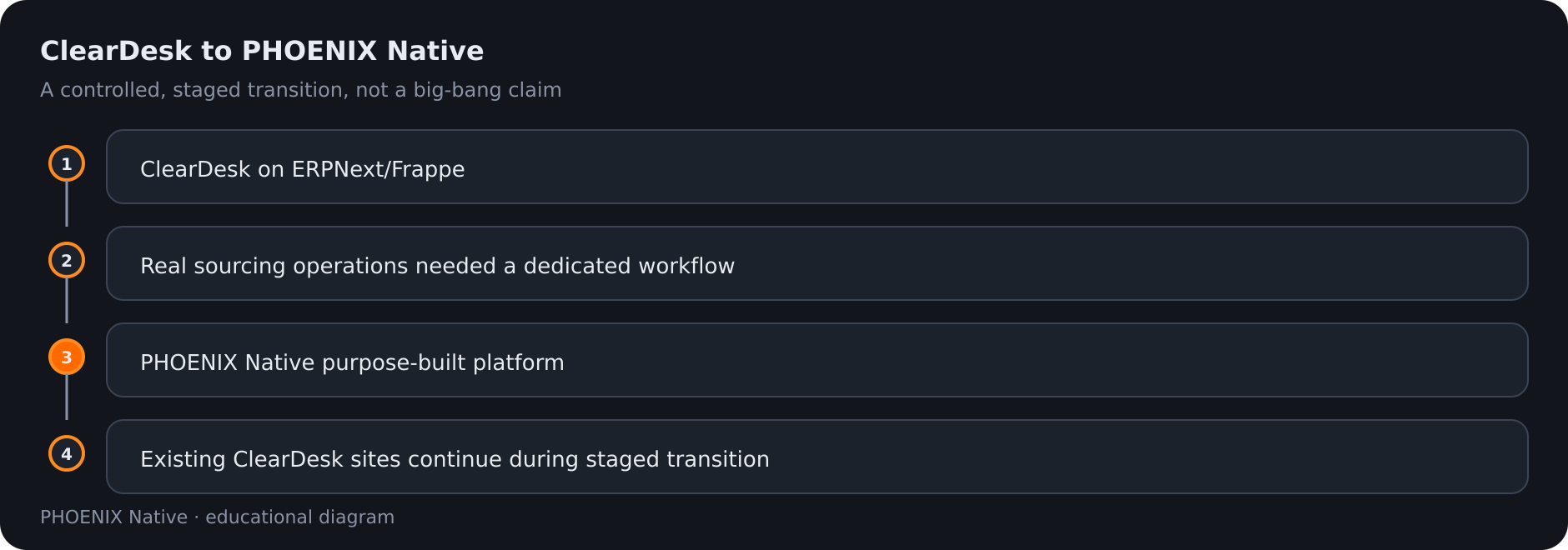 Diagram: ClearDesk to Native as a staged evolution
This page keeps its address for old links. It used to describe a 24-hour demo company. That demo belongs to ClearDesk, the earlier generation of our sourcing system, and it is not a demo of PHOENIX Native.
What is true today
| Question | Answer |
|---|---|
| Is there a public self-service PHOENIX Native demo? | No. We do not offer one today, and we do not present the older ClearDesk demo as Native |
| Is there a free trial? | The sign-up page offers a 30-day free trial with no card and no payment during the trial |
| What does that trial give me? | A site on our existing cloud platform, the ClearDesk generation of the product. It is not a PHOENIX Native workspace |
| How do I see PHOENIX Native? | Talk to us, tell us about your sourcing operation and we reply within one business day |
| How does paid activation work? | PHOENIX operators handle commercial onboarding, invoicing and activation. This page does not claim live automatic card billing or automatic renewal |
Choosing between them
| If you want to | Do this |
|---|---|
| Try a sourcing system yourself, right now | Use the free trial on the sign-up page and keep in mind that it is the ClearDesk generation |
| See the workflow PHOENIX Native is built around | Talk to us and read the Sourcing workflow |
| Plan a move from ClearDesk to Native | Talk to us. The transition is controlled and staged |
What to ask to see
In a Native walkthrough you can ask to see any step of the available workflow:
- A client request with items, requirements and attachments.
- An RFQ, supplier quotations and the comparison.
- Landed costing and the four pricing models: Commission, Markup, Factory Rebate and Mix.
- Approval, the Sales Quotation and the client’s decision.
- The Sales Order, production, quality control (including a failed check and a re-check) and shipping.
- The client portal, and what it never shows.
- The invoice and its accounting journals.
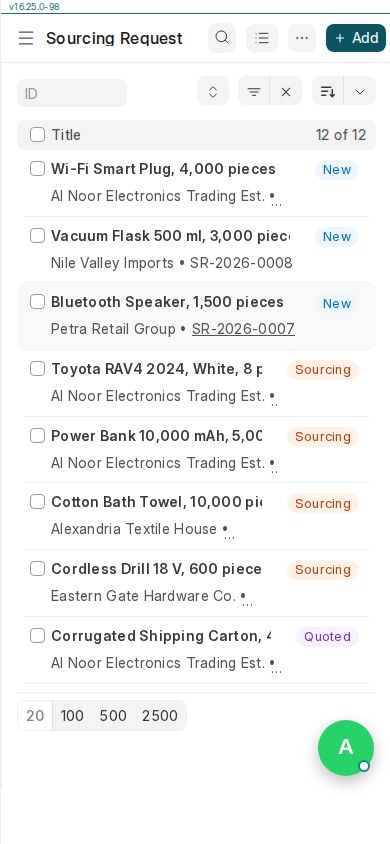 Real PHOENIX Native screen (synthetic demo data)
Prices are on the pricing page. Roles are explained in Users and roles.
Related pages
-
Getting Started
How a PHOENIX Native workspace is organised and the first steps for an owner: your team, suppliers, clients and your first request.
-
Sourcing Workflow
How a deal moves in PHOENIX Native, from the client's request to RFQ, supplier quotations, landed costing, pricing, approval, order, quality control, shipping and invoice.
-
Users, roles and permissions
PHOENIX Native has three roles: owner, staff and client. What each can do, what clients never see and how people are added.
Still have a question?
Ask the PHOENIX assistant in the chat at the bottom right (read-only guidance), or send us a message. We reply within one business day.
The self-service trial creates a ClearDesk-generation cloud site today. To see PHOENIX Native, talk to us.