
Part 3 · The sourcing workflow
Record a client's request
Create a Sourcing Request for what a client wants: the product, how many pieces, and where and when it must arrive.
What it is
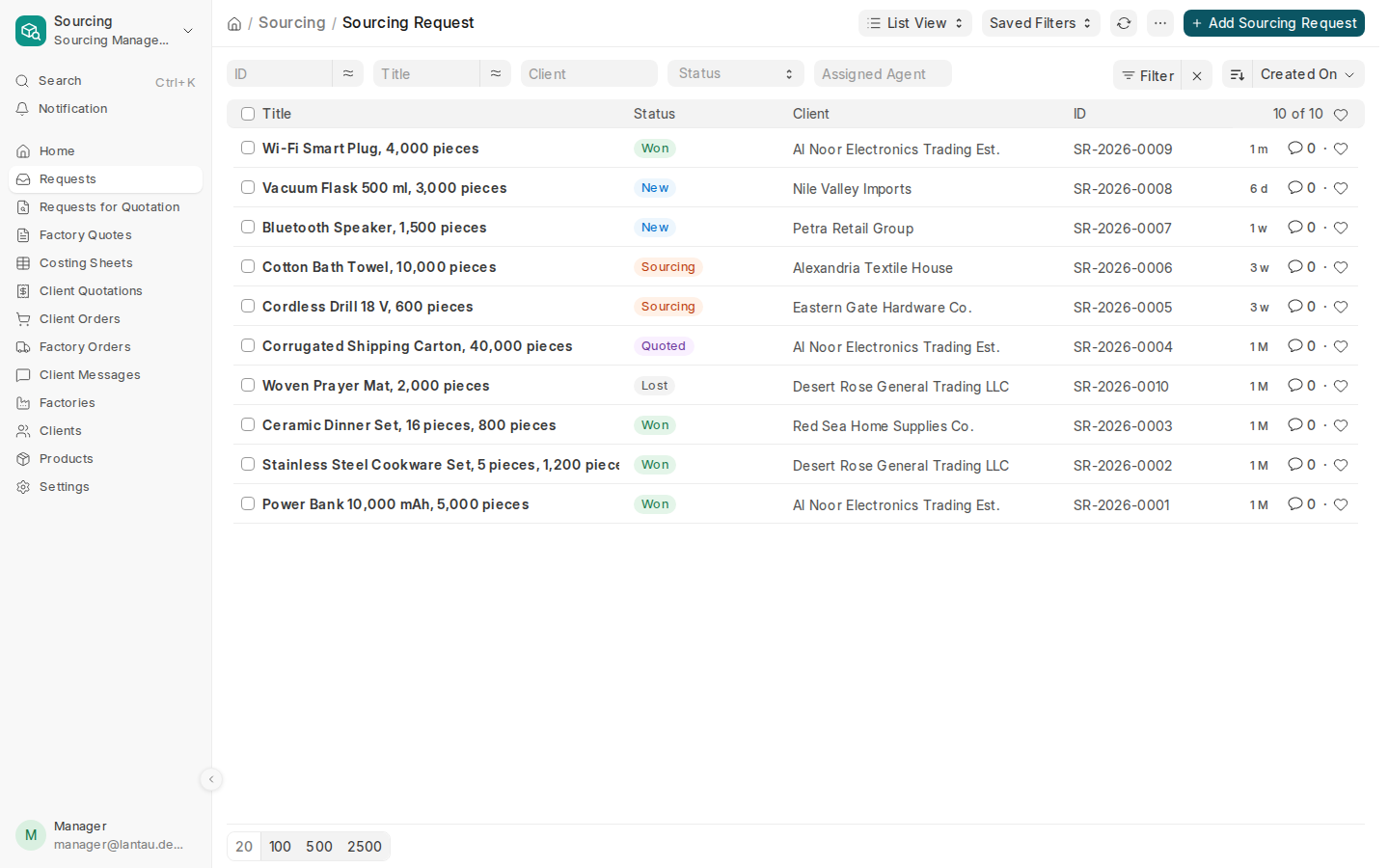
A Sourcing Request records what a client asks you to find: the product, how many pieces, and where and when it must arrive. Every factory quote, client quotation and order for that product starts from it. Requests that clients send from the client portal arrive in the same list, with Source set to Portal.
Why it matters
One record keeps the client, the product, the target price and every factory quote together, so nobody works from an old chat message. The list shows where each request stands: New, Sourcing, Quoted, Won or Lost.
Steps
- In Sourcing, open Requests in the sidebar and select Add Sourcing Request.
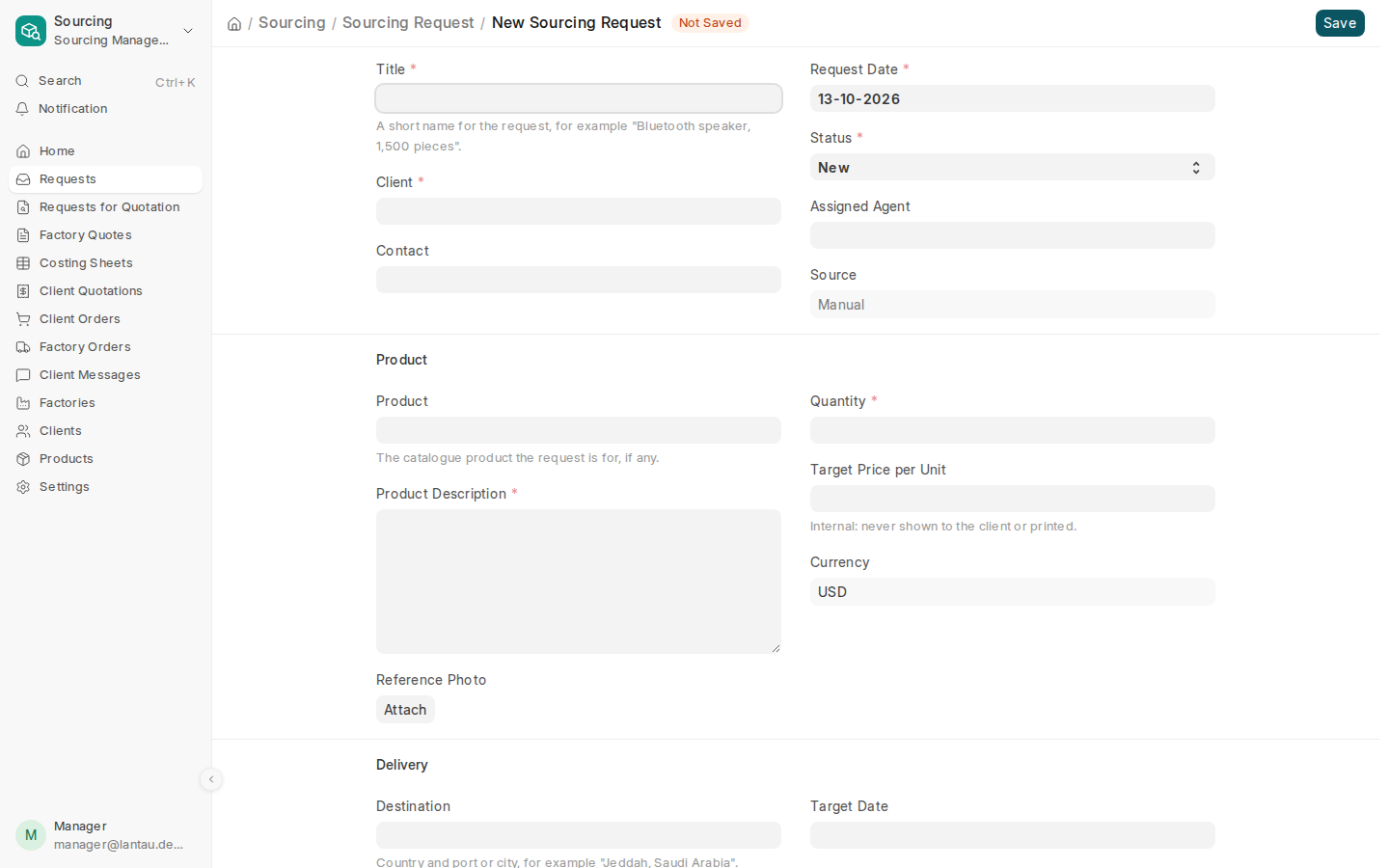
- Type a short Title, for example “Bluetooth speaker, 1,500 pieces”.
- Pick the Client. Add a Contact when the client has more than one person.
- Under Product, pick the catalogue Product if there is one, describe what the client wants in Product Description, and attach a Reference Photo if the client sent one.
- Enter the Quantity. Add a Target Price per Unit if the client gave one.
- Under Delivery, fill in the Destination, the Incoterm and the Target Date. Tick Sample Needed or Compliance Required when they apply.
- Select Save. The request gets a number, for example SR-2026-0011, and the status New.
Next, ask factories for prices.
Common mistakes
- Leaving Product empty. You can save the request, but Create > Request for Quotation asks for the product first.
- Putting the client’s budget in Product Description. Use Target Price per Unit: it is internal, never shown to the client and never printed.
- Setting the status to Lost without a reason. The request does not save until Lost Reason says why.
Tips
- Write the Title as product and quantity. It is what you and the client see in every list.
- Name the port or city in Destination, for example “Jeddah, Saudi Arabia”. The freight cost depends on it.
- Tick Compliance Required when the goods need a certificate for the destination, for example SABER in Saudi Arabia.
- Try it on the demo: the Lantau Trading demo has ten requests at every status.
Related pages
