
Sourcing on Native · Intermediate
Document Generation
Which documents PHOENIX Native produces today as PDF and Excel, and how the client accepts a quotation with an electronic signature.
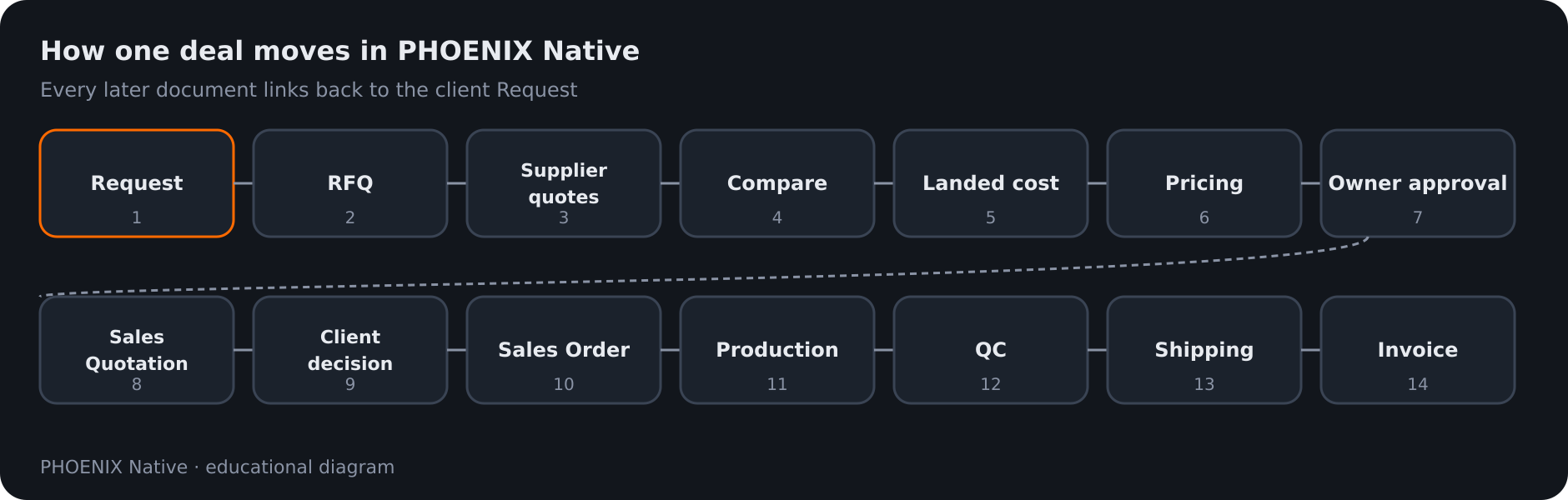 Diagram: the full Native deal path from Request to Invoice
Documents in PHOENIX Native come from the records you already have, so you do not copy numbers into Word or Excel. Every document links back to the client’s request. See Sourcing workflow.
What PHOENIX Native produces today
| Document | Who gets it | What to know |
|---|---|---|
| Sales Quotation | Your client | Release creates a read-only public link, a PDF and an Excel download. The client can accept with an electronic signature. You can revoke the share link. Nothing is sent outside the app by the release itself |
| Sales Order | Internal, with the client’s order view | Created when the client accepts the quotation |
| Purchase order draft | Supplier | Drafted in Purchasing from the awarded supplier quotation |
| Invoice | Your client | Detail with PDF and Excel to download on the portal. Accounting posts balanced journals for it |
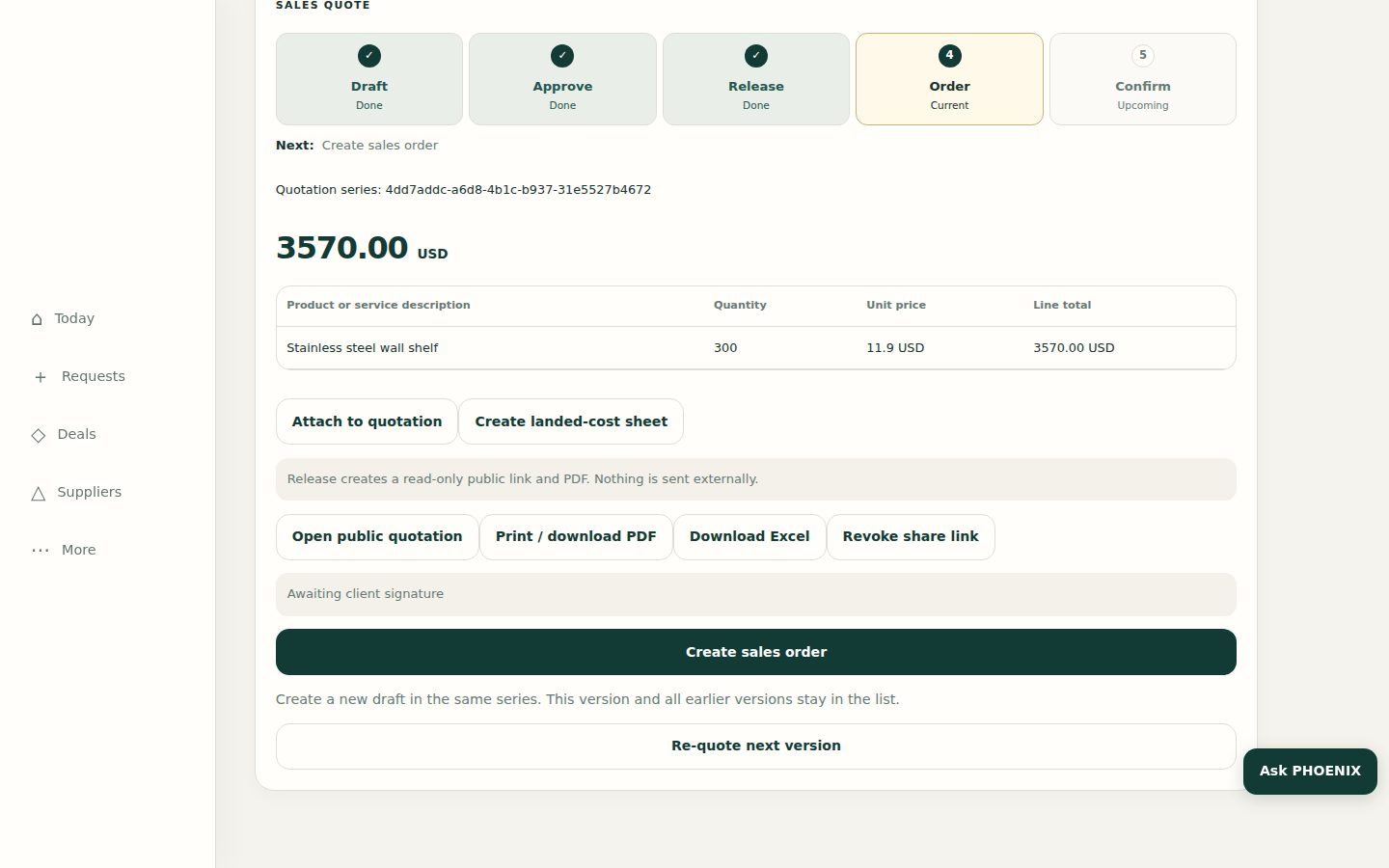 Real PHOENIX Native screen (synthetic demo data)
Print, PDF, Excel and signatures
| Capability | Status in PHOENIX Native today |
|---|---|
| Print / download PDF (Sales Quotation) | Yes. After release, staff, the public link and the client portal can download the PDF |
| Download PDF (Invoice) on the client portal | Yes. The client opens the invoice and downloads the PDF |
| Export quotation or invoice as Excel | Yes. Staff and the client can download an .xlsx of the released quotation or the invoice |
| Electronic signature (e-sign) | Yes. The client accepts the released quotation with their name and an optional drawn signature; the signature is stored on the record |
Ask us if you need a third-party signing provider (DocuSign and similar) on top of Native’s built-in accept-and-sign.
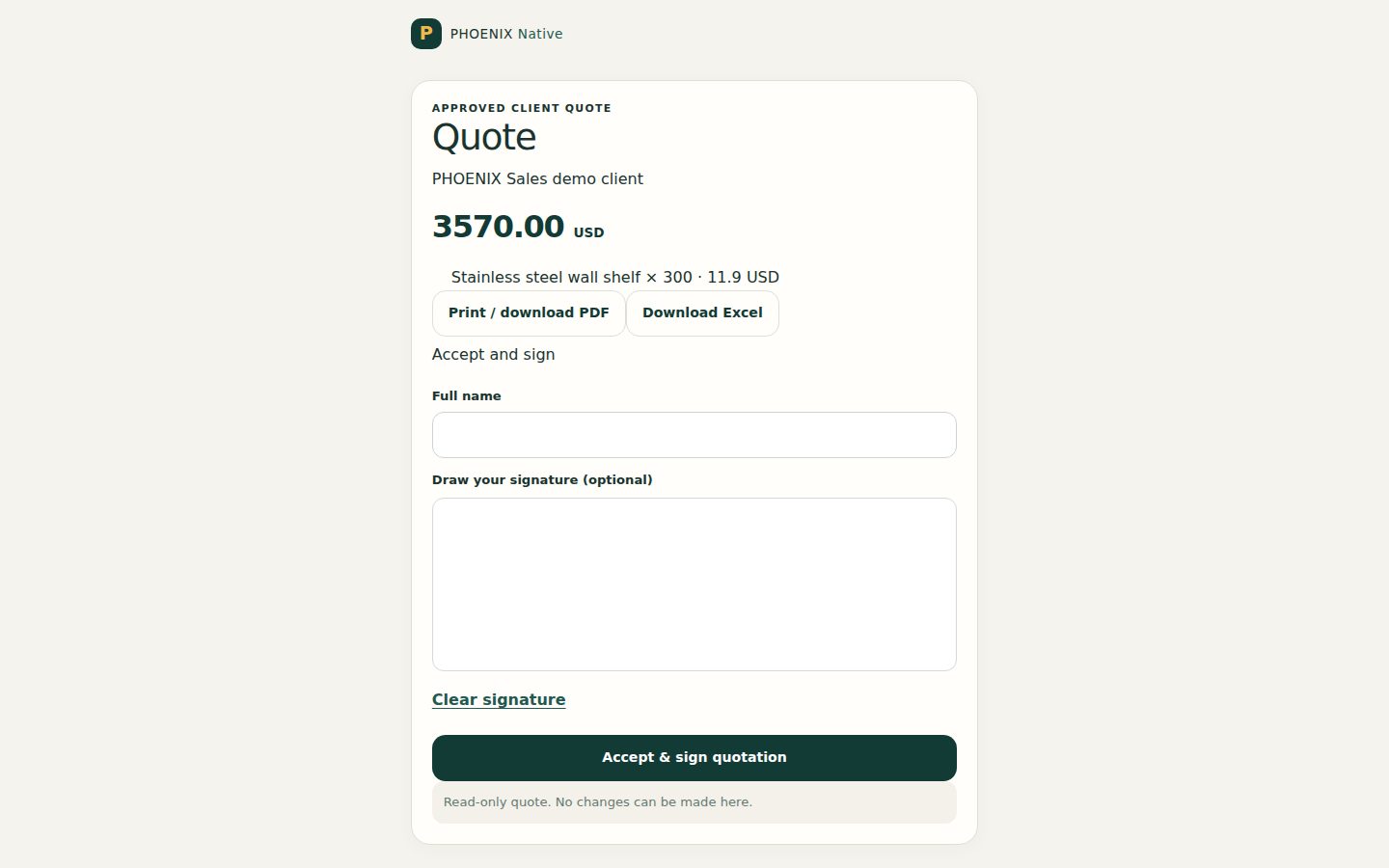 Real PHOENIX Native screen (synthetic demo data)
Confidentiality in documents
The client’s quotation and invoice do not show supplier names, factory prices, margins or rebates. Treat any file you attach to a record the client can open as visible to the client. See Client portal guide.
Not listed as available
The following documents belonged to the earlier ClearDesk generation and are not listed as available in PHOENIX Native: proforma invoice, factory purchase order with a Chinese block, commercial invoice and packing list, rebate debit note, and SABER or ACI checklists. If you need one of them, talk to us and we will tell you exactly what applies to your case.
Accounting behind the invoice
An invoice posts balanced journals, and a posted journal cannot be edited. See Business models for how your earnings are calculated.
ClearDesk users
ClearDesk printed its documents through a different system. Its guides are historical. See ClearDesk.
Related pages
-
Sourcing Workflow
How a deal moves in PHOENIX Native, from the client's request to RFQ, supplier quotations, landed costing, pricing, approval, order, quality control, shipping and invoice.
-
Business Models
The four pricing models in PHOENIX Native, Commission, Markup, Factory Rebate and Mix, how each is calculated and how your earnings on a deal are shown.
-
Languages and currencies
PHOENIX Native works in six languages, with Arabic shown right to left, and compares quotes only when they share a currency.
Still have a question?
Ask the PHOENIX assistant in the chat at the bottom right (read-only guidance), or send us a message. We reply within one business day.
The self-service trial creates a ClearDesk-generation cloud site today. To see PHOENIX Native, talk to us.