
Platform and evolution · Reference
Languages and currencies
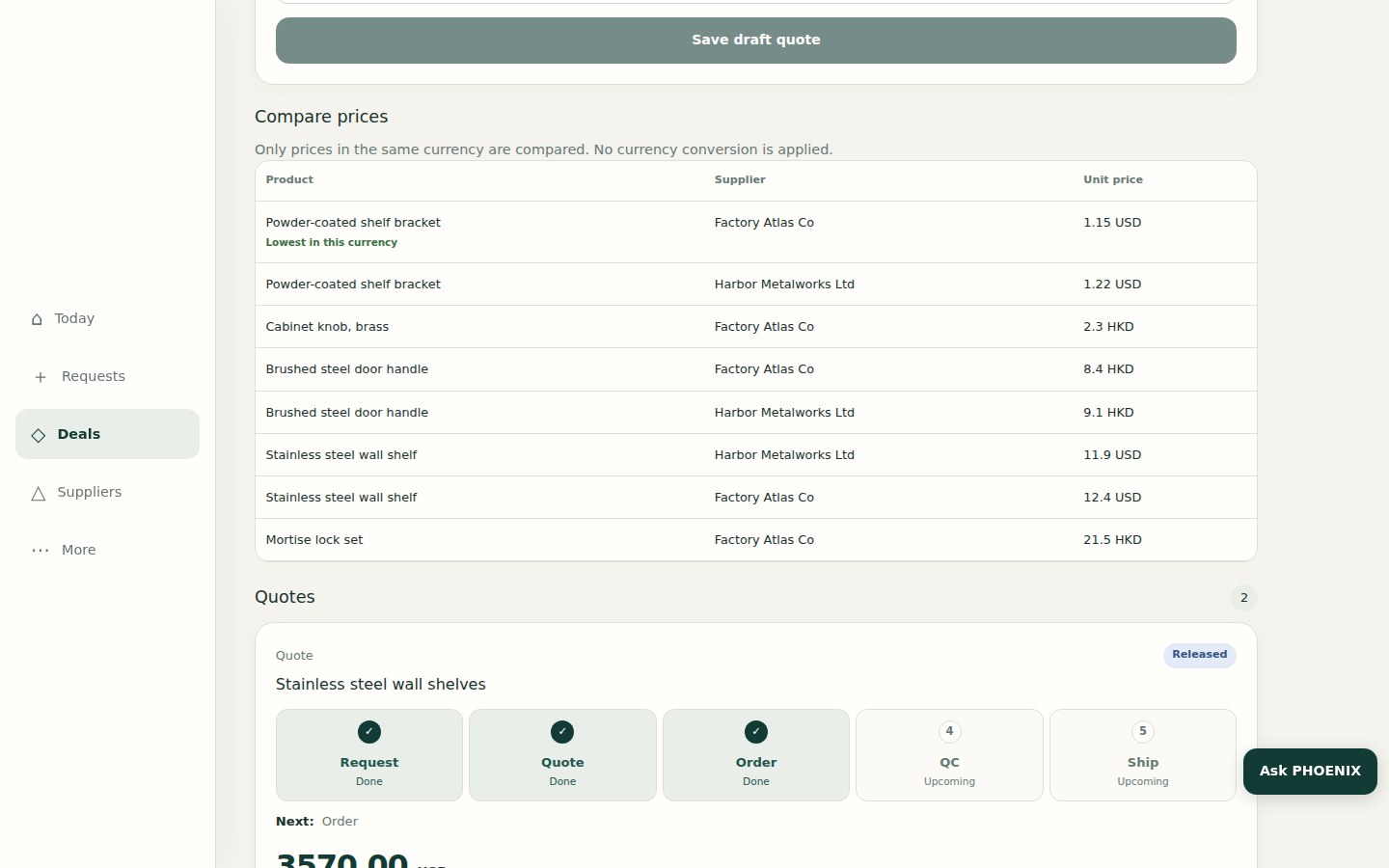
PHOENIX Native works in six languages, with Arabic shown right to left, and compares quotes only when they share a currency.
Languages
The PHOENIX Native app and portal are available in six languages.
| Language | Notes |
|---|---|
| English | |
| Chinese | |
| Arabic | Shown right to left |
| French | |
| Russian | |
| Spanish |
Each person chooses their own language, so a Chinese-speaking factory contact and an Arabic-speaking buyer can each use the product in their own language.
Currencies
| Topic | How it works |
|---|---|
| Supplier quotations | Recorded in the currency the supplier quoted |
| Comparison | Only amounts in the same currency are compared. No exchange rate is applied for you |
| Landed cost | Calculated in US dollars |
| Sales Quotation | Shown to the client with the amounts you approve |
If supplier quotes arrive in different currencies, PHOENIX Native does not convert them for the comparison. Convert them yourself, or ask suppliers to requote in one currency.
What is not promised
We do not state a list of supported currencies, live exchange rates or automatic conversion on this page, because they are not confirmed features.
Related
Related pages
-
Sourcing Workflow
How a deal moves in PHOENIX Native, from the client's request to RFQ, supplier quotations, landed costing, pricing, approval, order, quality control, shipping and invoice.
-
Business Models
The four pricing models in PHOENIX Native, Commission, Markup, Factory Rebate and Mix, how each is calculated and how your earnings on a deal are shown.
-
Document Generation
Which documents PHOENIX Native produces today as PDF and Excel, and how the client accepts a quotation with an electronic signature.
Still have a question?
Ask the PHOENIX assistant in the chat at the bottom right (read-only guidance), or send us a message. We reply within one business day.
The self-service trial creates a ClearDesk-generation cloud site today. To see PHOENIX Native, talk to us.