
Sourcing Management · Beginner
Ordering the same thing again
The client wants the same goods again. Copy the finished deal, see the old price with its date on it, and ask the factory for a fresh one.
Good clients order again. ClearDesk does not make you start from a blank page: a finished deal can be copied, and the copy remembers where it came from — including what the factory charged last time, with the date it was charged.
1. Open the finished deal
Go to My deals and open the deal the client wants to repeat. A finished deal carries the button Order this again.
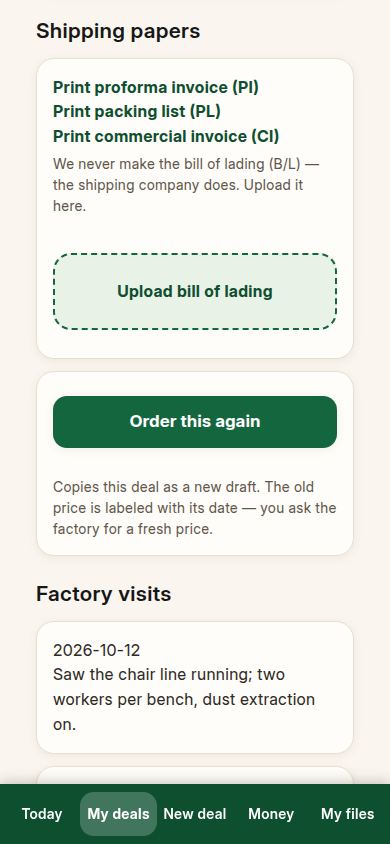
2. Press it, and the copy is honest about its age
Press Order this again. ClearDesk copies the deal as a fresh draft and says, on the new deal: “Copied from a finished deal. Old factory price: USD 12.5 each on 2026-10-20 — ask the factory for a fresh price.” The old price is a memory, not a promise, and it is labeled with its date so nobody mistakes it for today’s price.
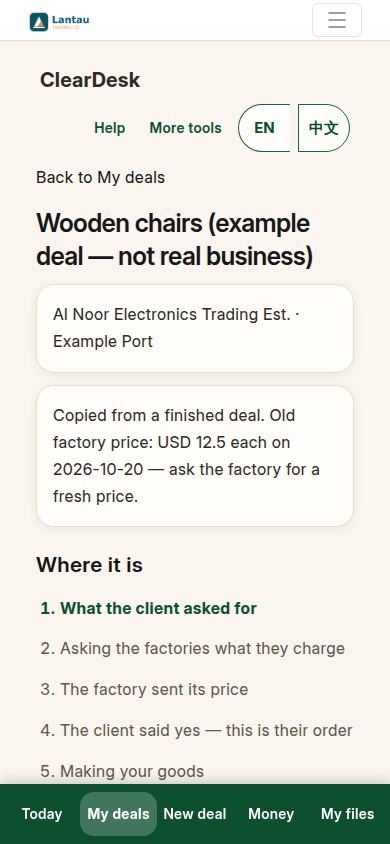
3. Ask the factory for today’s price
The copy has no prices of its own yet — that is on purpose. Send the factory the same question as last time, and when the price comes back, type it in or drop the file in My files, as usual.
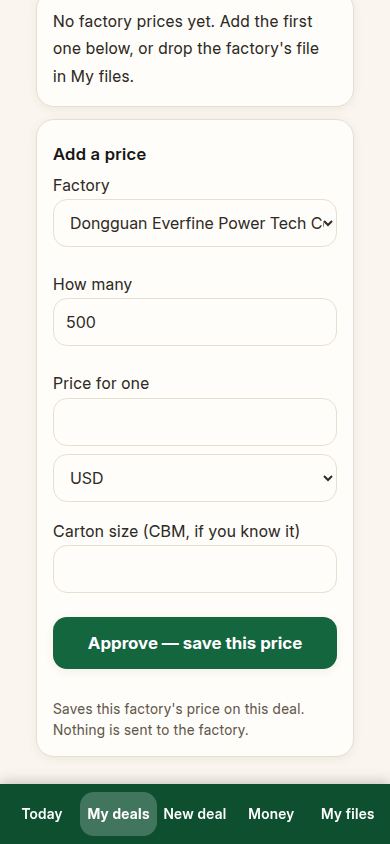
4. Run it like any deal
From here the copy is an ordinary new deal: compare prices, make the offer, let the client approve, make both orders. The finished original stays untouched in your history, and the copy keeps its note about where it came from.
If something looks different
If the client wants almost the same goods with a small change — a different colour, more pieces — still copy the deal, then ask the factory for the fresh price on the changed item; the wizard’s answers and the client are already filled in for you. If prices have gone up since the old deal, that is exactly why the old price carries its date: show the client the new price as a new fact, not as a mistake.
Related pages
-
From the first question to the money
One whole real deal, start to finish: ask, get prices, offer, client says yes, both orders, production, quality check, shipping papers, delivered, earnings. Every step with its real screen.
-
Money: who owes what, and what you earned
What clients owe you, what you owe factories, how to draft a polite reminder without sending it, and where your earnings appear when a deal finishes.
-
ClearDesk: the whole deal on your phone
ClearDesk runs a whole sourcing deal from your phone in plain words: prices, the client offer, both orders, production, the quality check, shipping papers and money. Nothing is ever sent until you press Approve.
Still have a question?
Ask the PHOENIX assistant in the chat at the bottom right, or send us a message. We reply within one business day.
