
Sourcing Management · Beginner
Your first day with ClearDesk
Your first day, step by step: open ClearDesk, answer the assistant, approve your first deal, and look at a finished example. Ten minutes, nothing sent to anyone.
Welcome. This page takes you through your first day, one small step at a time. Every picture below is a real screen from ClearDesk. Nothing you do here sends anything to a client or a factory — you always press Approve first, and every Approve button tells you what will happen before you press it.
Step 1 — Open ClearDesk
Sign in, and ClearDesk opens on Today. Today shows you only what needs you: prices that arrived, things that are late, and money that is waiting.
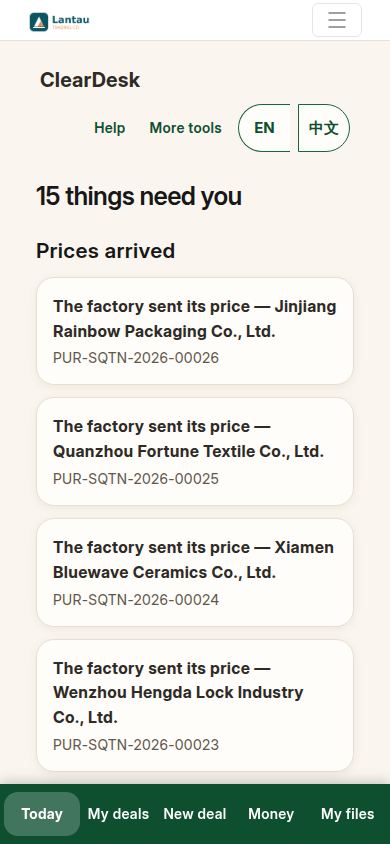
Step 2 — Look at a finished deal first
Tap My deals at the bottom, then Approve — copy this example. ClearDesk builds one finished deal for you, marked as an example everywhere, so you can open it and see what a done deal looks like before you run a real one.
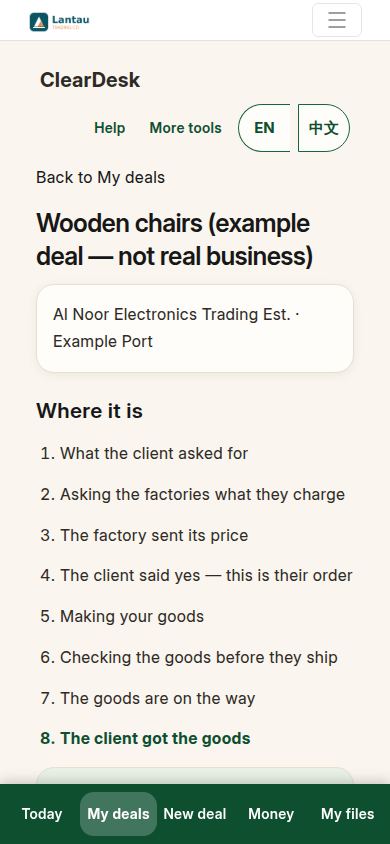
Step 3 — Start your first deal
Tap New deal. The assistant asks you one question at a time: what you want to buy, how many, who it is for, and where the goods go. Type your answer and press the arrow.
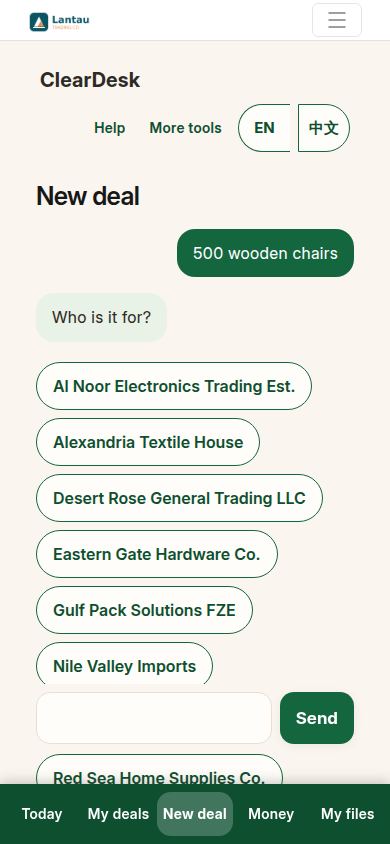
Step 4 — Check the summary and approve
When the questions are done, the assistant shows you a summary of your deal. Read it, and only press Approve when it says what you meant. The deal is saved as a draft. Nothing is sent.
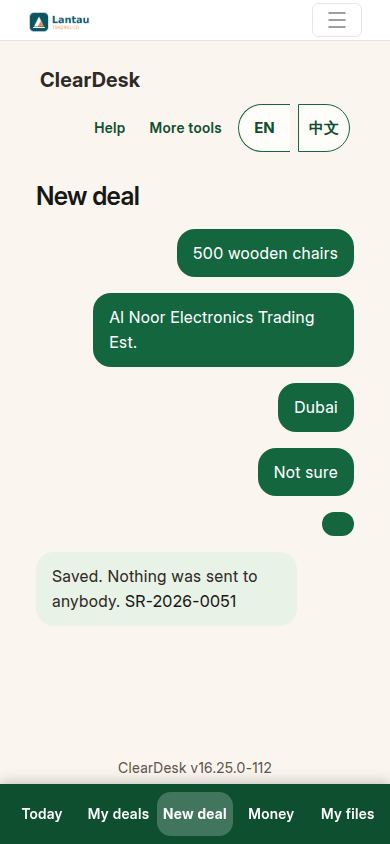
Step 5 — Open your deal
Tap the deal in My deals. The top of the page always tells you where the deal is and what the next step is, in plain words. Follow that one next step, and you cannot go far wrong.
What to read next
When you are ready, ClearDesk: from the first question to the money walks one whole real deal from start to finish. Who does what explains your job, the assistant’s job, and what the factory, the client and an agent each do.
If something looks different
Screens can differ a little: your company name, your deals and your numbers are your own, and a new phone may lay the page out slightly differently. If the words and the green Approve button are there, you are in the right place. If you get lost at any point, tap Help at the top — it brings you back to these pages.
Related pages
-
ClearDesk: the whole deal on your phone
ClearDesk runs a whole sourcing deal from your phone in plain words: prices, the client offer, both orders, production, the quality check, shipping papers and money. Nothing is ever sent until you press Approve.
-
Who does what
Five people touch every deal: you, the assistant, the factory, the client, and sometimes an agent. One plain paragraph for each, so you always know whose turn it is.
-
From the first question to the money
One whole real deal, start to finish: ask, get prices, offer, client says yes, both orders, production, quality check, shipping papers, delivered, earnings. Every step with its real screen.
Still have a question?
Ask the PHOENIX assistant in the chat at the bottom right, or send us a message. We reply within one business day.
