
Sourcing Management · Beginner
Lost? Start here
You got lost halfway, closed the page, or cannot find your deal. Nothing is broken. This page brings you back, step by step.
Everyone gets lost in a new tool. The good news: in ClearDesk it is very hard to break anything. You cannot send anything by accident — sending always needs your Approve. This page shows the way back from the three places people usually get stuck.
1. You were answering questions and left halfway
Perhaps the phone rang, or you closed the page in the middle of New deal. Nothing half-finished was saved, and nothing was sent. The assistant keeps no half deals.
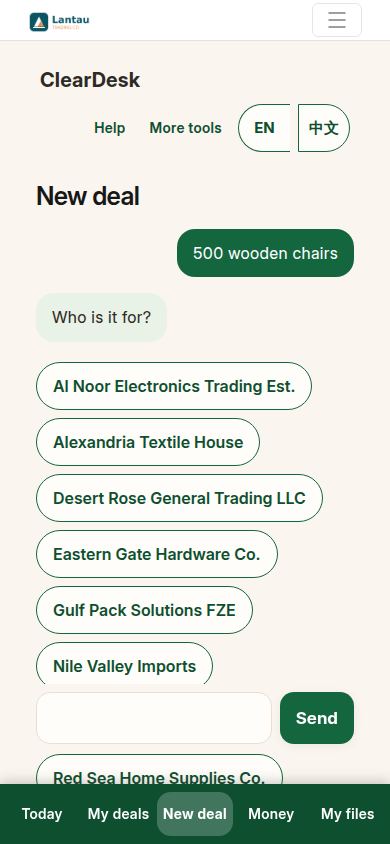
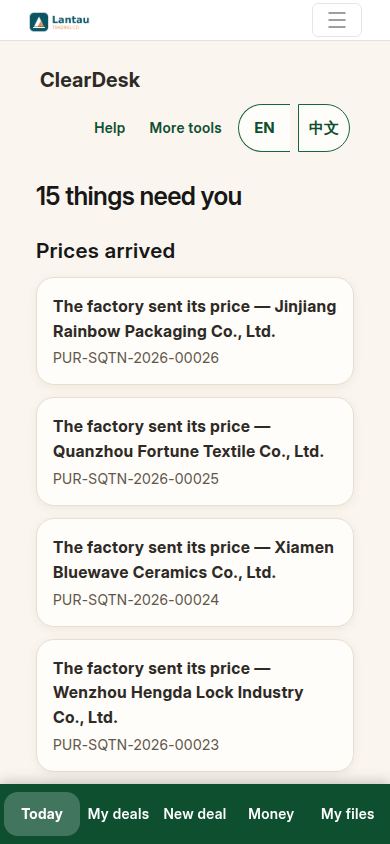
2. Today is always the safe place
Tap Today at the bottom. Today shows what needs you, in plain words. It is the same screen you start from every morning, and it is always one tap away.
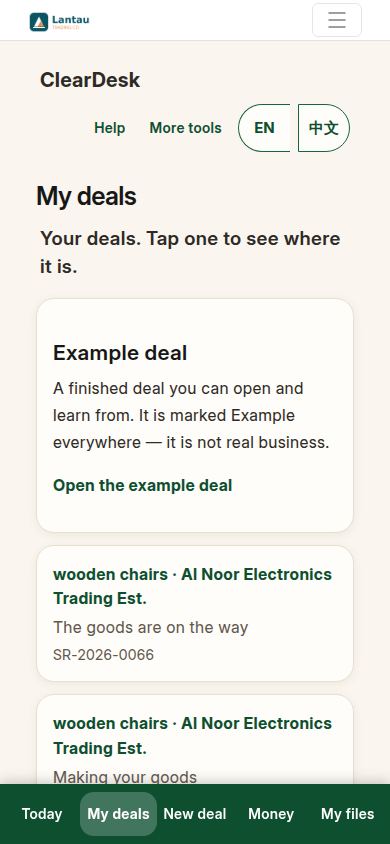
3. Your deals are exactly as you left them
Tap My deals. The deal you were starting is simply not there yet — because you never approved it. Every deal you did approve is listed, with one line saying where it is.
4. Help is at the top of every screen
The Help button at the top of ClearDesk opens these guide pages, in your language. The page that opens matches where you are — this very page is one of them.
5. Look at the finished example
Still unsure what a deal should look like? On My deals, open the example deal — a complete deal, finished, marked “Example” everywhere. Walk through it top to bottom; every screen of a real deal looks the same.
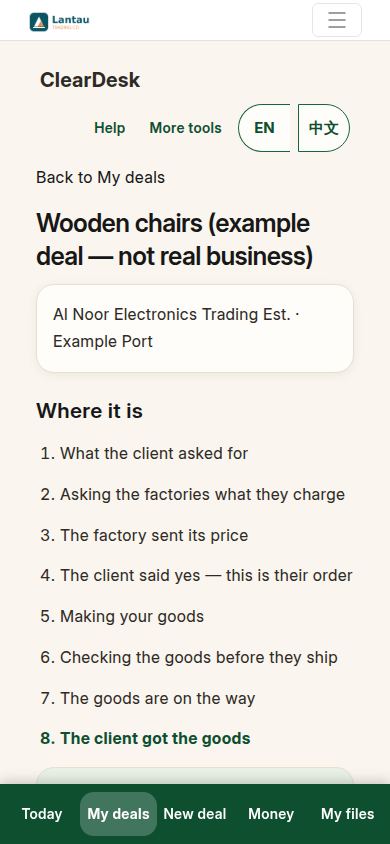
6. Start again, calmly
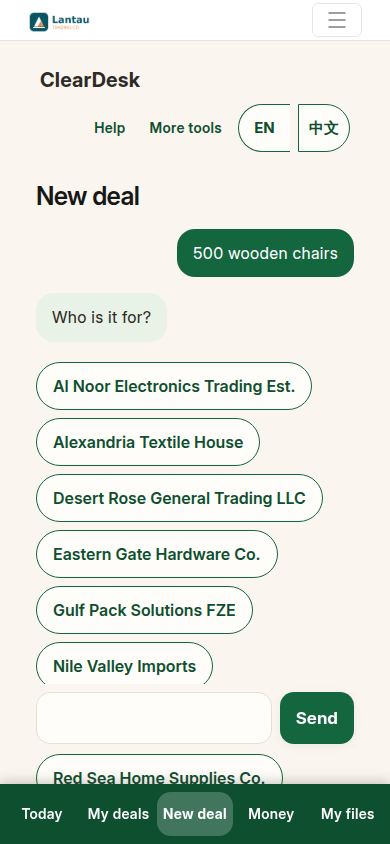
When you are ready, tap New deal. The assistant starts again from the first question, with no complaint and nothing to undo. Starting three times and finishing once is fine — only the finished one is saved.
If something looks different
If you cannot find a deal you did approve, check My deals first — deals never delete themselves, and the newest is easy to spot by its name and date. If a page seems stuck, pull the page down to refresh or close and reopen ClearDesk; your records live on the account, not on the phone. And if English or Chinese is the wrong language today, tap the language pill at the top — every screen, including these guides, follows it.
Related pages
-
Your first day with ClearDesk
Your first day, step by step: open ClearDesk, answer the assistant, approve your first deal, and look at a finished example. Ten minutes, nothing sent to anyone.
-
Who does what
Five people touch every deal: you, the assistant, the factory, the client, and sometimes an agent. One plain paragraph for each, so you always know whose turn it is.
-
ClearDesk: the whole deal on your phone
ClearDesk runs a whole sourcing deal from your phone in plain words: prices, the client offer, both orders, production, the quality check, shipping papers and money. Nothing is ever sent until you press Approve.
Still have a question?
Ask the PHOENIX assistant in the chat at the bottom right, or send us a message. We reply within one business day.
