
Sourcing Management · Beginner
Money: who owes what, and what you earned
What clients owe you, what you owe factories, how to draft a polite reminder without sending it, and where your earnings appear when a deal finishes.
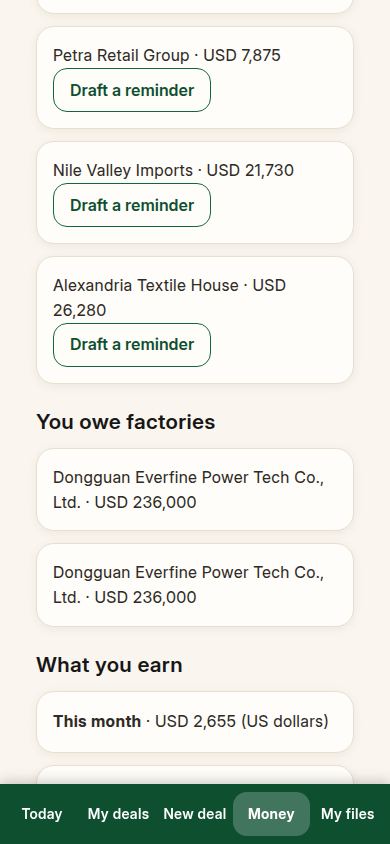
Tap Money at the bottom. The page answers three questions in plain words: who owes you, who you owe, and what you have earned. Every number comes from a stored invoice. If an invoice does not exist yet, the money does not appear — nothing is guessed.
1. What clients owe you
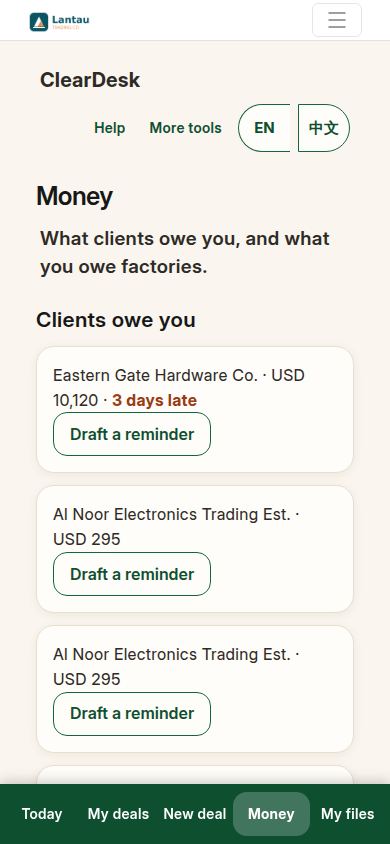
Each unpaid client invoice is one line: the client’s name, the amount, and the currency. If the paying date has passed, the line says so — “3 days late” — so you see it before the client has to hear from you.
2. Draft a reminder — without sending it
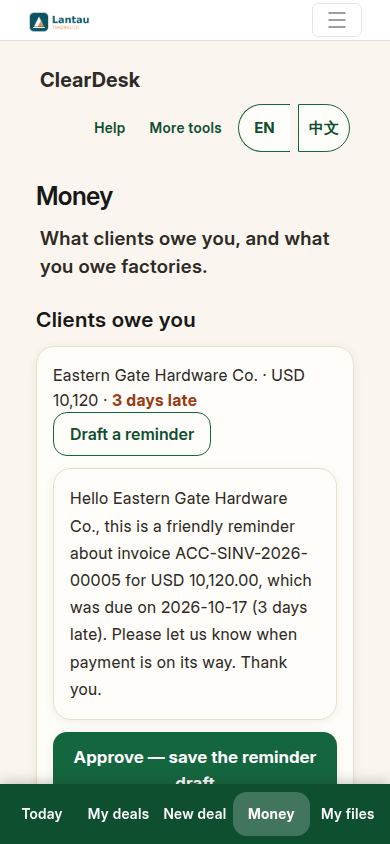
Tap Draft a reminder under a line. The assistant writes a polite first reminder for you, with the invoice number, the amount and the due date filled in from the record. Read it and change any word you like.
3. Save the draft. That is all that happens
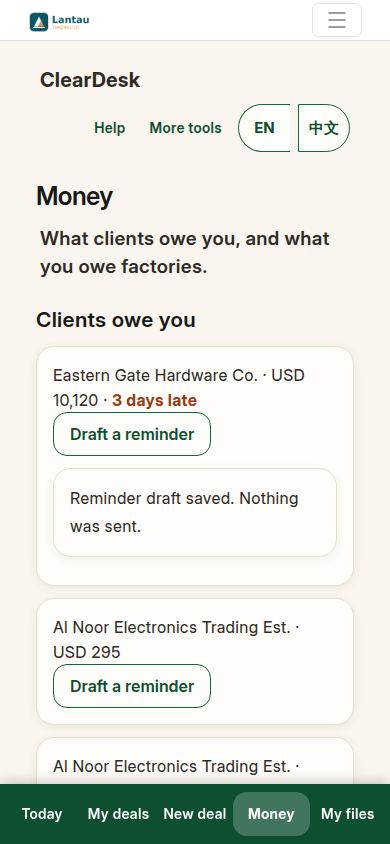
Press Approve — save the reminder draft. ClearDesk saves the draft on the record and tells you plainly: “Reminder draft saved. Nothing was sent.” Sending is still your job, in your own email, when you decide. A draft can wait as long as you like.
4. What you owe factories
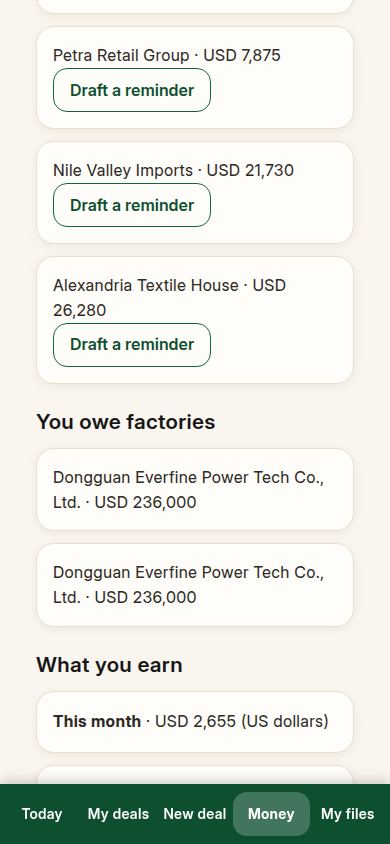
The second list is yours to pay: each unpaid factory invoice, with the factory’s name and the amount. When the client pays the factory directly — the usual way on deals where you earn a fee — this list stays empty, and that is correct: you never owed it.
5. What you earn
When a deal’s invoice is in, what you earned appears at the bottom: the month’s total first, then deal by deal. Amounts in different currencies are listed separately and never added together, so a total is always a number you can trust.
If something looks different
If a deal you finished is missing from the earnings, its invoice is probably not in yet — earnings appear when the invoice exists, not when the goods ship. If a client has paid but still shows as owing, the payment has not been recorded against the invoice yet; that recording happens in More tools, and the Money page updates by itself. And if the page is empty on your first day, that is normal: money appears after your first invoiced order.
Related pages
-
From the first question to the money
One whole real deal, start to finish: ask, get prices, offer, client says yes, both orders, production, quality check, shipping papers, delivered, earnings. Every step with its real screen.
-
Who does what
Five people touch every deal: you, the assistant, the factory, the client, and sometimes an agent. One plain paragraph for each, so you always know whose turn it is.
-
ClearDesk: the whole deal on your phone
ClearDesk runs a whole sourcing deal from your phone in plain words: prices, the client offer, both orders, production, the quality check, shipping papers and money. Nothing is ever sent until you press Approve.
Still have a question?
Ask the PHOENIX assistant in the chat at the bottom right, or send us a message. We reply within one business day.
