
Sourcing Management · Beginner
Telling the world
Your website only brings clients if people visit it. Copy the link, share the picture code in WeChat, and know exactly what a visitor sees.
A good website that nobody visits brings nobody. Sharing yours takes one minute, and you already have everything you need on the My website screen.
1. Open My website
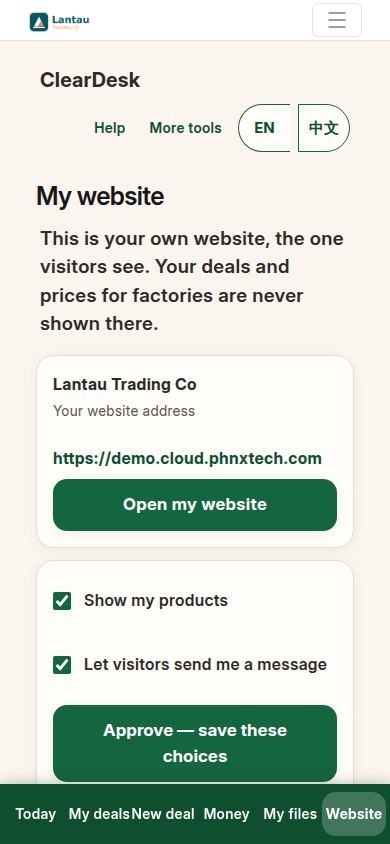
Tap Website at the bottom. At the top you see your website’s public address — that is the address you share. Check the two switches while you are here: products shown, messages open.
2. Share the link and the picture code
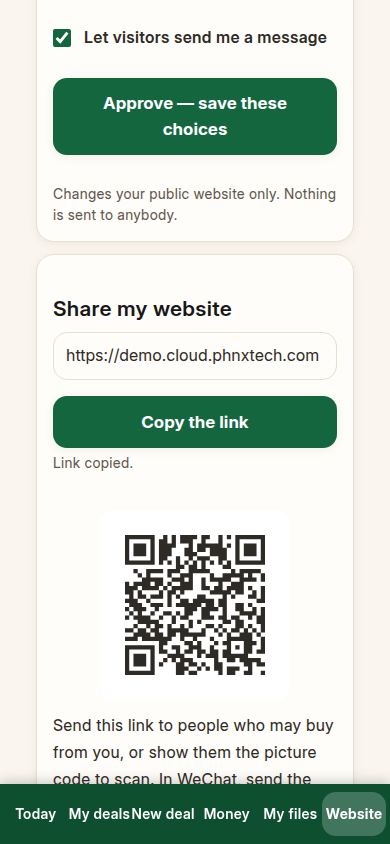
Scroll to Share my website. Tap Copy the link — your phone now holds the address, ready to paste anywhere. Under it is a square picture code: anyone who scans it with a phone camera lands on your website.
In WeChat, the easiest ways are: paste the link into a chat with a buyer, send the picture code as an image, or post the link or the picture in your Moments. The screen itself reminds you of this, in plain words.
3. Know where to put it
Good places, in order of how well they work: a WeChat chat with a buyer you already know; your Moments, once a week with a new product photo; your email signature; your business card and your product packaging; and any printed invoice or catalogue you already send. One honest link, shared steadily, beats one big announcement.
4. See what a visitor sees
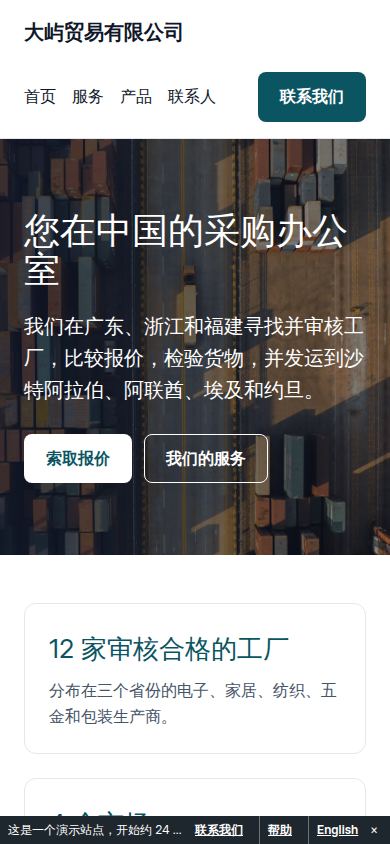
Open your own address like a stranger. First your home page: who you are, what you do, and your products.
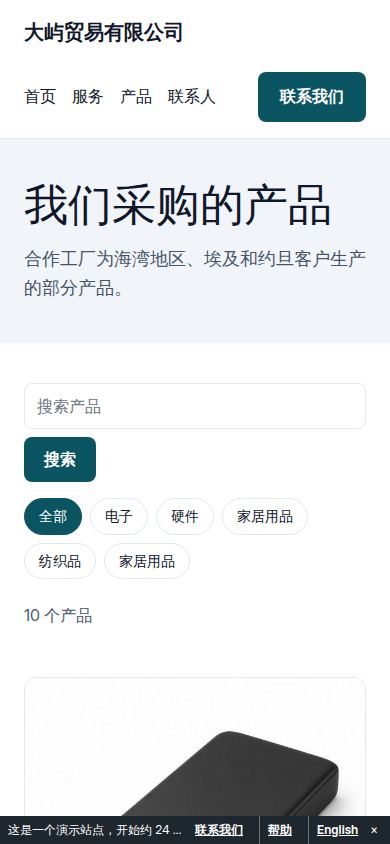
Then your products page: every shown product with its photo, sentence and price if you wrote one — each with Request a quote. That button is the door; everything behind it is in A client finds you.
If something looks different
If the copied link opens a page that looks old, refresh it — your phone may show a saved copy, while visitors always get the current one. If a product you just added is missing for the visitor, it is probably hidden: check My products and set it to shown. If the picture code will not scan, make it bigger on screen or send the link itself — they do the same job. And if nobody writes at first, that is normal: share the link where your buyers already talk to you, add one product photo a week, and the first message will come.
Related pages
-
Your products and your website
Add a product with a photo and one sentence, see it on your own website, and look at it the way a visitor does. No back office, no record types.
-
A client finds you
A visitor asks for a quote on your website. ClearDesk shows you the message in plain words, you approve, and it becomes your first deal with that client — all the way to the goods leaving.
-
ClearDesk: the whole deal on your phone
ClearDesk runs a whole sourcing deal from your phone in plain words: prices, the client offer, both orders, production, the quality check, shipping papers and money. Nothing is ever sent until you press Approve.
Still have a question?
Ask the PHOENIX assistant in the chat at the bottom right, or send us a message. We reply within one business day.
