
Sourcing Management · Beginner
Samples first, before the big order
Send a sample, hear what the client thinks, send a better one, and only then run the deal. The sample story on the deal page, step by step.
Most clients want to hold the product before they order five hundred of them. ClearDesk keeps the sample story on the deal page, so “did they like it?” is never a matter of remembering a chat from three weeks ago.
1. The deal starts, and no sample has gone yet
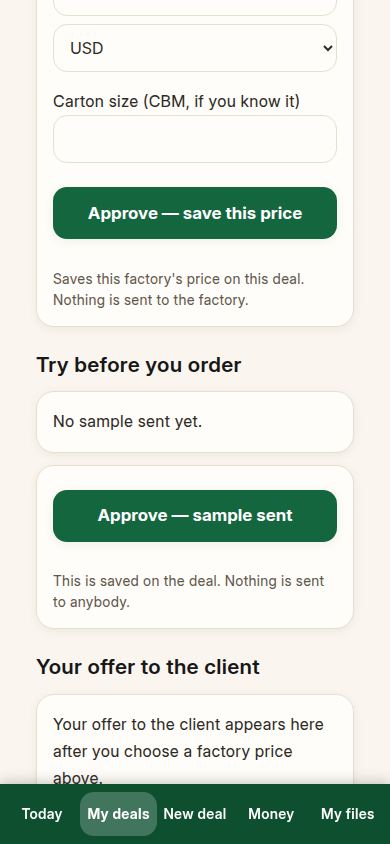
Start the deal and put in a factory price, as usual. The deal page has a section called “Try before you order”. It says no sample has been sent yet.
2. Mark the sample as sent
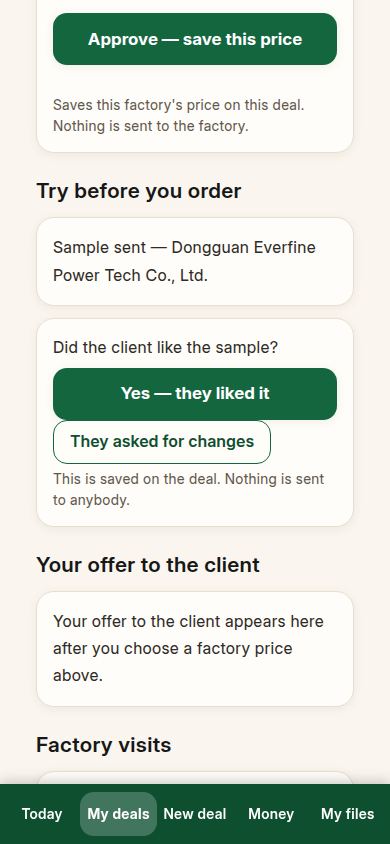
The factory posts the sample to the client. When it leaves, press Approve — sample sent. The deal now remembers the date, and asks you the only question that matters next.
3. Ask the client, and record the answer
When the client has seen the sample, ask them — then record what they said. If it is not right yet, press They asked for changes. The deal keeps that answer with its date.
4. Send the better sample
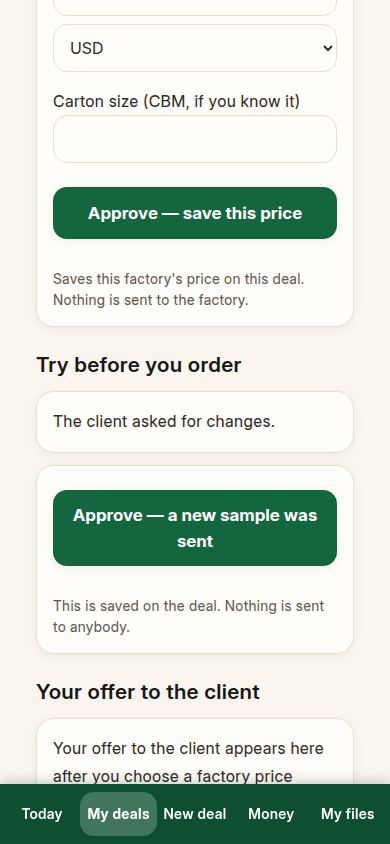
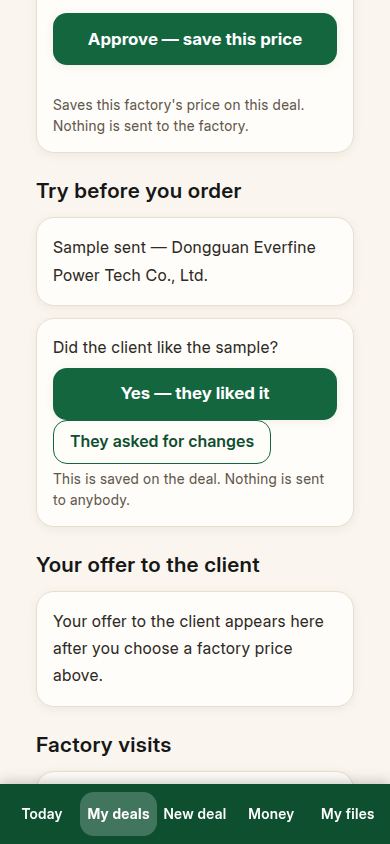
The factory fixes what the client asked for and posts a new sample. Press Approve — a new sample was sent. The deal forgets nothing: the changes, the first sample and the new one are all on the record, and the deal asks again what the client thinks of this one.
5. The client likes it
This time, press Yes — they liked it. The deal says “The client liked the sample.” That sentence is your green light: the client has held the real thing and said yes to it.
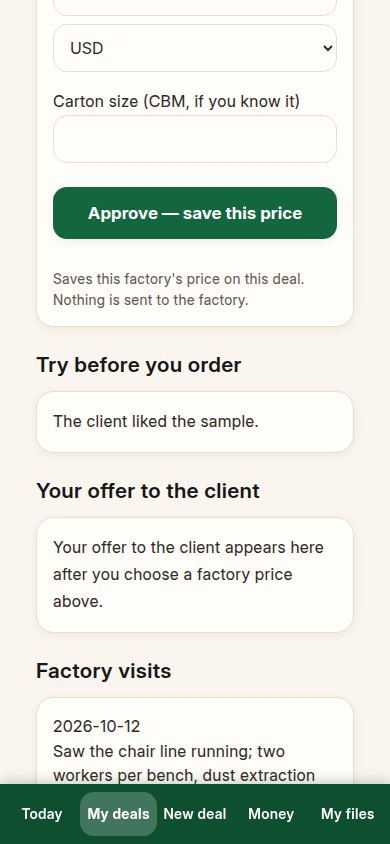
6. The deal goes on as normal
Now choose the factory and make the offer, exactly like any other deal. Because the sample was liked first, the offer that follows is about price and dates — not about surprises.
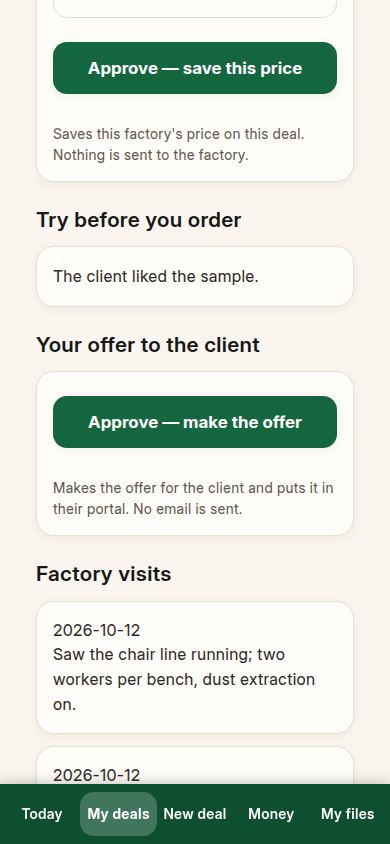
If something looks different
If you skip samples entirely, nothing breaks: the section simply stays at “no sample sent”, and the deal runs as usual. If a client asks for changes twice, send a new sample each time and record each answer — the deal always follows the newest one. And if the sample was approved as part of production later, that also counts: the deal shows the sample as approved when the production step “Sample approved” is marked done.
Related pages
-
From the first question to the money
One whole real deal, start to finish: ask, get prices, offer, client says yes, both orders, production, quality check, shipping papers, delivered, earnings. Every step with its real screen.
-
When the client asks for changes
The client said no, or asked for a better price. What you see, what to do, and how the revised offer reaches the client — step by step with real screens.
-
ClearDesk: the whole deal on your phone
ClearDesk runs a whole sourcing deal from your phone in plain words: prices, the client offer, both orders, production, the quality check, shipping papers and money. Nothing is ever sent until you press Approve.
Still have a question?
Ask the PHOENIX assistant in the chat at the bottom right, or send us a message. We reply within one business day.
