
Part 3 · The sourcing workflow
Compare the quotes and award one
See the factory quotes side by side and award the one the client's price is built on.
Available Updated 2026-10-07
What it is
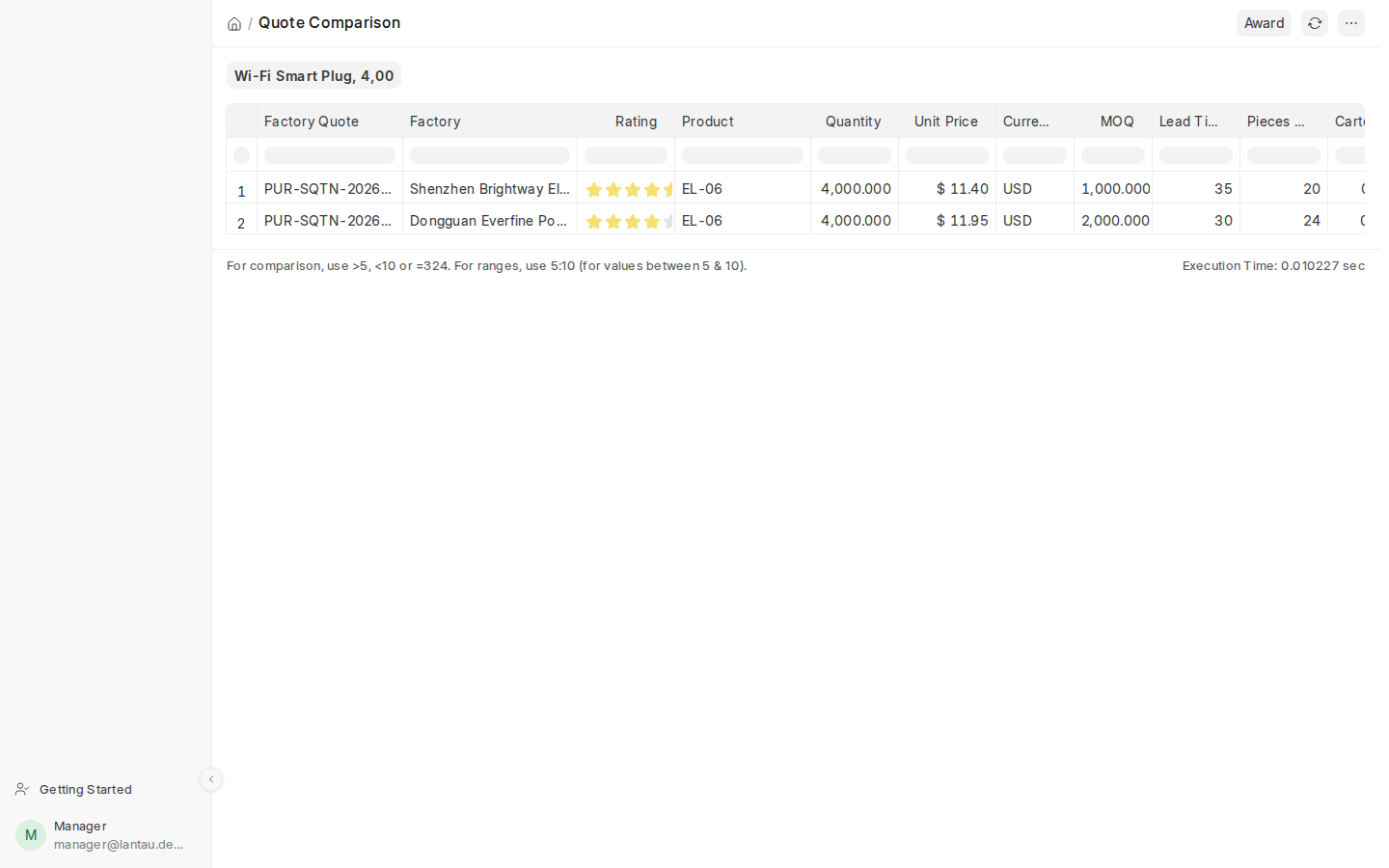
The Quote Comparison shows every submitted factory quote for a request side by side, cheapest first: price, MOQ, lead time, cartons, CBM and weight for the quantity, sample cost and lead time, the factory’s rating and, once a costing sheet exists, the delivered cost per unit. Award picks the quote the client’s price is built on.
Why it matters
The cheapest unit price is not always the best deal: a factory with smaller cartons can cost more to ship. Seeing everything in one table lets you choose on the delivered cost, the lead time and the MOQ.
Steps
- Open the request and select View > Quote Comparison.
- Read the quotes across. Scroll right for the packing, the sample and the delivered cost.
- Select Award, pick the factory quote and select Award in the dialog. You can also select Award on the factory quote itself.
- A draft costing sheet is made from the awarded quote. Continue with the costing.
Common mistakes
- Awarding before all factories have answered. You can award another quote later, but only until a quotation for the client exists.
- Comparing only the unit price. Make a costing sheet for two quotes (Create > Costing Sheet on each quote) to compare their delivered cost per unit.
Tips
- The awarded quote is shown on the request as Awarded Factory Quote, and ticked in the comparison.
- The comparison is for your team only; clients never see it.
Related pages
