
Part 3 · The sourcing workflow
Work out the client's price
Add freight, insurance, inspection, duty and other costs to the factory price, and see the client's price and your earnings.
What it is
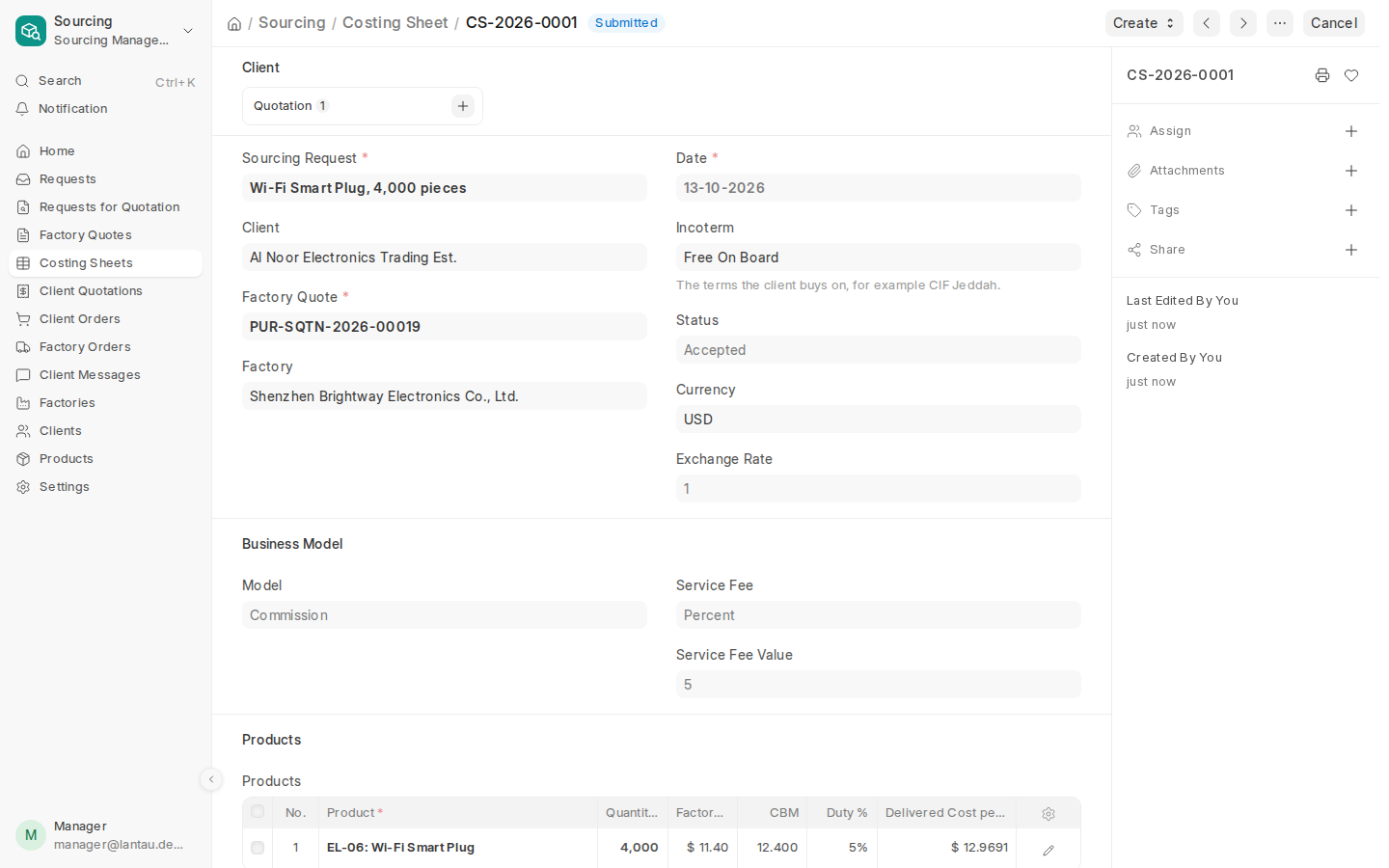
A costing sheet turns the factory price into the client’s price. It adds the costs of getting the goods to the client, splits them over the products, adds duty, and then adds your service fee, markup or rebate from your business model. The award makes it with the products, quantities, factory prices, CBM, weight and HS codes already filled in.
Why it matters
The client’s price is only right if every cost is in it. The costing sheet shows the delivered cost, the client’s price and what you earn before you send anything to the client.
Steps
- Open the costing sheet the award made (Sourcing > Costing Sheets).
- Under Business Model, check the Model and its rate. They start from your Sourcing Settings; you can change them for this deal.
- In Products, fill in Duty % for each product.
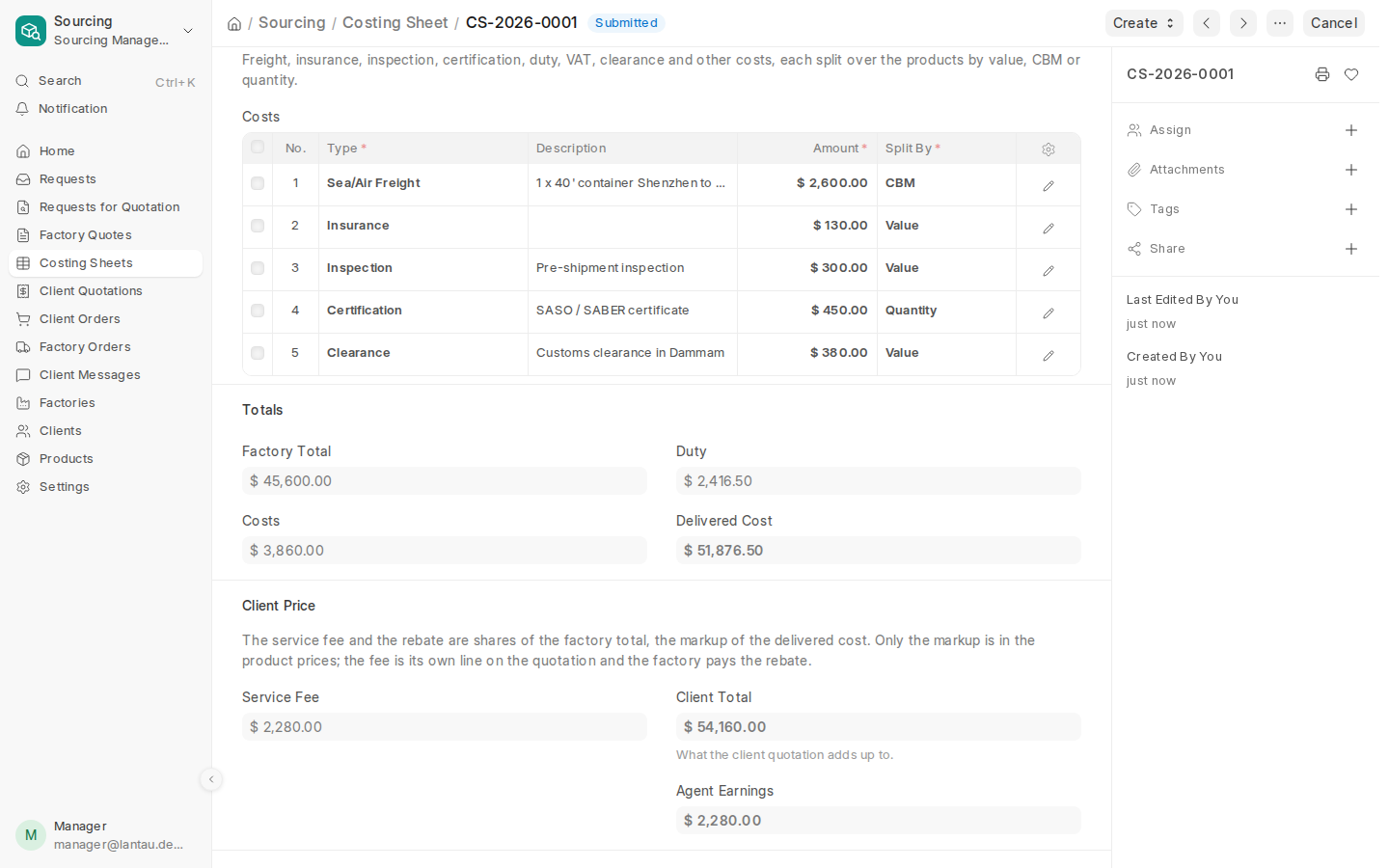
- Under Costs to the Client, add one row per cost: pick the Type (for example Sea/Air Freight, Insurance, Inspection, Certification, Clearance), type the Amount and choose Split By: Value, CBM or Quantity.
- Select Save. The sheet works out Delivered Cost, Client Total and Agent Earnings.
- When the numbers are right, select Submit.
Common mistakes
- Splitting freight by Value. Freight depends on volume: split it by CBM.
- Putting duty in a cost row. Use Duty % on each product: duty is worked out on the product’s value plus its share of freight and insurance, as customs do.
- Splitting by CBM when no product has a CBM. The sheet does not save until the factory quote has carton packing.
Tips
- With Commission, the client pays the factory for the goods and you a Service Fee, shown as its own line on the quotation. With Trading, the markup is inside the product prices.
- A submitted sheet can be cancelled and amended if the costs change before the quotation is sent.
Related pages
-
Compare the quotes and award one
See the factory quotes side by side and award the one the client's price is built on.
-
Send the client a quotation
Make the client's quotation from the costing sheet; the client approves or rejects it in the client portal.
-
Set how you earn
Turn on your business models (commission, trading, factory rebates) and set your default rates and currency.
