
Add your team
Give each colleague their own login: an email address and a role profile, Sourcing Manager or Sourcing Agent.
What it is
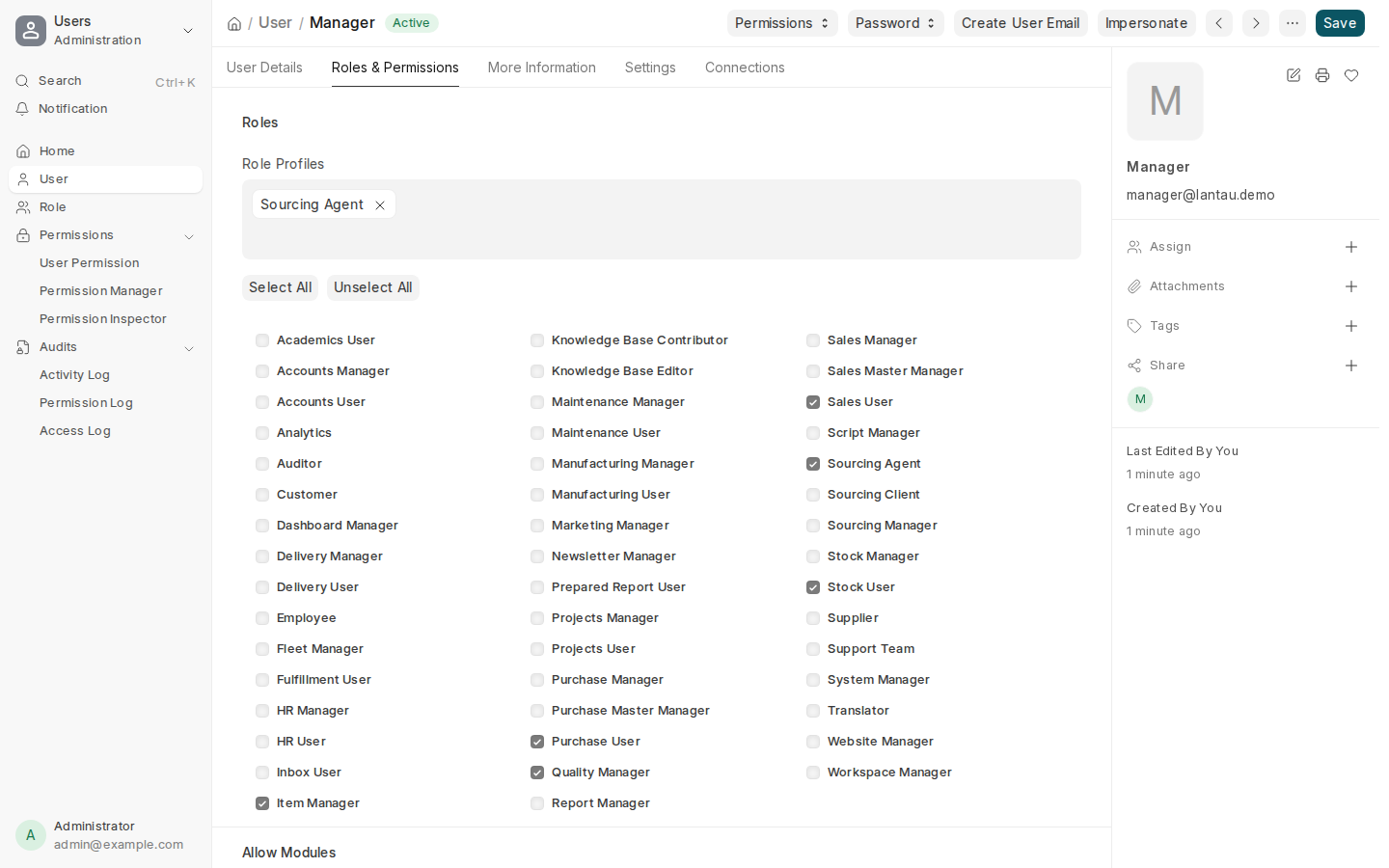
Each person who works in your site has their own user. Instead of ticking roles one by one, you pick a role profile, which ticks the right set of roles in one step:
| Role profile | What they can do |
|---|---|
| Sourcing Manager | The whole sourcing desk, including internal fields such as factory prices and margins |
| Sourcing Agent | Requests, factory quotes, costing and orders; can submit requests for quotation and add and edit factories; cannot cancel or delete |
Each profile also ticks the standard roles the work needs (an agent: Purchase User, Sales User, Stock User, Item Manager, Quality Manager; a manager: those plus the manager and accounts roles). Profiles the agency edited stay as they are; for a special case leave the profile empty and tick the roles by hand — that is “Custom”.
Clients are not added here. They get a portal login from their client record, see Invite a client to the portal.
Why it matters
With their own login, every change shows who made it, and you can remove a person’s access on the day they leave without changing anyone’s password.
Steps
- Type User in the search bar at the top and open the User list.
- Select Add User.
- Type the person’s Email and First Name, then select Save.
- Under Role Profiles, tick Sourcing Agent or Sourcing Manager. The matching roles are ticked for you.
- Select Save. The person gets an email with a link to choose their password.
You also have the System Manager role: everything, including settings, your brand and users. Give it only to the people who manage those.
To remove someone, open their user, untick Enabled and save. Their name stays on the records they worked on.
Common mistakes
- Giving everyone System Manager. Only the people who manage settings and users need it.
- Ticking roles by hand and missing the standard ones. The profiles include them; that is what they are for.
- Deleting a user who has left. Untick Enabled instead, so their history stays readable.
Tips
- Each user can choose their own language, English or Chinese, see Change your language.
- Your plan sets how many users you can have: Solo 2, Agency 10, Agency Plus 25.
Related pages
