
Part 3 · The sourcing workflow
Enter each factory's quote
Record what each factory quotes: price, lead time, MOQ, carton packing and sample cost.
Available Updated 2026-10-07
What it is
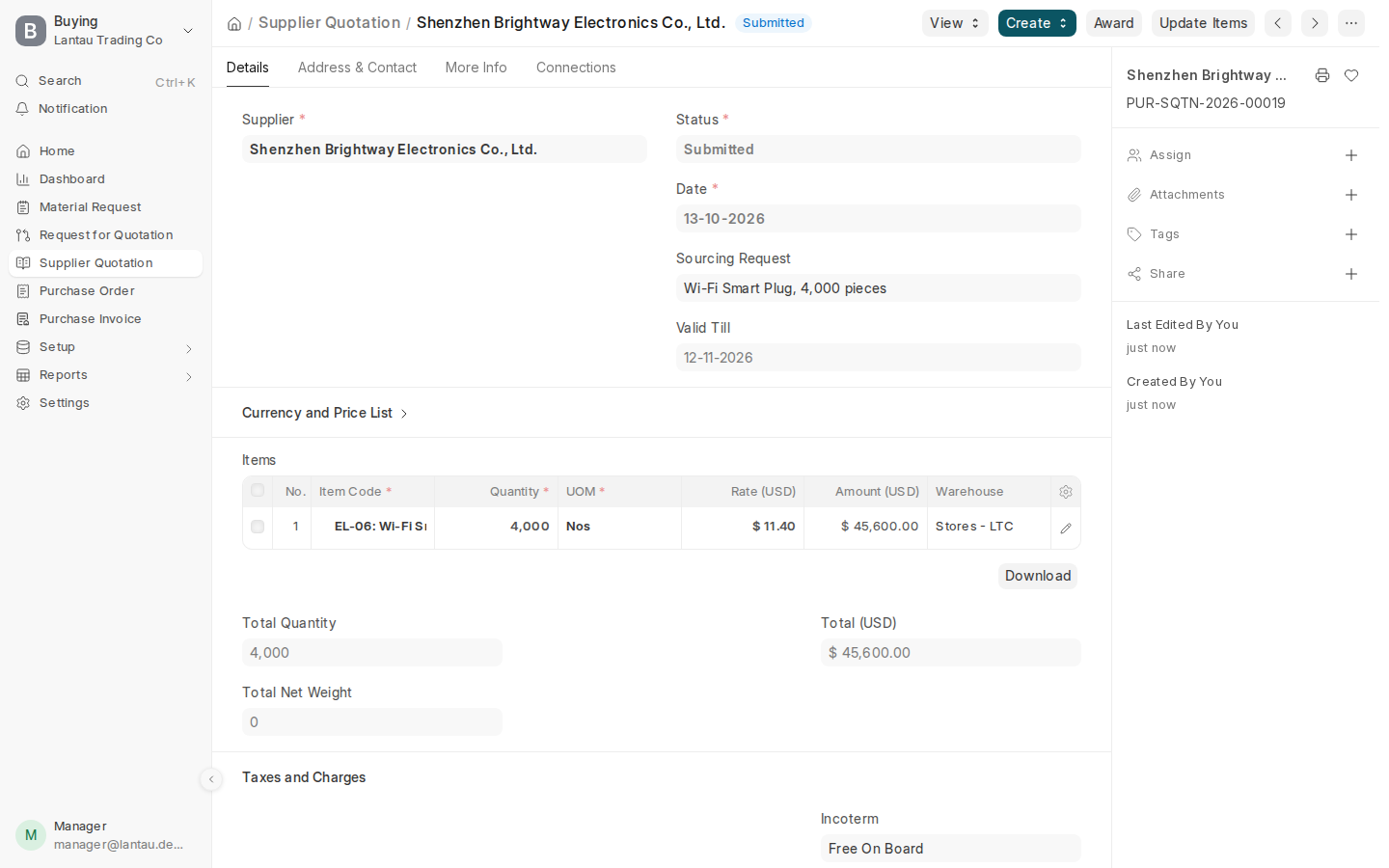
A factory quote (Supplier Quotation) records one factory’s answer to your request for quotation: the unit price, how long it takes, the minimum order, how the goods are packed and what a sample costs. Make one for each factory that answers.
Why it matters
The quote comparison, the costing sheet and the factory order all take their numbers from the factory quote. The carton packing gives the CBM and weight that freight is worked out on.
Steps
- Open the request for quotation (Sourcing > Requests for Quotation).
- Select Create > Supplier Quotation and pick the factory. Only the factories on the request for quotation are offered.
- In the product row, type the factory’s unit price in Rate. Fill in Valid Till and, under the terms, the Port of Loading.
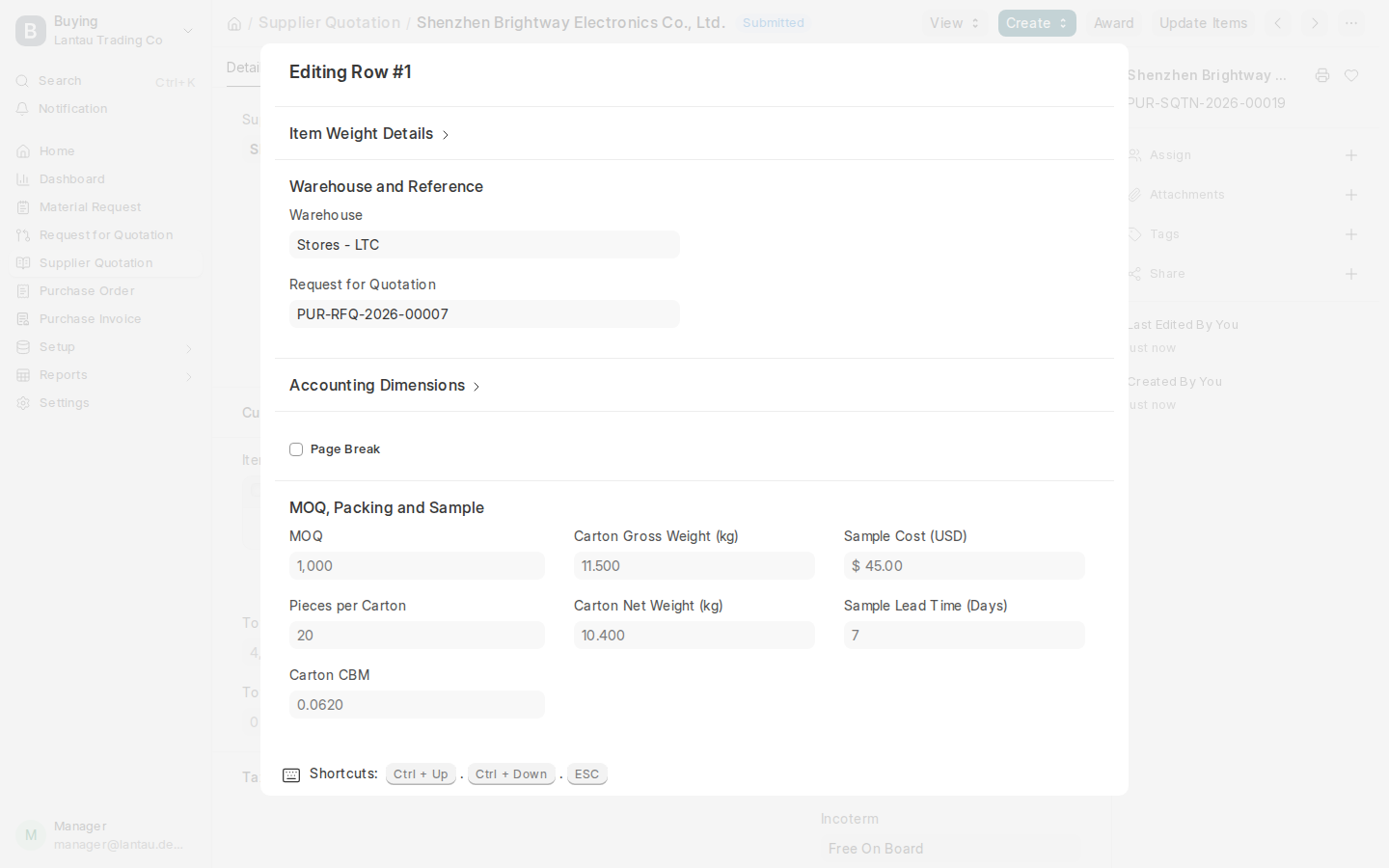
- Open the product row with its edit icon and fill in Supplier Lead Time (days) and, under MOQ, Packing and Sample: MOQ, Pieces per Carton, Carton CBM, Carton Gross Weight (kg), Carton Net Weight (kg), Sample Cost and Sample Lead Time (Days).
- Select Save, then Submit.
- Repeat for each factory.
Common mistakes
- Leaving the carton packing empty. The comparison then shows no CBM, and a freight cost split by CBM cannot be worked out.
- Typing the price per carton instead of per piece. Rate is the price of one unit of the product.
- Forgetting to submit. Only submitted quotes are compared.
Tips
- If a factory quotes in another currency, set Currency on the quote. The costing sheet uses the price converted to your currency.
- A quote that is no longer valid can stay: the comparison shows Valid Until for each.
Related pages
