
Part 11 · How PHOENIX supports you
Your free trial
14 days with every feature and no card; what happens when the trial ends and how to keep your site.
What it is
Your site starts with a free trial of 14 days. You need no card for it. During the trial everything works as it will on your plan, with the plan’s users and storage (see Roles, plans and limits).
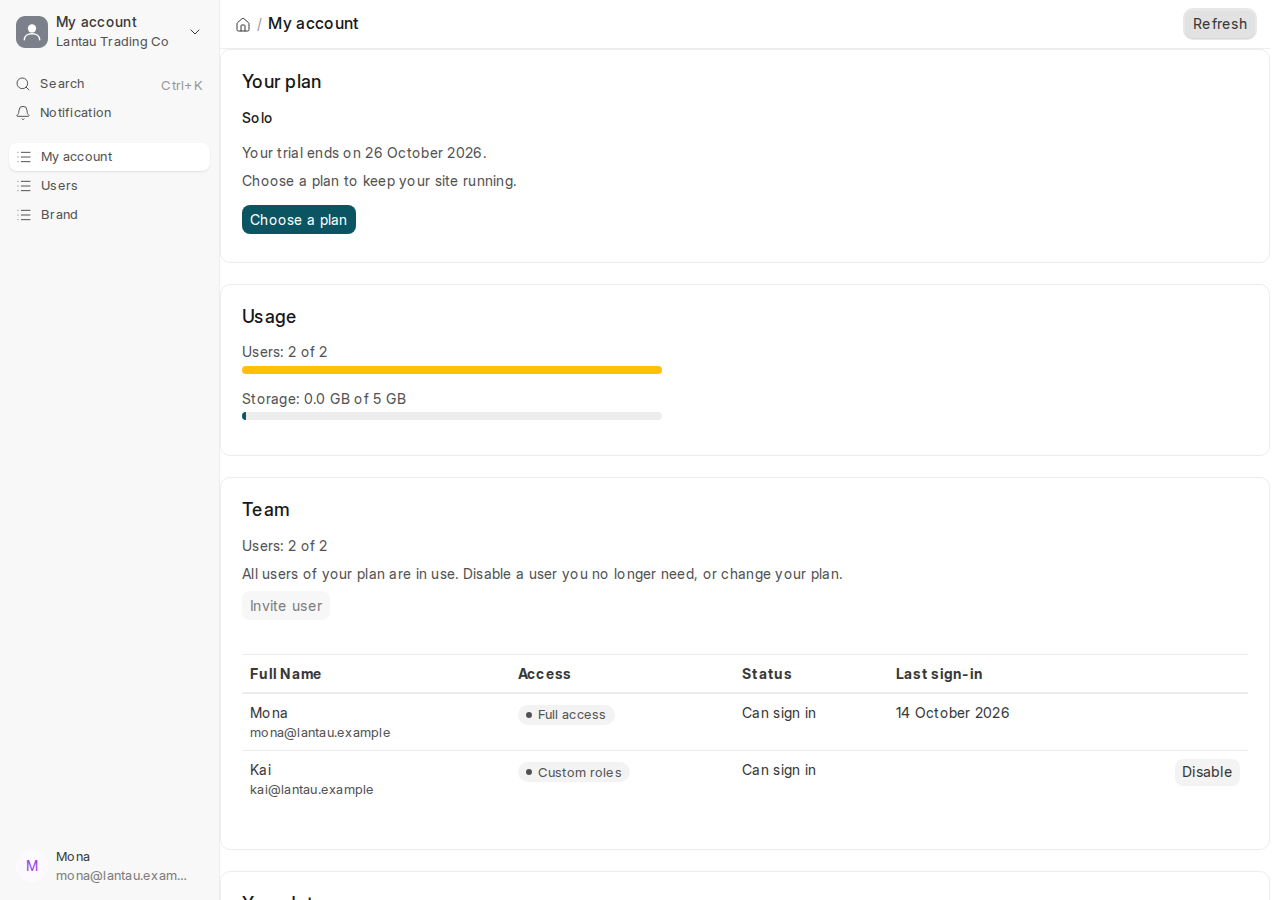
The day your trial ends is in your welcome email and on My account, on the Your plan card: “Your trial ends on …”. 7 days and 3 days before that day we email you “Your PHOENIX Cloud trial ends in 7 days” (or 3 days), and the day before “Your PHOENIX Cloud trial ends tomorrow”, each with a link to choose your plan.
Why it matters
When the trial ends without a plan, your site is paused: nobody can sign in until you choose a plan. Your data is kept, but your team cannot work. Choosing a plan during the trial costs nothing extra: you still pay nothing until the trial ends.
Steps
- Open My account from your name at the top of the desk.
- On the Your plan card, select Choose a plan.
- Pay monthly or yearly, see Choose a plan and pay.
Your trial goes on to its last day. The first payment is taken when the trial ends.
Common mistakes
- Waiting for the last day. Use the link in the first reminder email.
- Thinking the trial plan is fixed. During the trial you can change to any plan for free, see Change your plan.
Tips
- Remove the sample data before you go live, see Remove the sample data.
- Only users with the System Manager role see My account and Billing.
Related pages
-
Choose a plan and pay
Pay for your plan monthly or yearly with a card, through Airwallex, our payment provider.
-
My account
Your plan, usage, team, invoices, data export, brand and closing your account, on one page in your site.
-
When a payment fails, and a paused site
What happens when a payment does not go through, when a site is paused, and how to open it again.
