
Clients approve quotations
The buyer approves or rejects your quotation in the portal; you are notified and the decision is saved.
Available Updated 2026-10-07
What it is
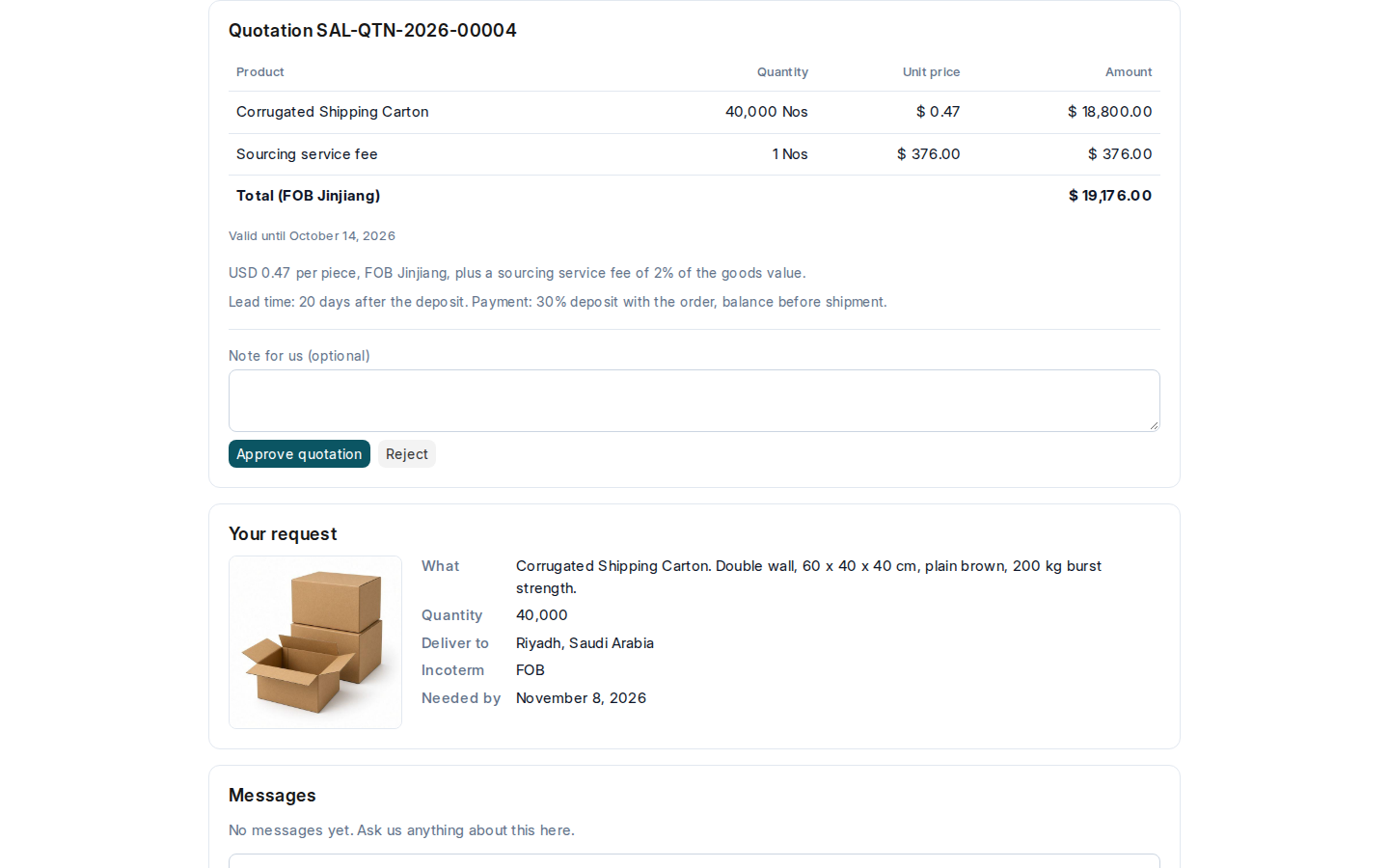
When you submit a quotation, the buyer sees it under Quotes to approve and on the request’s page: the products at the client’s price, the total with the Incoterm, the date it is valid until and its terms. They select Approve quotation or Reject, with a note if they want.
Why it matters
The client’s decision is recorded on the quotation, with who decided, when and their note. Nobody has to search a chat to prove what was approved.
Steps
- Submit the quotation (see Send the client a quotation).
- The buyer opens it on the portal, writes a note if they want, and selects Approve quotation or Reject.
- You get a notification. The decision, the buyer’s name, the date and the note are under Client Decision on the quotation.
- When it is approved, turn it into an order.
Common mistakes
- Sending a quotation whose Valid Till has passed. The buyer can no longer approve it: make a new one.
- Changing a quotation after the client approved it. Make a new quotation instead, so the approval stays true.
Tips
- A buyer decides once per quotation. To change a rejected offer, send a new quotation.
- The note box is the place for “approved, but please deliver by the 15th”: read it before you make the order.
Related pages
