
Part 3 · The sourcing workflow
Order from the factory
Make the factory order from the client order, follow its milestones and send the factory the bilingual PDF.
Available Updated 2026-10-07
What it is
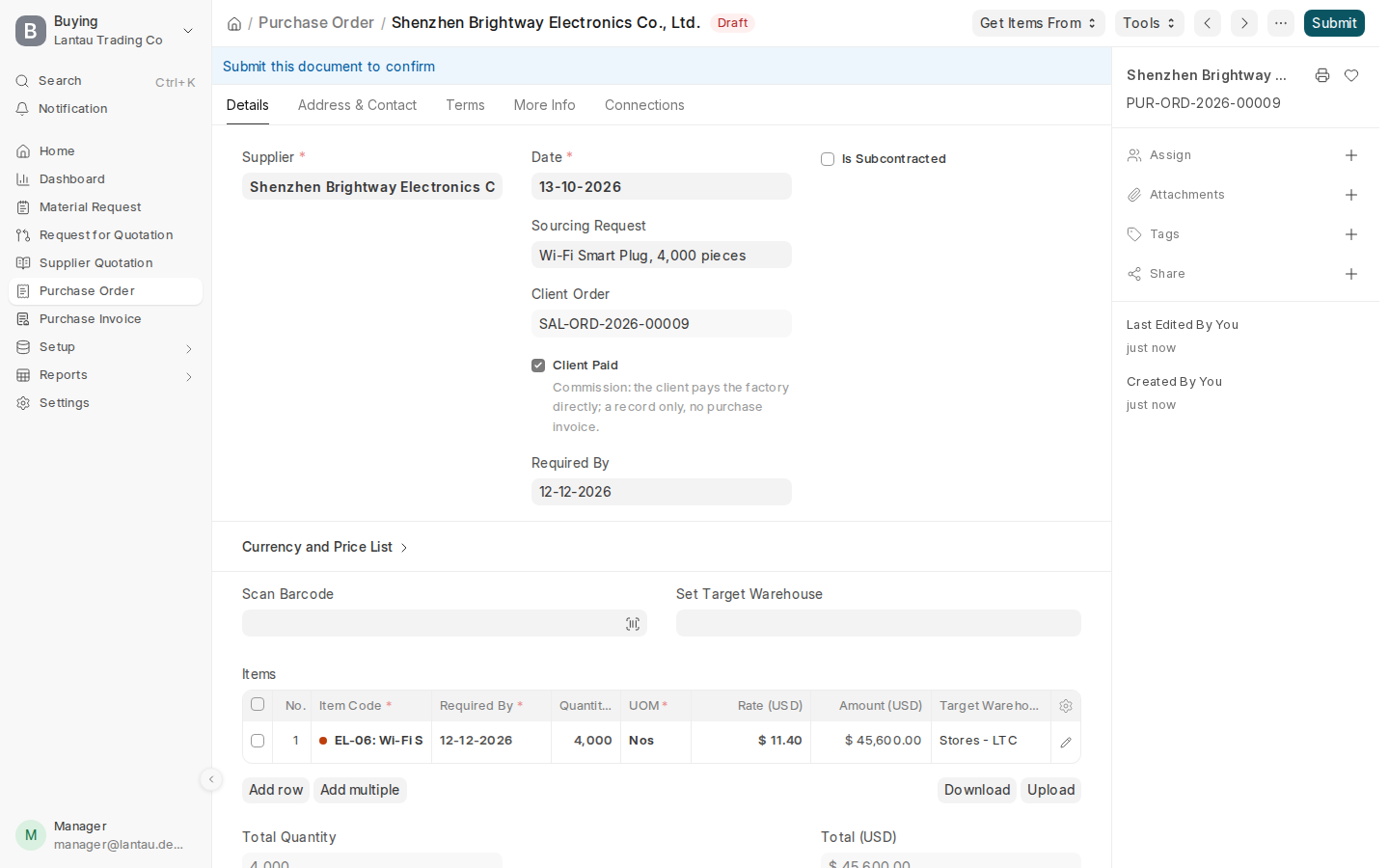
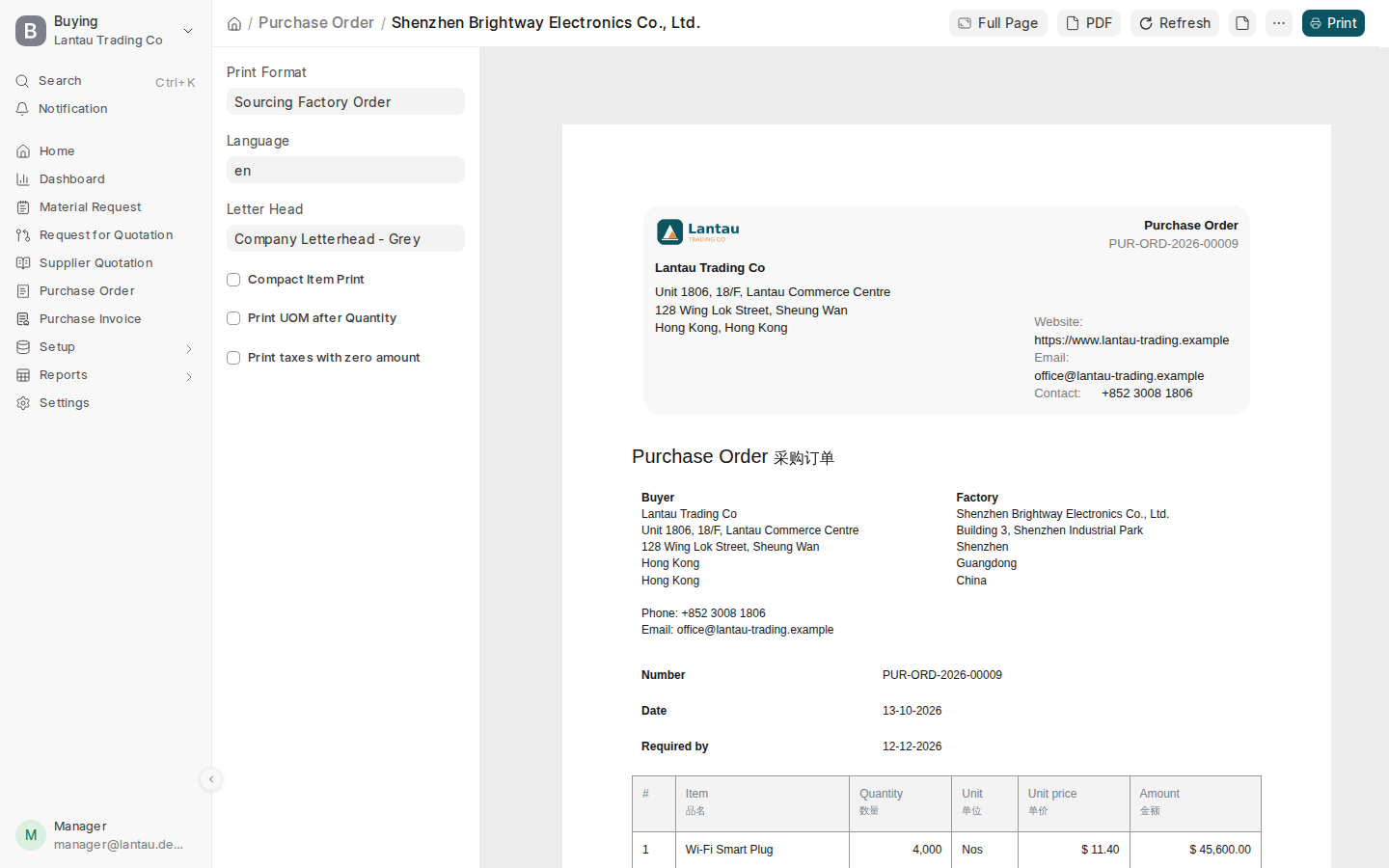
The factory order (Purchase Order) is your order to the awarded factory, at the factory prices of the costing sheet, with payment terms and five production milestones. Its print is in English and Chinese and shows the destination port, never your client.
Why it matters
The factory works from this order, and you follow production on it. With Commission it is marked Client Paid: it records what the client buys from the factory, and you never get an invoice for it.
Steps
- Open the submitted client order and select Create > Factory Order. One factory order is made per client order.
- Check the products, prices and Required By date.
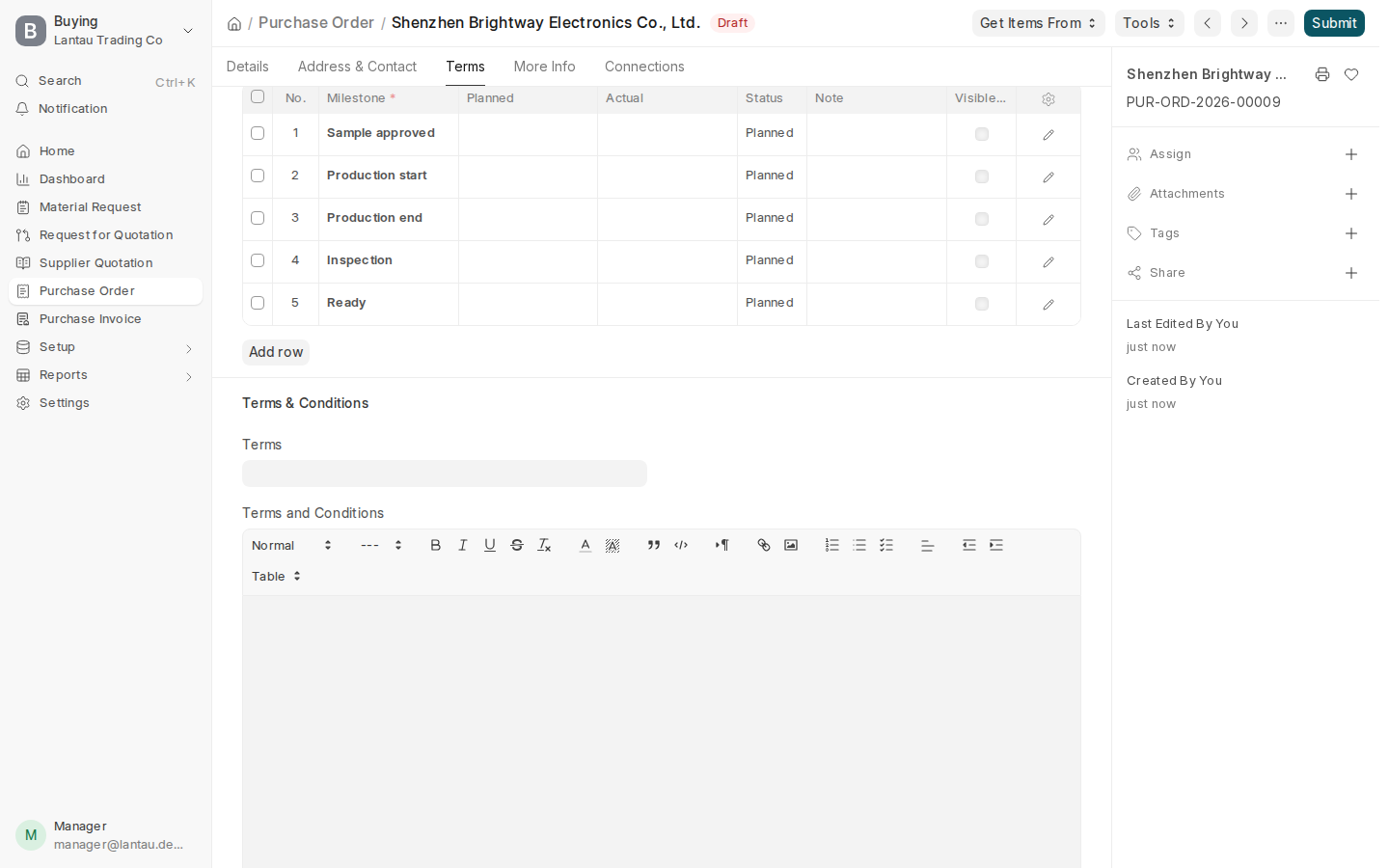
- Check the payment terms on the Terms tab: the factory’s own terms, or Deposit 30% / Balance 70%.
- Select Save, then Submit.
- Select the printer icon. The Sourcing Factory Order opens in English and Chinese; select PDF and send it to the factory.
- As production goes on, open the Terms tab and, under Milestones, fill in the Planned and Actual dates and the Status of each: Sample approved, Production start, Production end, Inspection, Ready.
Common mistakes
- Typing new prices on the factory order. They come from the costing sheet; change the costing first.
- Leaving the milestones empty. They are how your team sees which orders are late.
Tips
- Set Default Payment Terms Template on a factory’s record, and every new factory order to it uses those terms.
- Milestones can be updated after the order is submitted.
Related pages
