
Part 11 · How PHOENIX supports you
Change your plan
Move to a bigger or smaller plan, or from monthly to yearly billing, on the billing page.
What it is
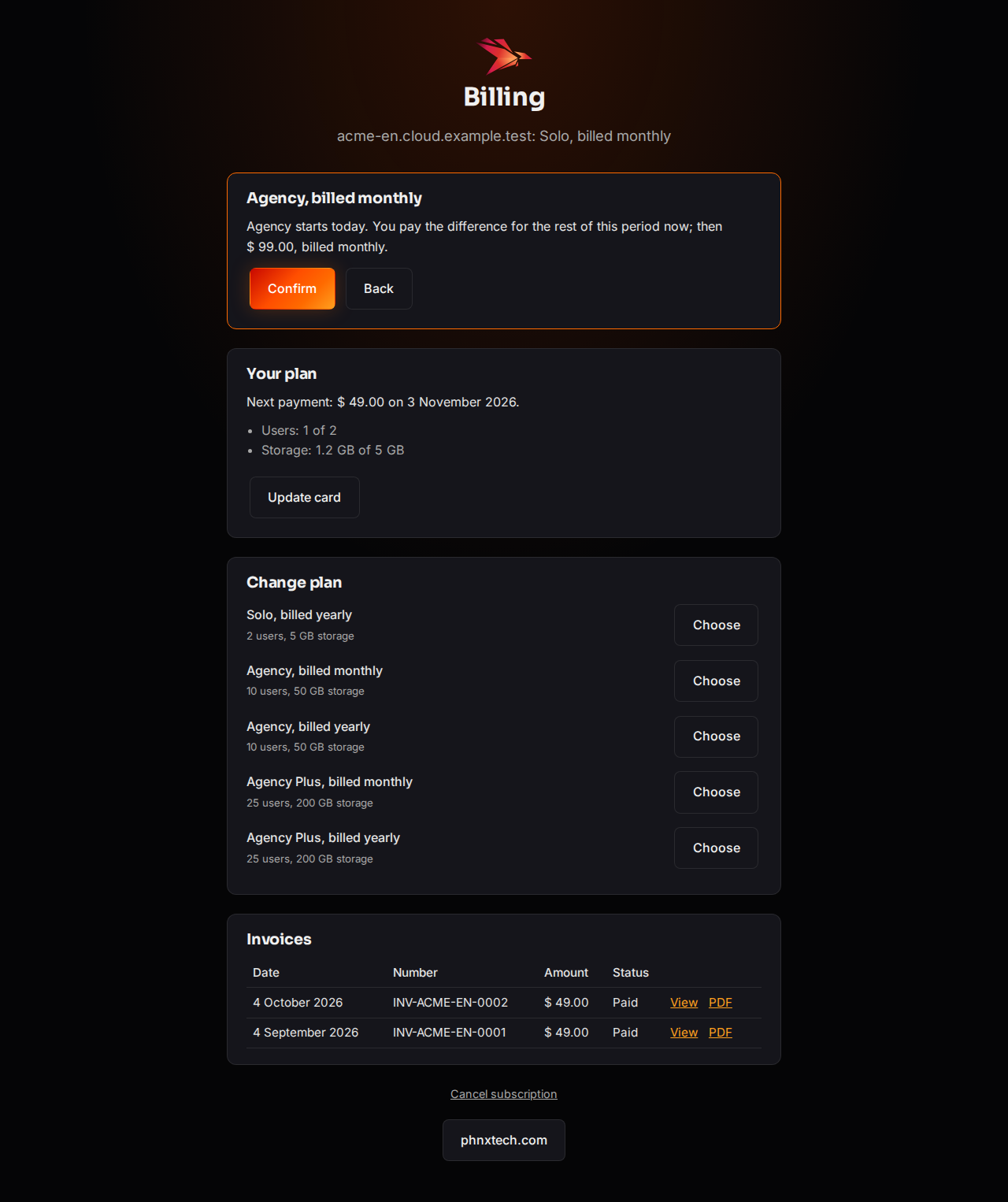
On the billing page, Change plan lists every plan and billing you can move to, with its users and storage. Each choice first shows what it will do and what it costs; nothing changes until you select Confirm.
| Change | When it starts | What you pay |
|---|---|---|
| Any change during the trial | At once | Nothing now; the new plan from the end of the trial |
| A bigger plan | Today | The difference for the rest of this period, now |
| A smaller plan | Your next billing date | The smaller price from then; until then you keep your plan |
| Monthly to yearly | Today | A year now, less the unused part of this month |
Why it matters
Your plan sets how many users and how much storage your site has. A bigger plan lets you add colleagues at once; a smaller one saves money from your next billing date.
Steps
- Select your name at the top of the desk, then Billing. (Or Change plan on My account.)
- Under Change plan, select Choose next to the plan and billing you want.
- Read what the change does and what it costs.
- Select Confirm. We email you the details.
Common mistakes
- Choosing a smaller plan while your site uses more. The page says “Your site uses more than this plan allows.” Disable users or remove files first, then choose again.
- Choosing a second change while a smaller plan is waiting for its date. The page then offers only Keep your current plan, which calls the waiting change off; choose again after that.
- Looking for yearly to monthly. It would cut a paid year short, so it is not on the page: reply to one of our emails before your renewal date.
Tips
- A cancelled subscription cannot change its plan.
- The new limits reach your site within a few minutes.
Related pages
-
Choose a plan and pay
Pay for your plan monthly or yearly with a card, through Airwallex, our payment provider.
-
Invoices and your card
See and download your invoices, and change the card your plan is paid with.
-
Roles, plans and limits
Who can do what, what a buyer can do, and the limits of each plan.
