
What your clients see
The portal's dashboard, catalogue, requests, quotations and orders, and what never appears on it.
What it is
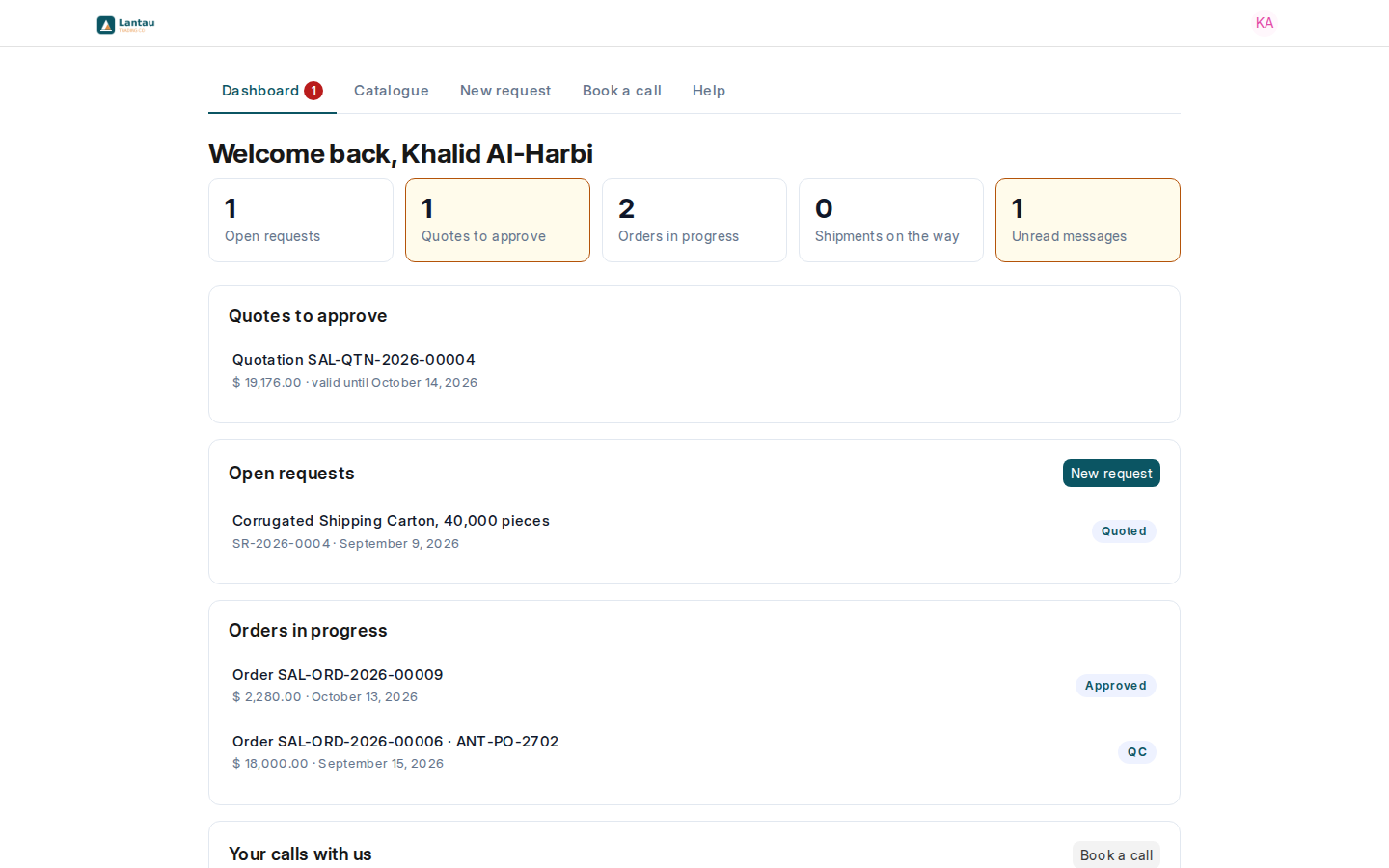
The portal has four pages, always in the menu at the top: Dashboard, Catalogue, New request and Book a call. The dashboard shows what needs the buyer’s attention: quotes to approve, open requests, orders in progress, shipments on the way, unread messages and coming calls.
| Page | What is on it |
|---|---|
| Dashboard | Quotes to approve, open requests, orders in progress, shipments on the way, unread messages, coming calls |
| Catalogue | Your products with a photo; each one starts a request |
| New request | Product, quantity, delivery place and terms, date needed, sample, photo |
| A request | Its progress, its quotations with Approve quotation and Reject, and its messages |
| An order | Its progress, what was ordered, its shipments and its messages |
| Book a call | A 15, 30 or 60 minute call with your team |
Why it matters
Your clients get answers without writing to you, and every answer they give is recorded where your team works.
Steps
- Open your site’s address while signed out to see the sign-in page your clients see.
- In the demo, sign in as Client to see the portal as a buyer in Riyadh sees it.
- Open a request and an order from the dashboard to see their progress.
Common mistakes
- Expecting clients to see factory quotes or costing sheets. They never do; they see only the quotations you send.
- Writing internal notes in a quotation’s Terms and Conditions. The client reads them on the portal.
Tips
- What never appears on the portal: your factories, factory quotes and prices, costing sheets, cost lines, rebates, the client’s target price, the agent in charge and other clients’ records. Every page checks this on the server, not only by hiding buttons.
- The portal uses your logo and colours from Your brand, and your site’s language.
Related pages
-
Invite a client to the portal
Send a client's buyer an invitation; they choose a password and land on their own portal.
-
Requests your clients send
Clients send requests from the catalogue or the New request page; they arrive in your Requests list.
-
Clients approve quotations
The buyer approves or rejects your quotation in the portal; you are notified and the decision is saved.
-
Clients follow their orders
The eight-stage tracker on the portal and what moves each order from one stage to the next.
