
Import your factories, clients and products
Bring your factories, clients and products in from Excel or CSV instead of typing them one by one.
What it is
Data Import reads a spreadsheet and creates one record per row: a factory, a client or a product. It shows which rows worked and why the others did not, so you can fix them and import again.
Why it matters
Your factory list and your clients are years of work. Importing them takes minutes, and every request, quote and order you make afterwards can use them.
Steps
Import in this order: factories, then clients, then products.
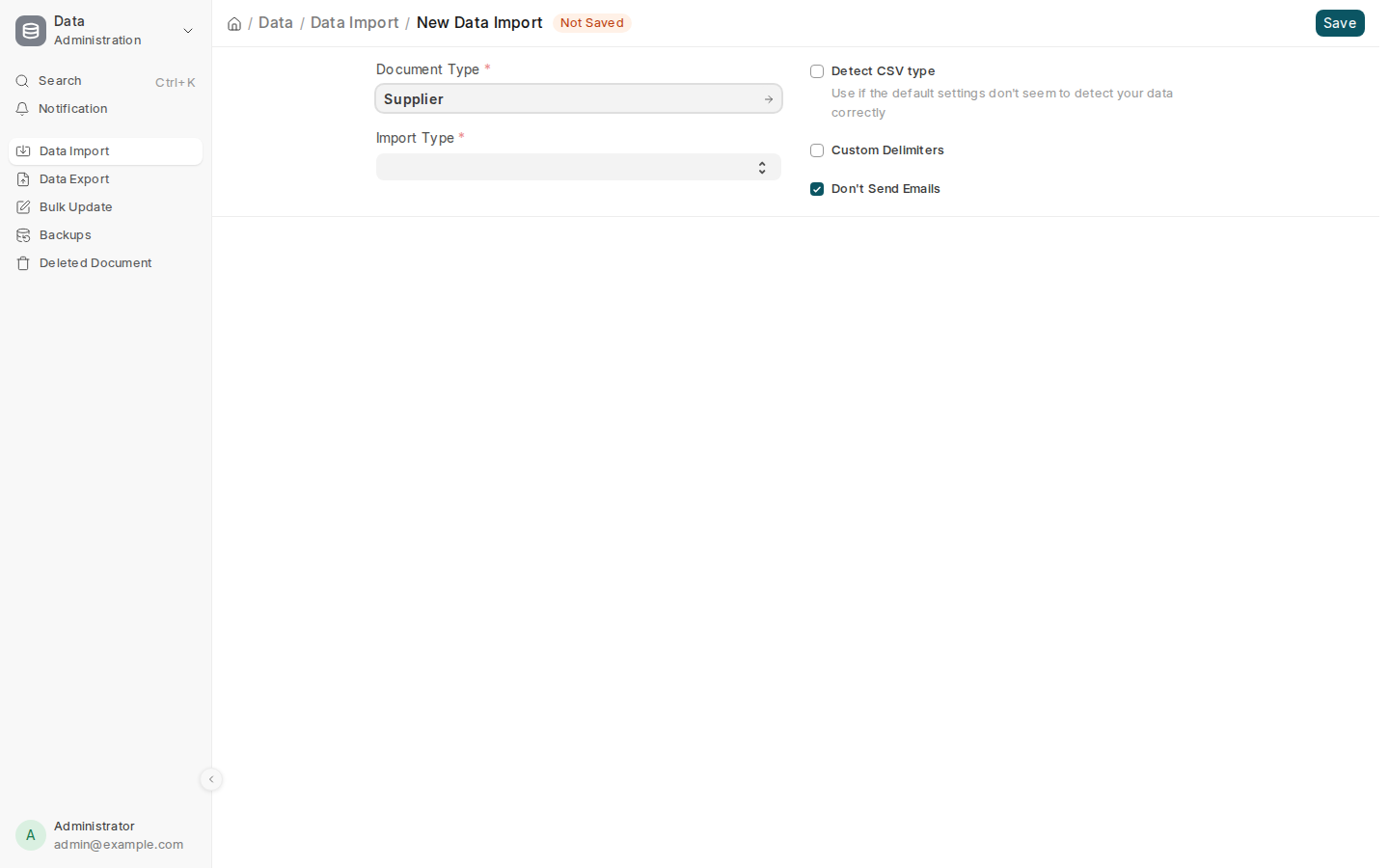
- Type Data Import in the search bar at the top and open it. Select Add Data Import.
- Pick the Document Type: Supplier for factories, Customer for clients, Item for products.
- Set Import Type to Insert New Records and select Save.
- Select Download Template, tick the columns you need and download it as Excel.
- Fill in one row per factory, client or product, and keep the header row.
- Under Import File, attach your file, then select Start Import.
- Read the result. Rows that worked are done. Each failed row says why, for example an unknown country or a missing category: fix those rows and import the file again. Rows already imported are not imported twice.
| Import | The columns that matter most |
|---|---|
| Factories | Name, kind, province, city, main categories, MOQ, lead time, WeChat ID, 1688 or Alibaba page |
| Clients | Name, destination country, destination port, importer registration |
| Products | Code, name, product group, unit, pieces per carton, carton CBM, gross and net weight |
Common mistakes
- Importing products before their product groups exist. Use the groups your site already has, or add yours first.
- A carton net weight above its gross weight. The import refuses the row.
- Deleting the header row of the template. The import needs it to match the columns.
Tips
- A factory with several main categories takes one extra row per category, with only the category filled in.
- Keep your spreadsheet. If a row fails, fix it in the same file and import again.
- After importing clients, give their buyers a portal login, see Client portal.
Related pages
