
Calls clients book
Clients book a 15, 30 or 60 minute call in your office hours; it lands in your calendar.
Available Updated 2026-10-07
What it is
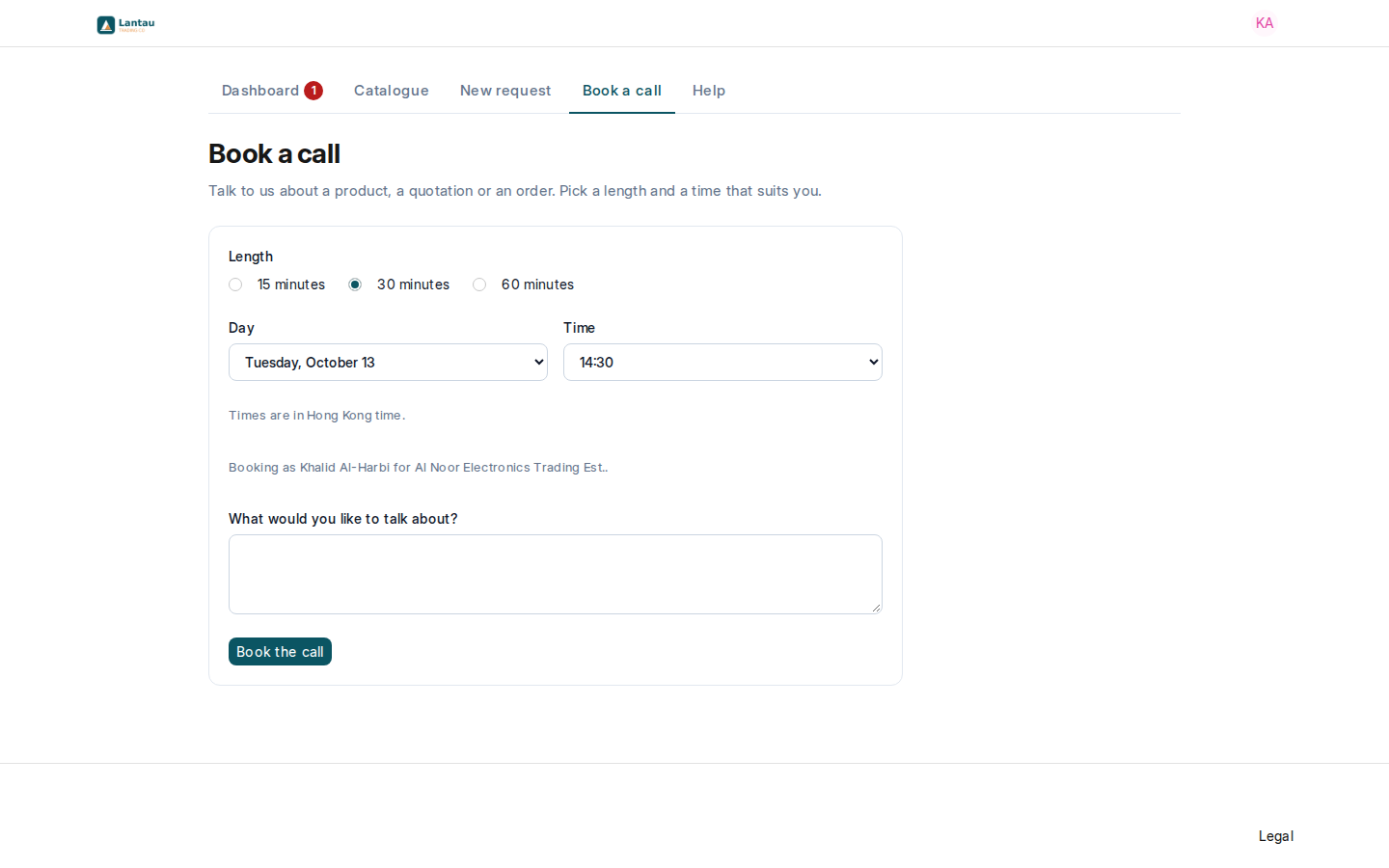
Book a call lets a buyer pick a 15, 30 or 60 minute call with your team, Monday to Friday between 09:00 and 18:00 in your site’s time zone, up to 14 days ahead. Visitors to your website can book too, with their name and email.
Why it matters
Clients pick a free time themselves, so there is no back-and-forth to find one, and the call is in your calendar with what they want to talk about.
Steps
- The buyer opens Book a call, picks a Length, a Day and a Time, writes what they want to talk about and selects Book the call.
- Every Sourcing Manager and Sourcing Agent gets a notification.
- The call is in your calendar as “Call with” and the buyer’s name, and in the Appointment list with the client’s name and their notes.
- The buyer sees it on the dashboard under Your calls with us.
Common mistakes
- A wrong time zone on your site. The times offered follow it. Check it once in System Settings > Time Zone.
- Leaving a cancelled call open. Set the appointment’s status to Closed so its time is free again.
Tips
- Times start every 15 minutes and at least 2 hours from now; booked times are not offered again.
- A visitor who books from your website becomes a Lead, so you can follow them up.
Related pages
