
Print in another language
Set a factory's or client's print language; new documents follow it, and the print view can override it.
What it is
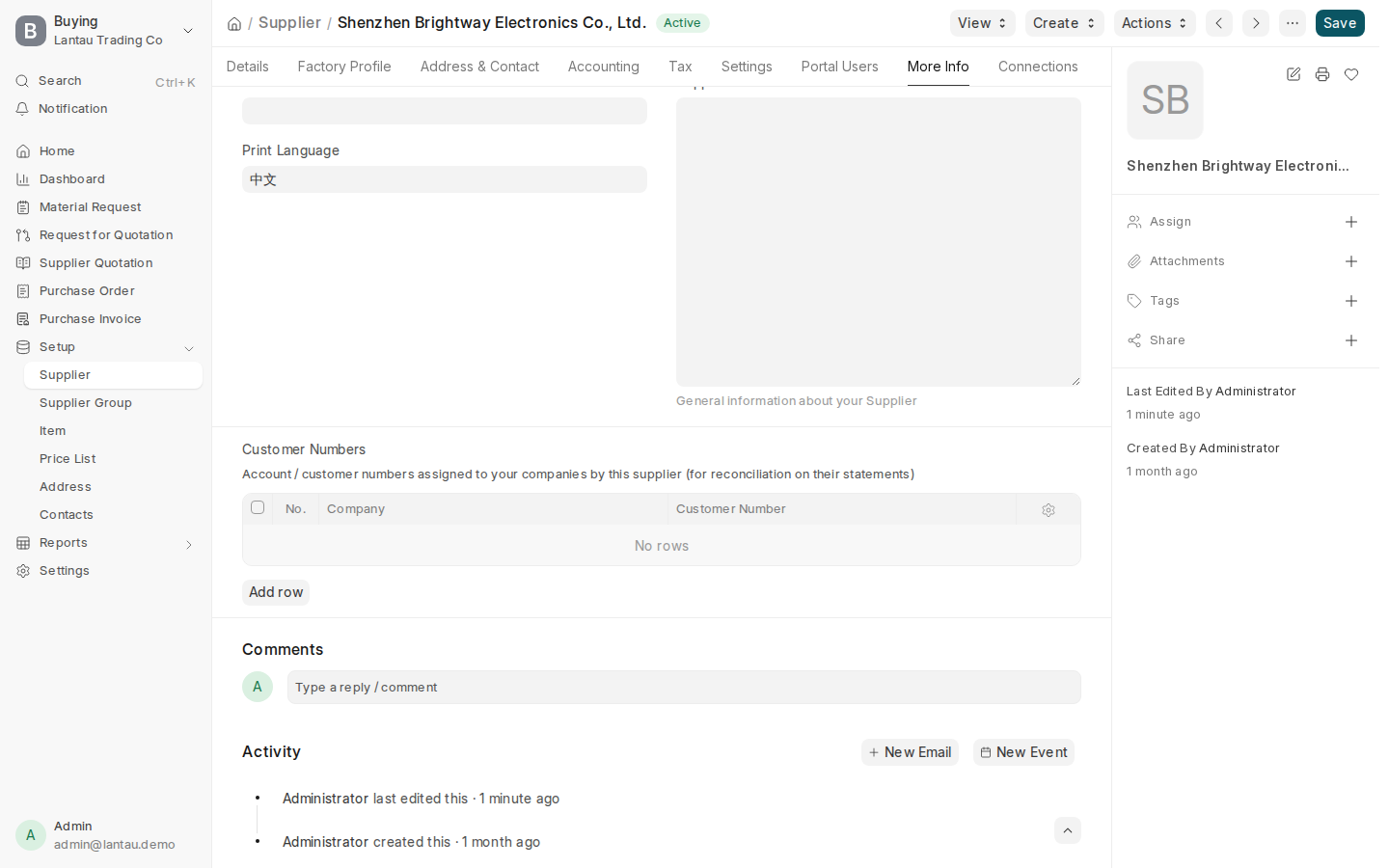
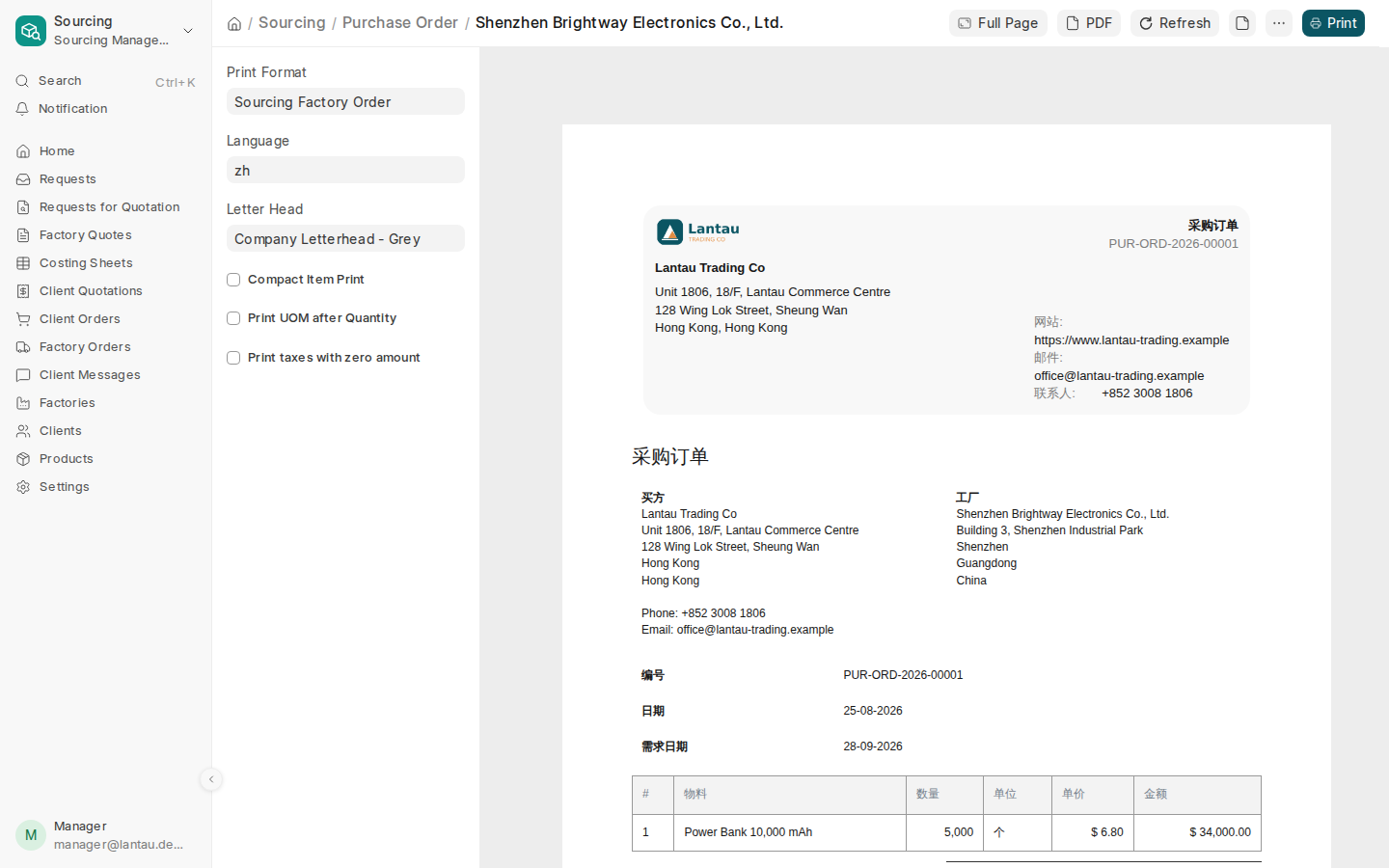
The Print Language (打印语言) field on a factory (Supplier) or client (Customer), tab More Info, is copied to new factory orders, quotations, client orders and invoices. The print view’s Language (语言) box starts with it and can be changed for one print.
A request for quotation has no Print Language. Pick the language in the print view’s Language box.
On an English print, the factory order shows fixed Chinese under its title, column labels and standard terms. On a Chinese print, everything is in Chinese, once.
Why it matters
A Chinese factory reads its order in Chinese while your team works in English. A client abroad gets a quotation in English. One setting on the factory or client makes every new document follow it.
Steps
- Open the factory (Supplier) or client (Customer).
- Open the More Info tab and set Print Language (打印语言) to English or 中文.
- Create a new factory order, quotation, client order or invoice.
- Open the print view. The Language box starts with the factory’s or client’s Print Language.
- To change one print, pick a different language in the Language box before printing.
Common mistakes
- Looking for Print Language on a request for quotation. It has none; pick the language in the print view.
- Editing the Print Language after the document is created. New documents follow the factory’s or client’s setting; change one print in the print view’s Language box.
- Expecting an English factory order without Chinese. On an English print, the title, columns and standard terms always show fixed Chinese underneath.
Tips
- An English factory order carries fixed Chinese labels and a Chinese one is all Chinese, so the factory always sees the key fields in Chinese.
- A client who needs documents in a different language gets its own Print Language; the same user still works in their own interface language.
Related pages
-
How languages work
Who sees which language, and where it is chosen.
-
Order from the factory
Make the factory order from the client order, follow its milestones and send the factory the bilingual PDF.
-
Send the client a quotation
Make the client's quotation from the costing sheet; the client approves or rejects it in the client portal.
