
Part 11 · How PHOENIX supports you
When a payment fails, and a paused site
What happens when a payment does not go through, when a site is paused, and how to open it again.
What it is
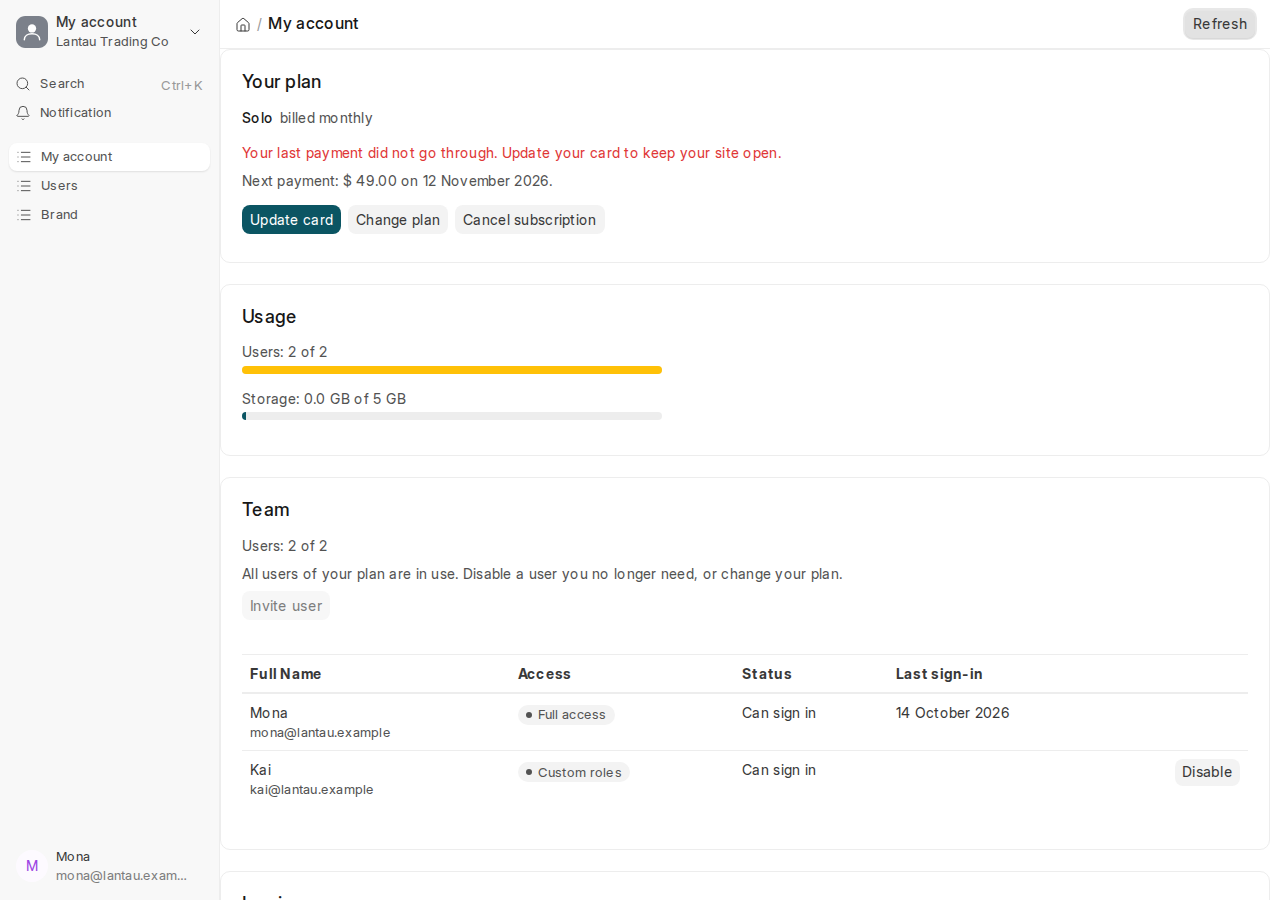
When a payment does not go through, your site stays open. We email you “Your PHOENIX Cloud payment did not go through” with a link to your billing page. My account says in red: “Your last payment did not go through. Update your card to keep your site open.”; the billing page says the same. Airwallex, our payment provider, tries the payment again.
Your site is paused when:
- the payment still fails and Airwallex ends the subscription;
- your trial ends without a plan;
- you cancelled and the paid period has ended.
A paused site keeps all its data, but nobody can sign in and its scheduled jobs stop. It opens again by itself within a few minutes of a payment.
Why it matters
A paused site stops your whole team. Updating the card on the day of the email keeps the site open.
Steps
When a payment fails:
- Open the link in our email, or select your name at the top of the desk, then Billing.
- Select Update card and enter a card that works, see Invoices and your card. Airwallex tries the payment again at once.
When your site is paused:
- Open the billing link in one of our emails (you cannot sign in to the site).
- Select Choose your plan, then Pay monthly or Pay yearly: two months free, and pay on the Airwallex page.
- Wait a few minutes and sign in again.
Common mistakes
- Ignoring the email because the site still works. It works until Airwallex ends the subscription.
- Looking for My account while the site is paused. Nobody can sign in; use the link in our email.
Tips
- Cannot find our email? Reply to any email from us, or write to support, and we send you the link.
Related pages
-
Invoices and your card
See and download your invoices, and change the card your plan is paid with.
-
Choose a plan and pay
Pay for your plan monthly or yearly with a card, through Airwallex, our payment provider.
-
Your free trial
14 days with every feature and no card; what happens when the trial ends and how to keep your site.
