
Clients follow their orders
The eight-stage tracker on the portal and what moves each order from one stage to the next.
Available Updated 2026-10-13
What it is
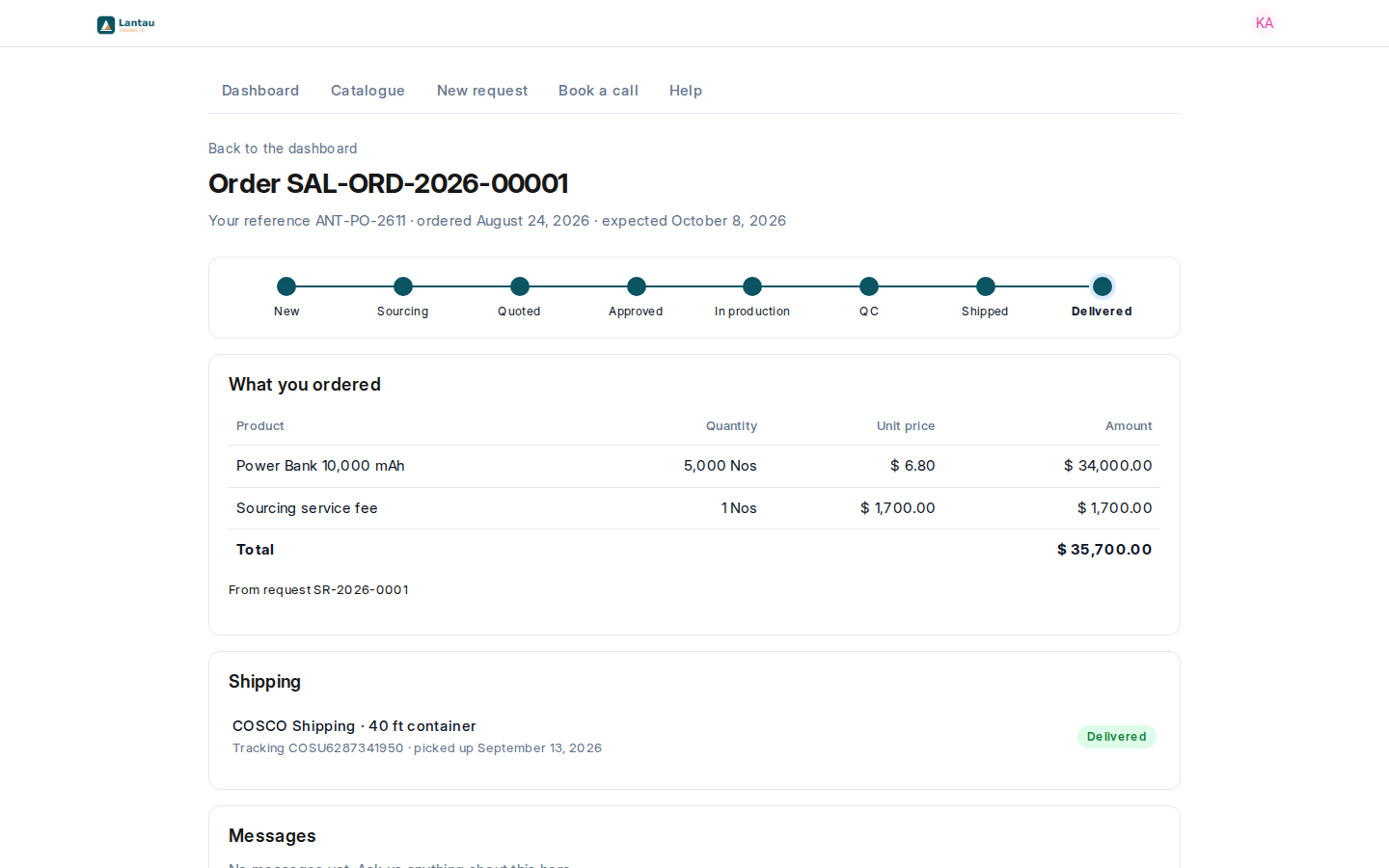
Each request and each order on the portal shows a tracker with eight stages: New, Sourcing, Quoted, Approved, In production, QC, Shipped and Delivered. The order page also lists what was ordered, the buyer’s own reference and the shipments with their tracking.
Why it matters
Clients see where their order stands without asking you, and the tracker never says more than your records show.
Steps
The tracker moves on by itself, from what you record:
| Stage | Reached when |
|---|---|
| Sourcing | The request is no longer New, or a request for quotation exists |
| Quoted | A quotation is submitted |
| Approved | The client approved a quotation, or a client order is submitted |
| In production | The factory order is submitted |
| QC | A quality inspection is submitted on the goods received from the factory |
| Shipped | A delivery note for the client order is submitted |
| Delivered | A shipment for that delivery is marked Delivered |
Common mistakes
- Leaving the factory order as a draft. The client’s order stays at Approved until you submit it.
- Telling a client their goods have shipped before the delivery note is submitted. The portal will still say otherwise.
Tips
- The buyer’s order number (Customer’s Purchase Order on the client order) is shown on the portal as “Your reference”.
- Sourcing has no pages for quality inspections, delivery notes and shipments yet. Type Quality Inspection, Delivery Note or Shipment in the search bar at the top to open its list.
Related pages
