
Part 3 · The sourcing workflow
Turn the approved quotation into an order
Make the client order from the approved quotation and send the client the proforma invoice.
What it is
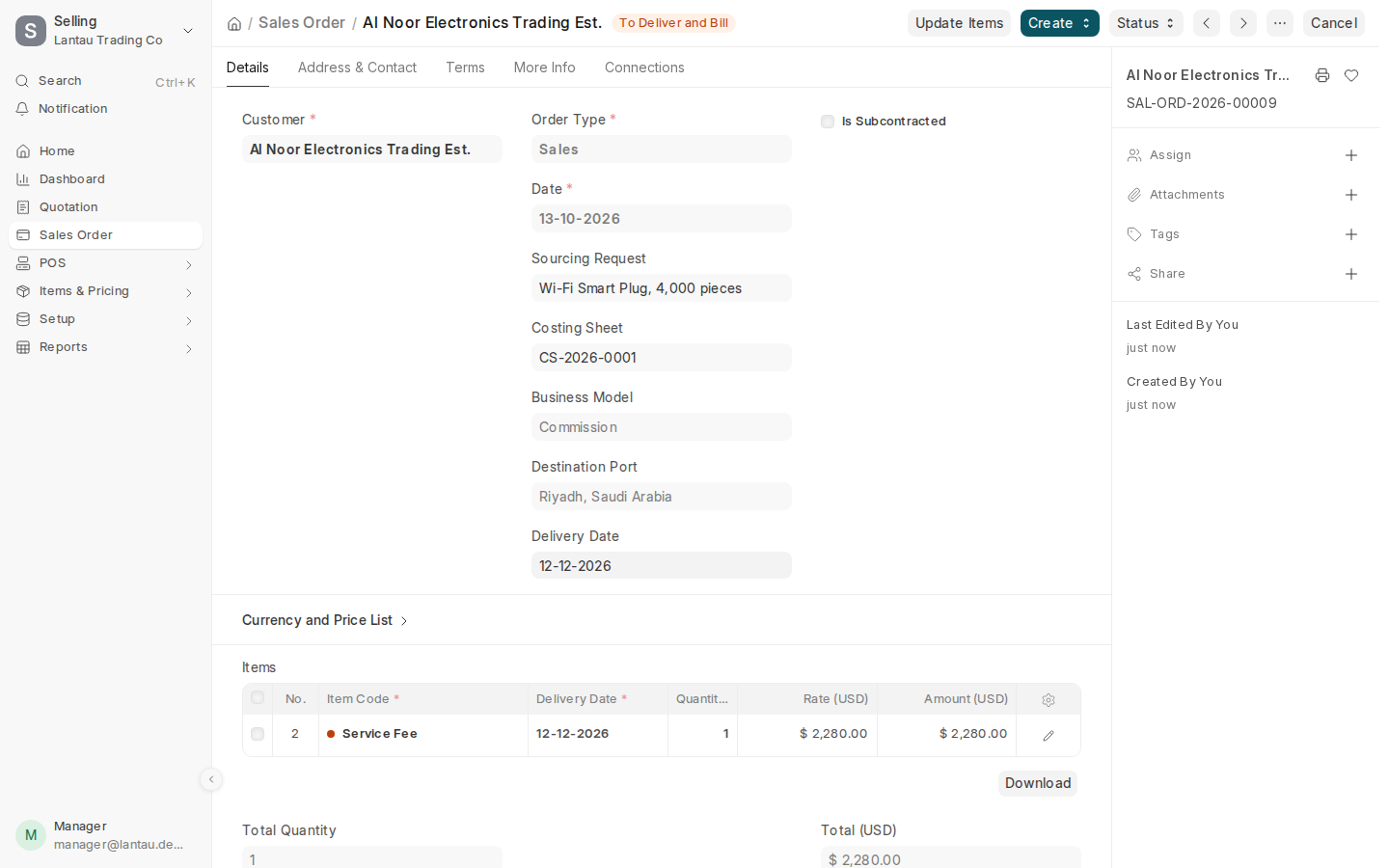
The client order (Sales Order) is the client’s confirmed order with you. It is shaped by the business model: with Commission it holds only your service fee, because the client pays the factory for the goods; with Trading and Rebates it holds the products at the client’s price.
Why it matters
Submitting the order closes the deal: the request becomes Won, the costing sheet Accepted, and your expected earnings are recorded. The factory order is made from it.
Steps
- Open the approved quotation and select Create > Sales Order.
- Fill in the Delivery Date. If the client sent its own order number, type it in Customer’s Purchase Order.
- Select Save, then Submit.
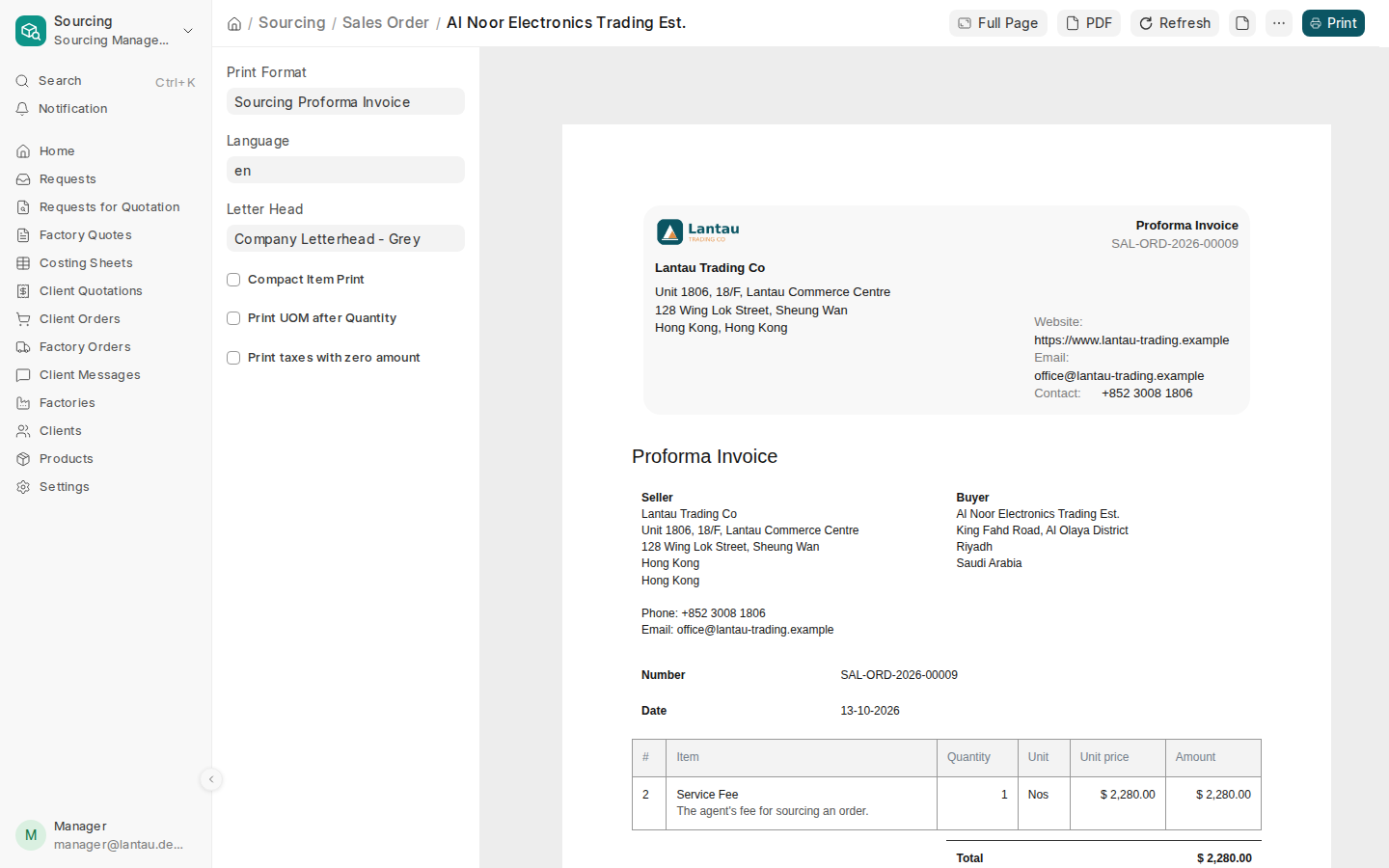
- Select the printer icon. The Sourcing Proforma Invoice opens; select PDF and send it to the client for the payment.
Common mistakes
- Adding the products back to a Commission order. With Commission the client pays the factory directly; the order bills only your fee.
- Making the order before the client has approved. Check Client Decision on the quotation first.
Tips
- After submitting, continue with the factory order.
Related pages
-
Send the client a quotation
Make the client's quotation from the costing sheet; the client approves or rejects it in the client portal.
-
Order from the factory
Make the factory order from the client order, follow its milestones and send the factory the bilingual PDF.
-
Follow your earnings
See what each order earns you, and follow each amount from expected to invoiced to received.
