
Set how you earn
Turn on your business models (commission, trading, factory rebates) and set your default rates and currency.
What it is
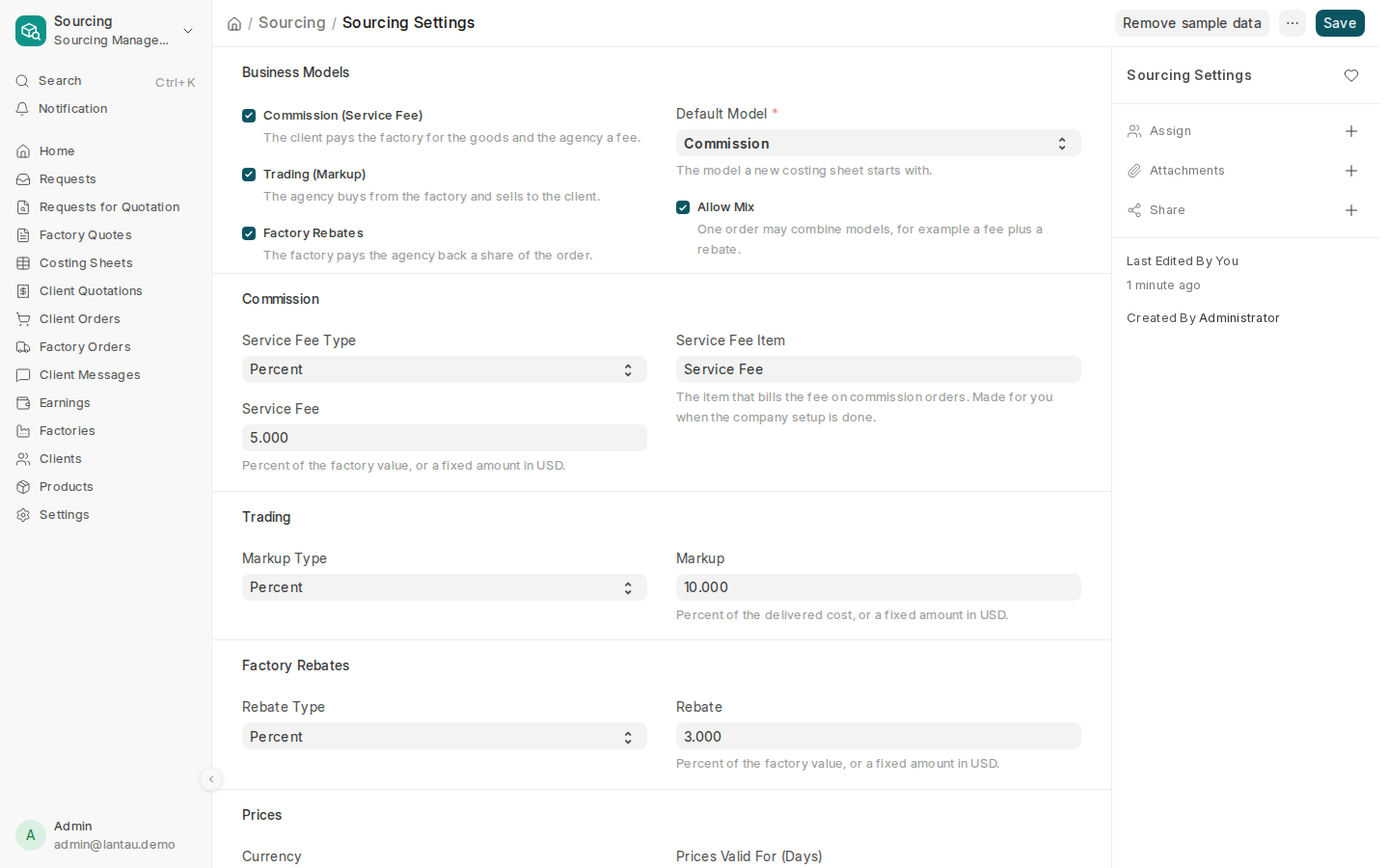
Sourcing Settings say how your agency earns on a deal, and the rates every new costing sheet starts with:
| Model | How you earn |
|---|---|
| Commission (Service Fee) | The client pays the factory for the goods and pays you a fee |
| Trading (Markup) | You buy from the factory and sell to the client at a higher price |
| Factory Rebates | The factory pays you back a share of the order |
| Mix | One order combines models, for example a fee plus a rebate |
Your site starts with the model you chose at signup. You can change it at any time; orders already made keep their model.
Why it matters
The costing sheet uses these settings to turn a factory price into the client’s price and your earnings. Wrong rates here mean every new quotation starts wrong.
Steps
- In Sourcing, open Settings in the sidebar.
- Under Business Models, tick each model you use.
- Pick the Default Model, the one a new costing sheet starts with. With two or more models ticked, tick Allow Mix if one order may combine them.
- For each model you ticked, set the type (percent or fixed amount) and the rate, for example a service fee of 5% of the factory value.
- Under Prices, check the Currency, and set Prices Valid For (Days), how long a quoted price stays valid.
- Select Save.
Common mistakes
- Changing the currency after you have quoted clients. Earlier documents keep their currency; decide on day one.
- Typing 0.05 for 5%. When the type is a percent, type 5.
Tips
- Not sure which model fits? Read Business models.
- You can still change the model and the rate on each costing sheet; the settings are only the starting point.
