
Part 11 · How PHOENIX supports you
Export, cancel or close your account
Take a copy of all your data, stop paying at the end of the period, or close the account for good.
What it is
Three things you can do yourself, on My account and the billing page:
| What happens | |
|---|---|
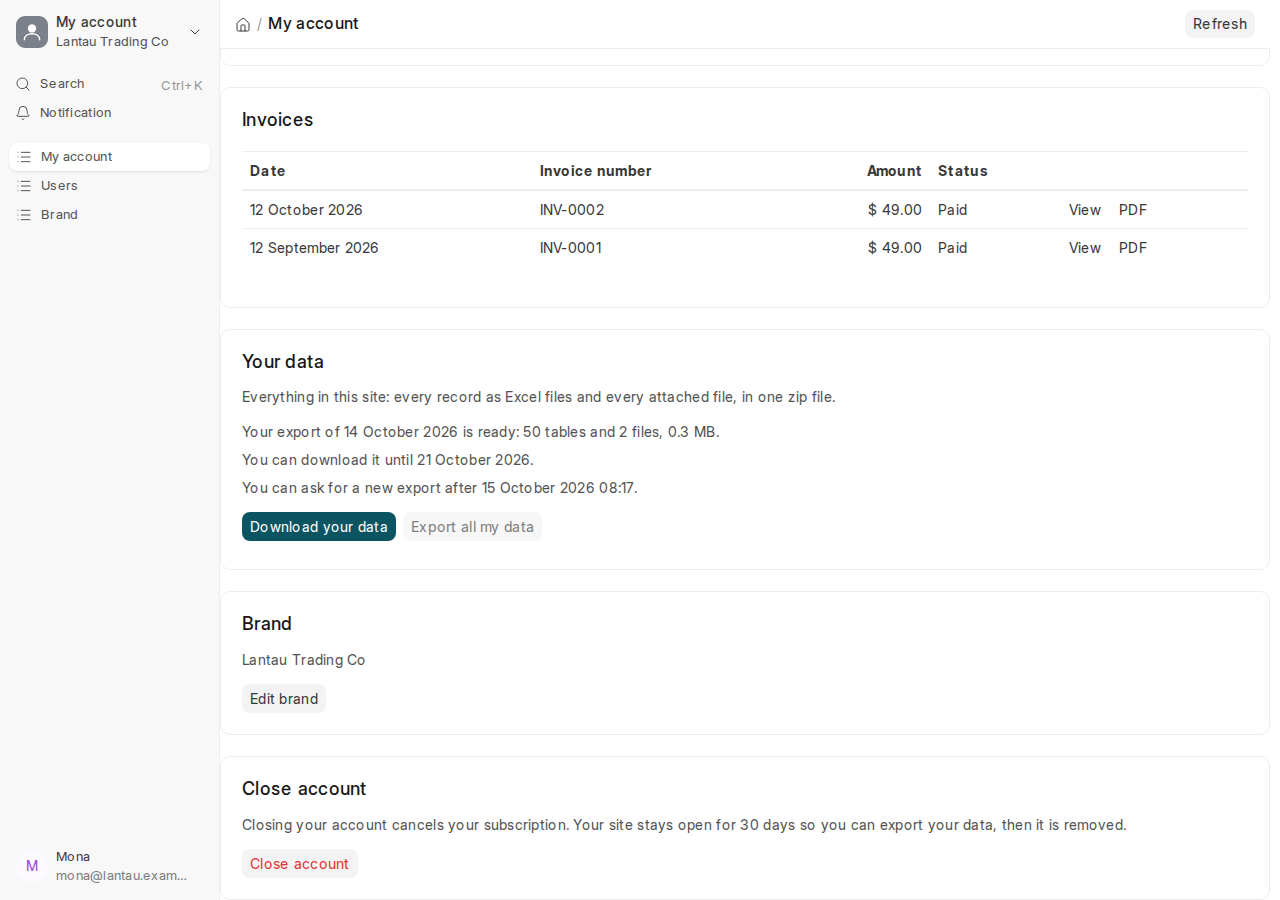
| Export all my data | One zip file with every record as Excel files (they can be imported again) and every attached file. Your site does not change |
| Cancel subscription | No more payments. Your site stays open until the end of the period you paid for (or of your trial), then it is paused, with its data kept |
| Close account | The subscription is cancelled. Your site stays open 30 more days so you can export; on that day the site and all its data are removed, and its backup is deleted 90 days later |
There is no refund for the current period.
Why it matters
Your data is yours. Export it before you cancel or close, and keep the zip file: once a closed site is removed, its data cannot be brought back.
Steps
To export your data:
- Open My account from your name at the top of the desk.
- On the Your data card, select Export all my data. We email you when the file is ready.
- Select Download your data in the email or on the card. The link works for 7 days, for a System Manager who is signed in.
To cancel your subscription:
- On the Your plan card, select Cancel subscription. The billing page opens.
- Read when your subscription ends, then select Cancel my subscription. We email you.
To close your account:
- Export your data first.
- On the Close account card, select Close account, read what happens, and select Continue.
- Type your brand name and select Close my account.
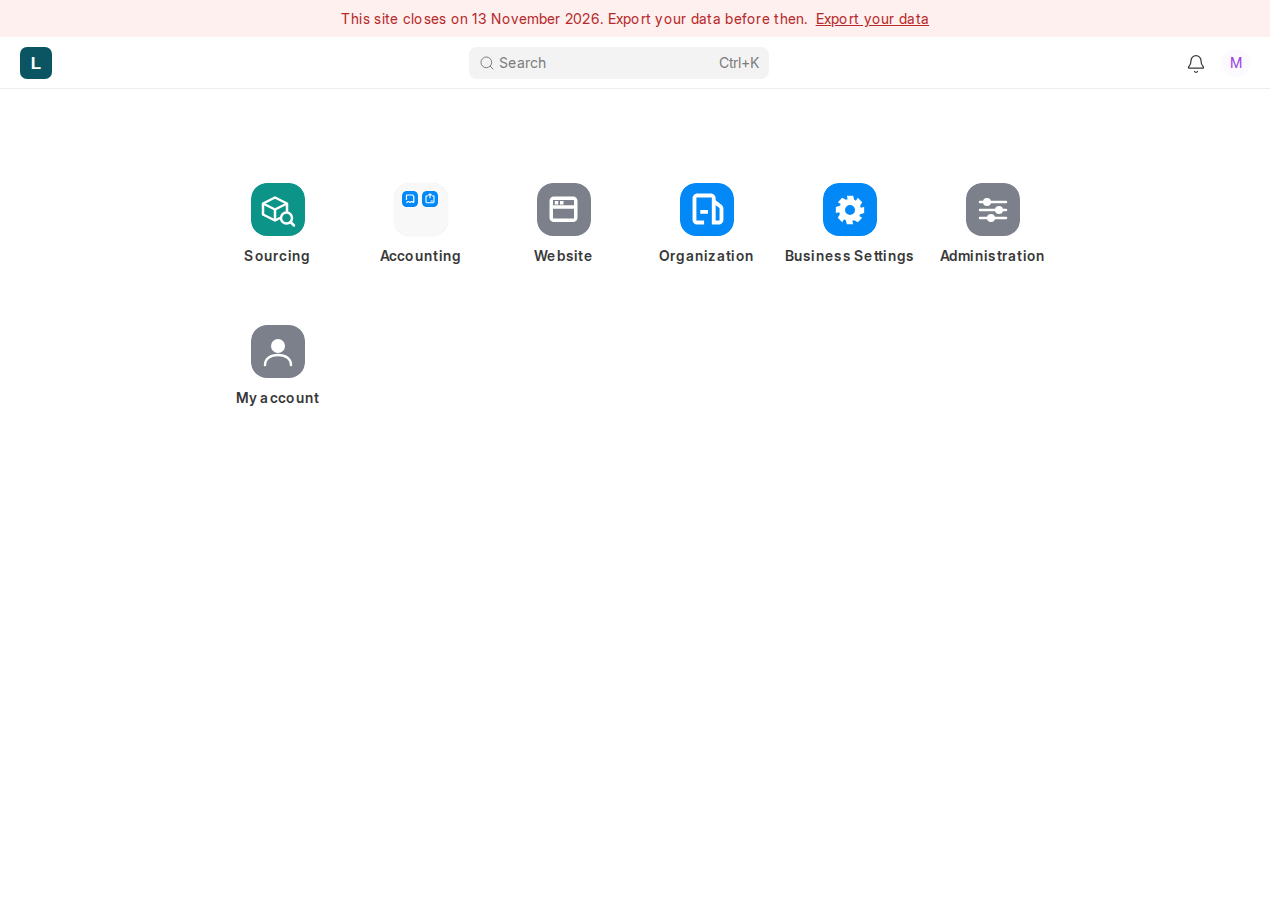
Until the closing day, every user sees at the top of every page: “This site closes on …”. The owners’ version links to My account, where the export is.
Common mistakes
- Closing to stop the payments for a while. Cancel instead: a cancelled site is paused with its data and opens again when you pay.
- Closing before the export is downloaded. You have 30 days, but do it first.
- Asking for a second export the same day. One export a day; the card says when you can ask again.
Tips
- A cancellation or a closing cannot be undone online. To keep your site, reply to one of our emails before the day.
- While the account is closing, the plan cannot be changed.
Related pages
-
My account
Your plan, usage, team, invoices, data export, brand and closing your account, on one page in your site.
-
When a payment fails, and a paused site
What happens when a payment does not go through, when a site is paused, and how to open it again.
-
Your site and your account
Your own site and database, signing in, the free trial, backups and who owns your data.
