
Part 3 · The sourcing workflow
Quote only the shipping
For a client who bought the goods himself: a quotation with only the freight, the insurance and your fee.
What it is
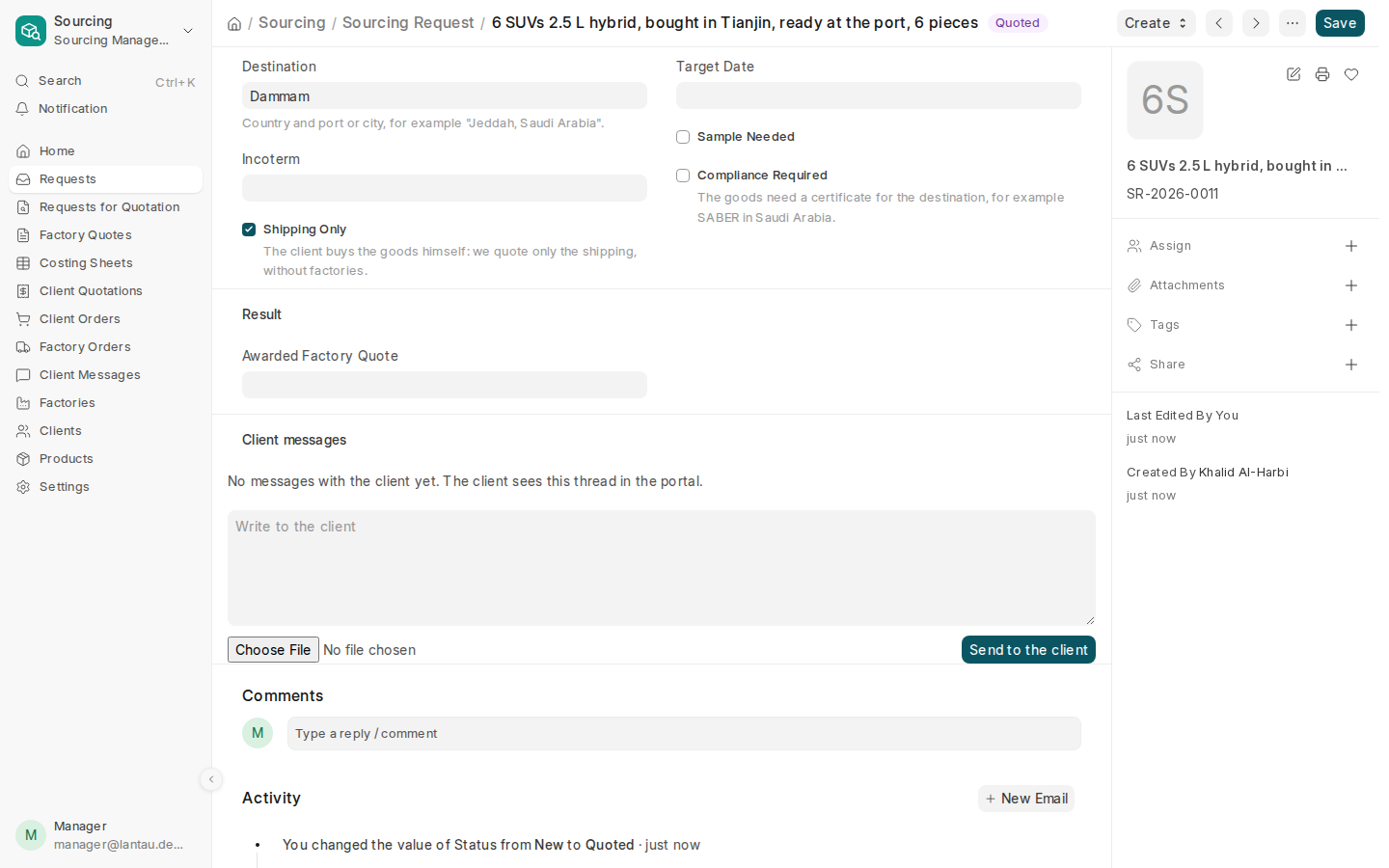
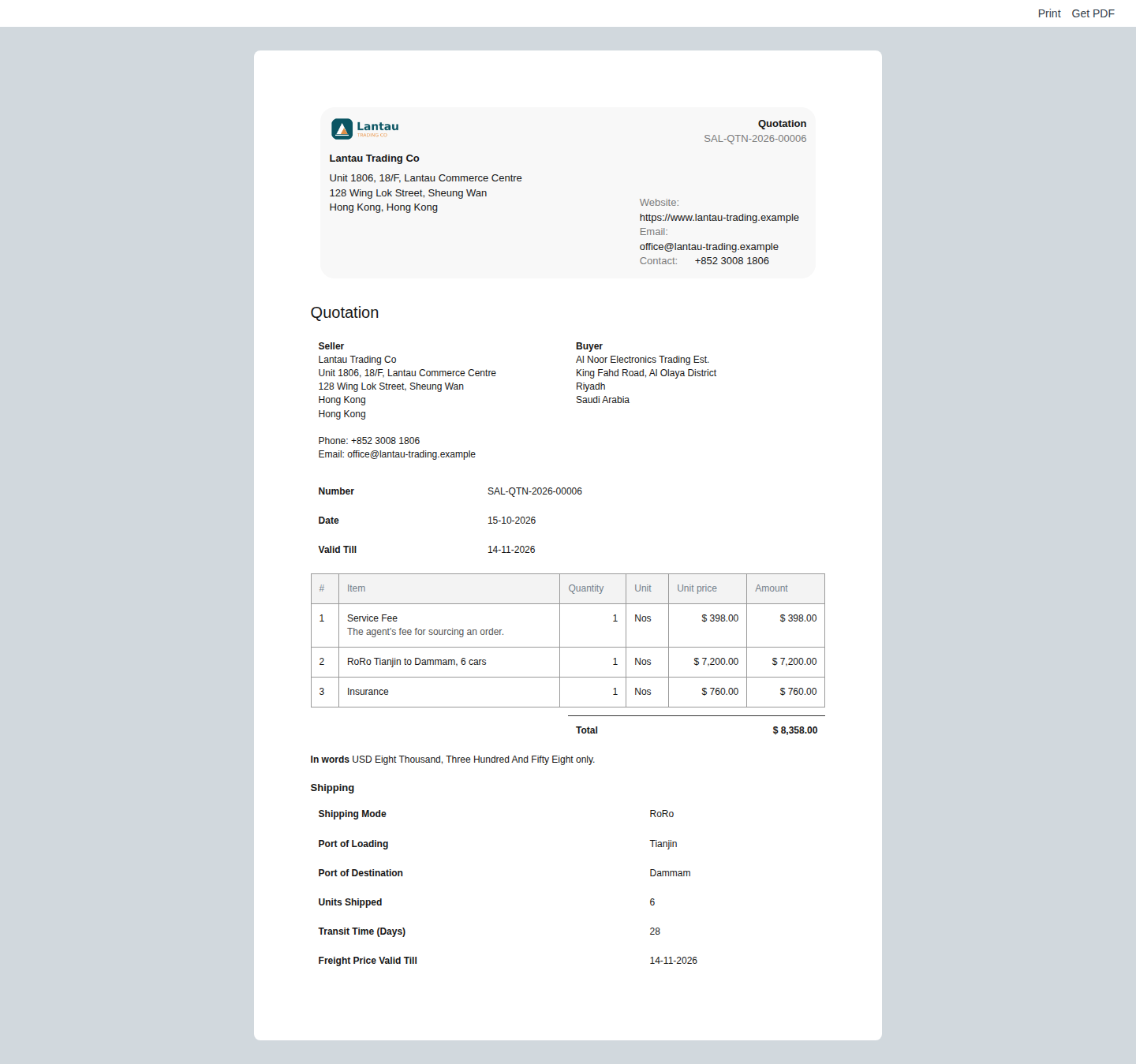
Some clients buy the goods themselves, for example cars, and only want you to ship them. Tick Shipping Only on their request (a client can tick it in the client portal: “I have the goods: quote only the shipping”). Such a request asks no factory: its costing sheet has no factory quote and no products, only the shipping costs, and its quotation has only the shipping lines, your fee and the Shipping section.
Why it matters
You quote the shipping with the same steps, prints and client portal as a full deal, and your earnings are recorded the same way. The client sees the freight, the insurance and how the goods travel, and approves in the portal.
Steps
-
Open the request and check that Shipping Only is ticked under Delivery. Fill in Destination and the Incoterm if the client gave them.
-
Select Create > Costing Sheet. The sheet opens with Shipping Only ticked, the Incoterm and the port of destination from the request.
-
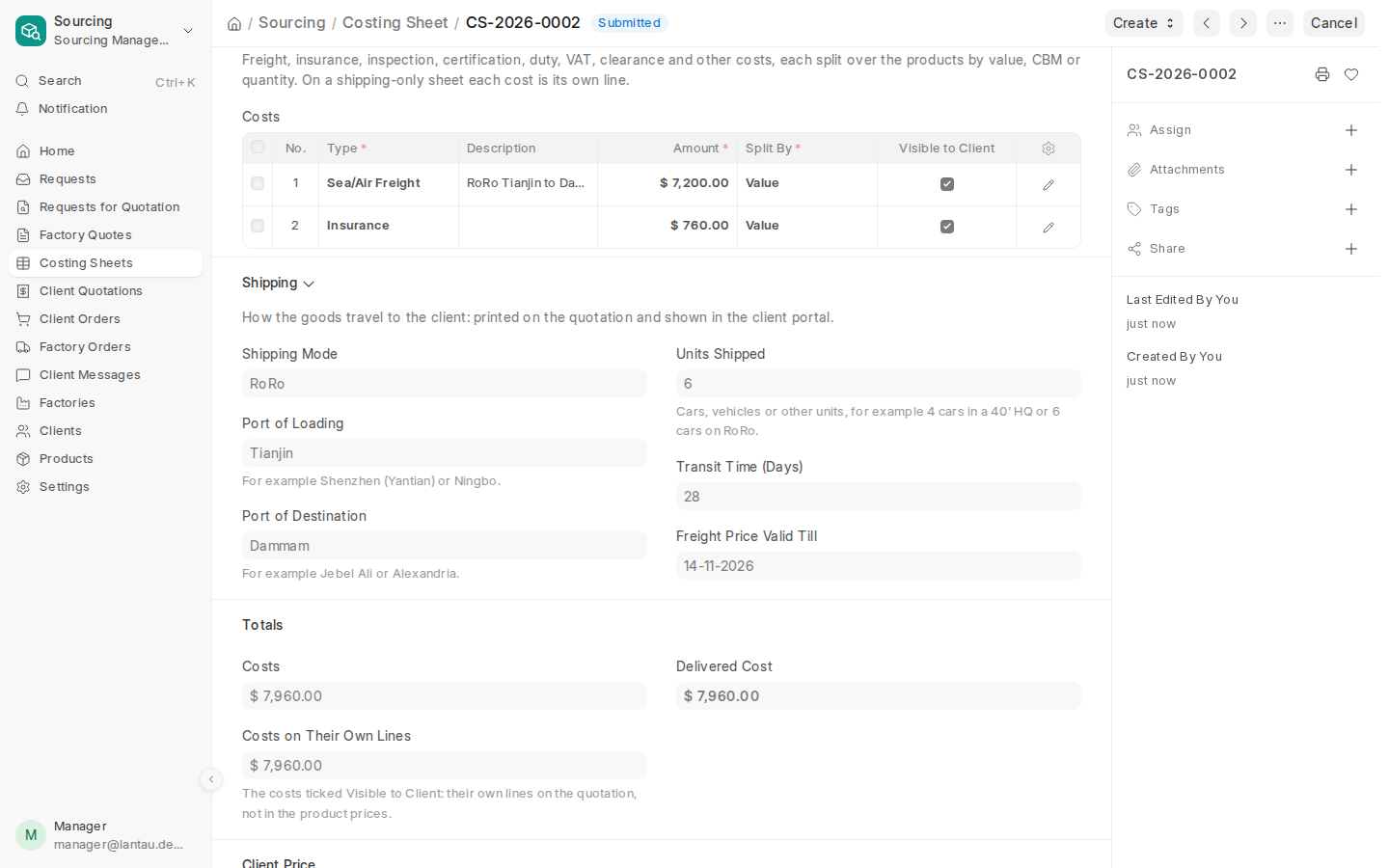
Under Costs to the Client, add a row per cost: the freight (for example “RoRo Tianjin to Dammam, 6 cars”), the insurance, the clearance. Every row is billed to the client as its own line, so Visible to Client is always ticked.
-
Fill in the Shipping section: the shipping mode, the port of loading, the units or containers, the transit time and until when the freight price holds.
-
Check the Business Model. With Commission your service fee is a share of the costs (5% of 7,960 is 398); with Trading your markup is added to the cost lines in proportion to their amounts. There is no rebate: no factory pays one.
-
Select Submit, then Create > Quotation, and submit the quotation as in Send the client a quotation.
-
When the client approves, make the client order as usual. A shipping-only order has no factory order.
Common mistakes
- Sending a request for quotation to factories for a shipping-only request. It is refused: there are no goods to buy. Use Create > Costing Sheet.
- Ticking Shipping Only after the costing sheet exists. Untick it, or cancel the sheet and make a new one.
Tips
- Use Fixed for the service fee when you charge the same amount per shipment, whatever the freight costs.
- The client’s language is used for the fee line and for the cost types you leave without a description.
Related pages
-
Record a client's request
Create a Sourcing Request for what a client wants: the product, how many pieces, and where and when it must arrive.
-
Work out the client's price
Add freight, insurance, inspection, duty and other costs to the factory price, fill in the shipping, and see the client's price and your earnings.
-
Send the client a quotation
Make the client's quotation from the costing sheet; the client approves or rejects it in the client portal.
-
Turn the approved quotation into an order
Make the client order from the approved quotation and send the client the proforma invoice.
